
SlidesAI
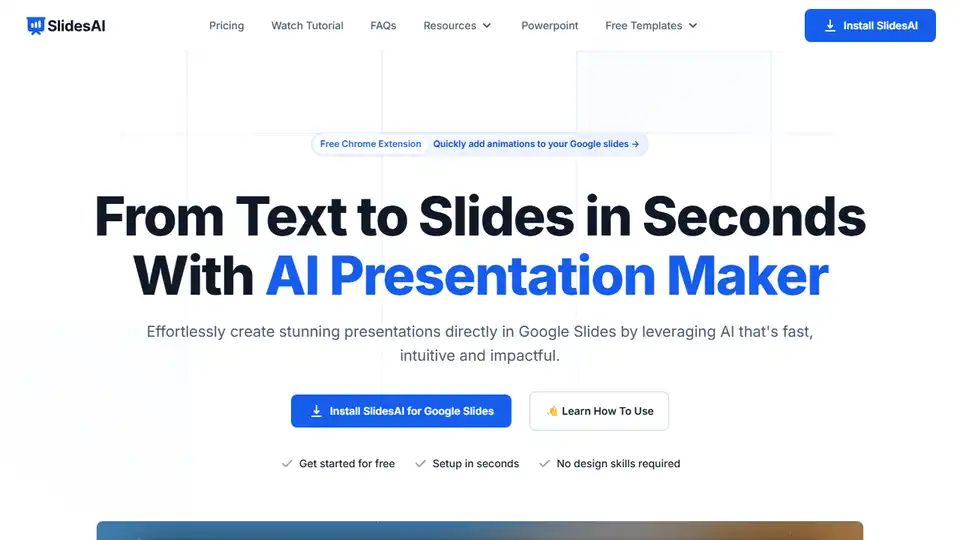
Overview of SlidesAI
SlidesAI: Revolutionizing Presentation Creation with AI
What is SlidesAI?
SlidesAI is an AI-powered presentation maker that helps you create stunning presentations directly within Google Slides and PowerPoint. It leverages artificial intelligence to transform text, scripts, notes, or even links into professionally designed slides in seconds.
How does SlidesAI work?
SlidesAI simplifies the presentation creation process in three simple steps:
- Add Your Input: Input your topic, script, notes, a document, or even a link.
- Review Slide Outlines and Theme: Review the generated outlines and pick a professionally designed theme.
- View in Google Slides & PowerPoint: Your presentations are created directly in Google Slides or PowerPoint, eliminating the need to learn a new platform.
Key Features and Benefits
- AI-Powered Slide Generation: Transform text into visually appealing slides quickly and efficiently.
- Seamless Integration: Works natively with Google Slides and PowerPoint, ensuring a smooth workflow.
- Customizable Themes: Choose from professionally designed themes to give your presentation a polished look.
- Multiple Language Support: Supports over 100 languages, making it accessible to a global audience.
- Time-Saving: Automates the slide creation process, saving valuable time for educators, professionals, and students.
Who is SlidesAI for?
SlidesAI is perfect for:
- Educators: Quickly turn lecture notes and lesson plans into engaging slides.
- Professionals: Create impactful presentations for meetings, conferences, and pitches.
- Students: Develop well-structured and visually appealing presentations for school projects.
Real User Experiences
According to user reviews, SlidesAI has proven to be a valuable tool for many:
- Tara Chen: Praises its ability to automatically generate sub-titles and analyze paragraphs into points, saving significant time.
- Jackie Wildish: Highlights the seamless integration with Google Slides and the effectiveness of summarizing content into digestible information.
- Maria Vasilyeva: Appreciates the speed at which structured presentations with photos can be created.
How to Use SlidesAI
- Install SlidesAI: Install the add-on from the Google Workspace Marketplace or the Microsoft Office Add-ins store.
- Open Google Slides or PowerPoint: Create a new presentation or open an existing one.
- Launch SlidesAI: In Google Slides, click on Extensions > SlidesAI.io > Generate Slides. In PowerPoint, find SlidesAI in the Add-ins tab.
- Input Your Content: Enter your topic, script, or notes into the SlidesAI interface.
- Review and Customize: Review the generated slides, select a theme, and make any necessary adjustments.
- Present: Your presentation is ready to be delivered!
Pricing Plans
SlidesAI offers several pricing plans to suit different needs:
- Basic: Free plan with limited features, suitable for getting started.
- Pro: Paid plan offering more presentations per year and increased character input, ideal for students.
- Premium: Paid plan with unlimited presentations and increased AI credits, designed for educators and professionals.
FAQ
- Do I need a Google Workspace Account to use SlidesAI? No, a regular Gmail account is sufficient.
- How do I run it from Google Slides? Install SlidesAI from the Google Workspace Marketplace, then click on Extensions > SlidesAI.io > Generate Slides.
- Can I cancel my subscription? Yes, you can cancel at any time via the 'Your Account' tab.
Conclusion
SlidesAI is a game-changer for anyone who needs to create presentations quickly and efficiently. Its AI-powered capabilities, seamless integration with popular platforms, and customizable themes make it a valuable tool for educators, professionals, and students alike. Whether you need to create a lecture, a business pitch, or a school project, SlidesAI can help you turn your ideas into stunning presentations in seconds. Say goodbye to boring templates and hello to AI-generated visuals and text that will captivate your audience.
Install SlidesAI today and experience the future of presentation creation. Best way to create presentation slides with AI.
Tags Related to SlidesAI
