
UniConverter AI Image Enhancer
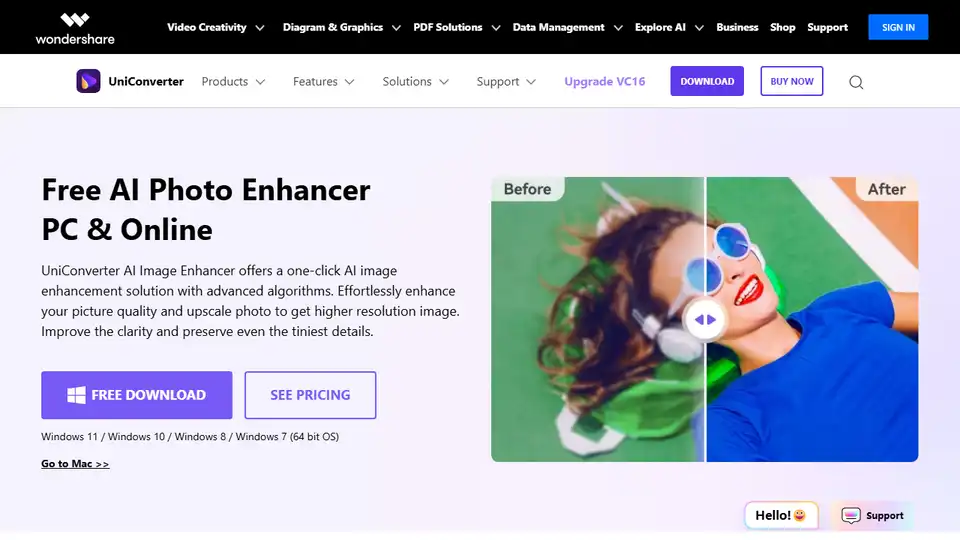
Overview of UniConverter AI Image Enhancer
What is UniConverter AI Image Enhancer?
UniConverter AI Image Enhancer is a powerful online tool designed to improve the quality of your images using advanced AI algorithms. Whether you need to enhance portraits, adjust colors, or reduce noise, this tool provides a one-click solution to upscale and refine your photos effortlessly.
Key Features of UniConverter AI Image Enhancer
- Portrait Enhancer: Utilizes advanced algorithms to retouch, deblur, and enhance facial details, making each portrait photo clear and natural.
- Super Enlargement: Enlarges the size of the picture while increasing the resolution, preserving the tiniest details, perfect for anime upscaling and more.
- Image Sharpener: Automatically unblurs images and optimizes color saturation and contrast, making colors more vibrant and achieving an overall increase in image quality.
- Image Denoiser: Automatically identifies and removes noise from photos, restoring clear and pure images from old devices or low-light conditions.
- Texture Optimization: Quickly reduces noise in compressed or blurred images, optimizing texture for a delicate and natural appearance.
- Photo Restoration: Intelligently repairs and colorizes old, damaged, and faded photos, bringing them back to life while keeping them natural.
How Does UniConverter AI Image Enhancer Work?
UniConverter AI Image Enhancer leverages cutting-edge AI technology to analyze and enhance images. The tool uses deep learning models to identify and improve various aspects of an image, such as sharpness, color balance, and noise levels. This ensures that the enhanced images retain their natural look while significantly improving their quality.
How to Use UniConverter AI Image Enhancer?
Using UniConverter AI Image Enhancer is straightforward and user-friendly:
- Step 1: Enter AI Image Enhancer: Navigate to the product homepage, select AI Image Enhancer, and start your journey.
- Step 2: Upload Images: Upload your image and let UniConverter AI automatically enhance its quality.
- Step 3: Export Results: Review the enhanced image, and if satisfied, choose to export it.
Why Choose UniConverter AI Image Enhancer?
- Ease of Use: With UniConverter's AI Image Enhancer, you can easily improve the resolution of your images without losing any details. No specialized skills are required.
- High-Quality Prints: Worried about the quality of your printed images? UniConverter's AI Image Enhancer makes high-end cameras and scanners unnecessary, helping you achieve high-quality prints with minimal effort.
- Restore Compressed Images: Compressing or shrinking an image often results in lower resolution. UniConverter AI Image Enhancer can immediately restore their quality from low resolution to high resolution like HD & 4K.
- Batch Image Enhancement: When you have a large number of images to enhance, efficiency is key. UniConverter supports batch uploading images for quality enhancement, allowing you to easily export all enhanced images with just one click.
- Preserve Details: Our AI photo enhancer ensures that upscaled photos maintain their visual clarity and detail, avoiding distorted details.
Who is UniConverter AI Image Enhancer For?
UniConverter AI Image Enhancer is suitable for a wide range of users, including:
- Social Media Users: Enhance your photos for better social sharing.
- E-commerce Shops: Improve product image resolution to attract customers.
- Real Estate Agents: Enhance property photos for better presentations.
- Photographers: Restore and enhance old or damaged photos.
- Graphic Designers: Optimize images for various design projects.
Best Way to Enhance Photo Resolution Using AI
UniConverter AI Image Enhancer provides a seamless and efficient way to enhance photo resolution using AI. Whether you are a professional photographer or a casual user, this tool offers a simple and effective solution to improve your image quality.
Frequently Asked Questions
What is the UniConverter AI Image Enhancer and how does it work?
The UniConverter AI Image Enhancer is a premium PC & online image editing tool that uses AI technology to improve image quality and resolution. It can sharpen your photos, make your pictures bright, and adjust the color saturation, upscaling images while ensuring the clarity of the details.
How to enhance images and make high-quality pictures online?
To enhance images online, simply upload your image to UniConverter AI Image Enhancer, and let the AI algorithms automatically improve the quality. You can then review and export the enhanced image.
How can I enhance my photo without losing quality?
UniConverter AI Image Enhancer ensures that your photos are enhanced without losing quality. The advanced AI models preserve the tiniest details while improving the overall quality of the image.
How can I fix blurry pictures?
UniConverter AI Image Enhancer can automatically unblur images and optimize color saturation and contrast, making your photos clear and vibrant.
Best Alternative Tools to "UniConverter AI Image Enhancer"

Tags Related to UniConverter AI Image Enhancer