
Zed
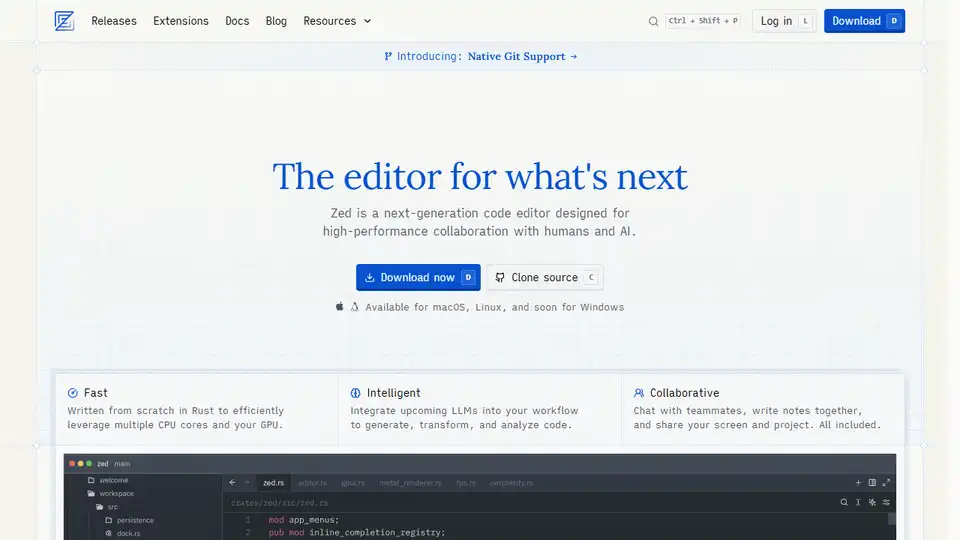
Overview of Zed
Zed: The Next-Generation Code Editor
What is Zed? Zed is a high-performance, collaborative code editor built in Rust. It's designed for the future of software development, emphasizing collaboration between humans and AI. Created by the team behind Atom and Tree-sitter, Zed aims to provide a fast, intelligent, and collaborative coding experience.
Key Features:
- Fast Performance: Written from scratch in Rust, Zed efficiently leverages multiple CPU cores and your GPU for optimal speed.
- Intelligent Integrations: Upcoming LLMs (Large Language Models) are integrated to generate, transform, and analyze code seamlessly.
- Collaborative Environment: Built-in chat, shared notes, and screen/project sharing enhance teamwork.
- Agentic Editing: Fluent collaboration between humans and AI.
- Native Git Support: First-class support for staging, committing, pulling, pushing, and viewing diffs, all within Zed.
- Remote Development: Run the codebase on a remote server while using Zed UI locally.
- Multibuffer Editing: Compose excerpts from across the codebase in one editable surface.
- Interactive Programming: Evaluate, develop, and run code inline via Jupyter runtimes.
- Vim-Friendly: First-class modal editing with Vim bindings.
How does Zed work?
Zed utilizes Rust to achieve high performance by efficiently utilizing multiple CPU cores and the GPU. It integrates language server protocol (LSP) to provide support for numerous languages via Tree-sitter and WebAssembly. The integration of LLMs enables features like agentic editing and edit prediction, improving the coding process with AI assistance.
Why is Zed important?
Zed is important because it addresses the evolving needs of modern software development. It leverages AI and collaboration to enhance productivity and code quality. The focus on speed and intelligent integrations makes it an ideal choice for developers looking to optimize their workflow.
Key Use Cases:
- Collaborative Coding: Teams can use Zed to work together in real-time, sharing code, notes, and screens.
- AI-Assisted Development: Zed's AI features can help developers generate, transform, and analyze code more efficiently.
- Remote Development: Developers can work on remote codebases with the same performance as local development.
Quotes from Developers:
- Ethan Perez (Adversarial Robustness Research Lead): "I've had my mind blown using Zed with Claude 3.5 Sonnet... I was able to go from idea to running experiment code in half an hour—it was really easy and fun."
- José Valim (Creator of Elixir): "Ever since snippets were added, Zed has all of the features I could ask for in an editor."
- Dan Abramov (Engineer and React Core team member): "This is obviously a product built with love and care. I can tell it from two minutes of using it."
- Matt Baker (Principal Engineer): "My god it is so fast. Boot time, UI interaction, typing latency... I'm honestly astounded."
- Mike Bostock (Creator of D3.js, founder of Observable): "I’ve started using Zed, and I love it. Lots of subtle innovations... Thoughtful, precise design. And the speed, the speed!"
Extensions
Zed supports a growing ecosystem of extensions:
- HTML
- Catppuccin (theme)
- TOML
- PHP
- Git Firefly
- Java
- Dockerfile
- SQL
- macOS Classic Theme
- Vue
- Ruby
- Make
- LaTeX
- Tokyo Night Themes
- SCSS
- Svelte
- Lua
- Terraform
- Catppuccin Icons
- One Dark Pro
Additional features
- Language Server Protocol support
- Outline view
- Text and line manipulation
- Remote Development
- Diagnostics Multibuffer
- Custom snippets
- CLI
- Markdown preview
- Rename refactoring
- Syntax-aware selections
- Inlay Hints
Pricing
Please refer to the pricing page on the official website for details.
Conclusion
Zed is a modern code editor designed for collaboration, performance, and intelligent integration of AI tools. Its focus on speed, combined with an expanding feature set and a vibrant community, makes it an excellent choice for developers looking to enhance their coding experience.
How to download Zed? You can download Zed from the official website for macOS, Linux, and soon for Windows. You can also clone the source code from the website.
Where can I use Zed? Zed can be used for various coding tasks, including web development, software development, and data analysis. Its collaborative features make it ideal for team projects.
What is Zed? It is a next-generation code editor designed for high-performance collaboration with humans and AI.
Tags Related to Zed
