
AI Dog Dancing App
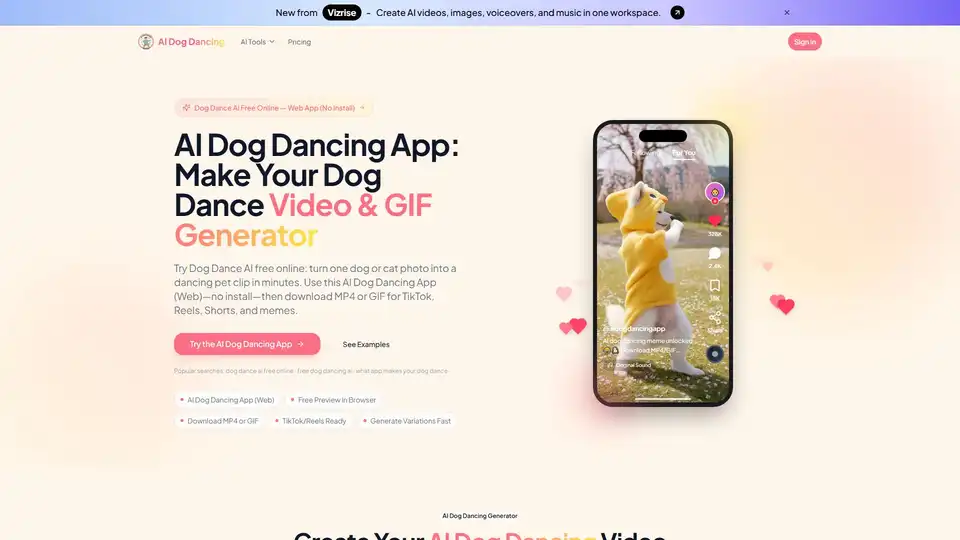
Overview of AI Dog Dancing App
What is the AI Dog Dancing App?
In an era dominated by viral trends and engaging visual content, the AI Dog Dancing App emerges as a delightful and innovative tool for pet lovers and social media enthusiasts alike. This free online video and GIF generator leverages the power of artificial intelligence to transform static photos of your beloved dogs or cats into dynamic, entertaining dancing clips. Imagine your pet grooving to the latest beats, ready to be shared as a viral sensation on platforms like TikTok, Instagram Reels, YouTube Shorts, or as a hilarious meme in group chats. AIDogDancing.app offers a unique blend of simplicity and creativity, allowing anyone to produce captivating pet animation without needing complex editing software or specialized skills.
At its core, the AI Dog Dancing App is a web-based platform designed for speed and accessibility. Users don't need to download any software; the entire process happens directly in their browser, whether on desktop or mobile. This accessibility ensures that capturing and participating in the latest "dancing dog AI" trend is as straightforward as uploading a photo and clicking a button. From generating a single dancing pet clip to producing multiple variations for comparison, AIDogDancing.app simplifies the creation of engaging pet video content.
How Does the AI Dog Dancing App Work? A Simple 4-Step Process
Creating an AI-generated dancing pet video or GIF with AIDogDancing.app is remarkably easy, designed to get your content ready for sharing in just minutes. Follow these straightforward steps:
Step 1: Upload Your Dog or Cat Photo
The journey begins with selecting the perfect photo of your furry friend. For optimal results, the platform recommends using a clear, well-lit, front-facing, full-body shot of your dog or cat. A simple, uncluttered background will further enhance the AI's ability to accurately detect and animate your pet, ensuring a cleaner and more stable dancing output. Avoid blurry or heavily occluded images for the best AI pet animation.
Step 2: Choose a Dance Template
Once your photo is uploaded, you'll be presented with a variety of dance templates. These templates are curated to match popular meme vibes, current social media trends, or celebratory styles for occasions like birthdays and holidays. This diverse selection allows users to choose the perfect "groove" for their pet, whether they're aiming for a comical meme or a heartwarming festive greeting. The templates are specifically designed to make your pet dance in a way that resonates with contemporary digital content.
Step 3: Generate with AI
With your photo and dance template chosen, the powerful AI engine of AIDogDancing.app takes over. It processes your static image and animates your pet into a dancing clip automatically. The platform also offers the flexibility to generate several variations of the dancing video. This feature is particularly useful for fine-tuning the result, allowing you to pick the version with the smoothest motion, cleanest edges, and most appealing animation. This iterative process ensures you get the "best dancing dog video" every time.
Step 4: Download & Share
The final step is to download your newly created dancing pet video or GIF. AIDogDancing.app provides versatile export options: MP4 format for high-quality video sharing on platforms like TikTok, Instagram Reels, and YouTube Shorts, or a loopable GIF for quick, engaging reactions in group chats, comments, and classic meme sharing. The outputs are specifically optimized for mobile viewing and common social media formats, guaranteeing that your dancing cat GIF or dog video looks great wherever it's posted.
Key Features That Make AIDogDancing.app Stand Out
The AI Dog Dancing App is engineered with a suite of features that prioritize user experience, speed, and shareability, making it a go-to for AI meme creators and pet content producers.
- Online Web App (No Install): Experience the convenience of a browser-based tool. There’s no need to download or install any software, freeing up your device's storage and ensuring immediate access from any desktop or mobile device.
- AI Dog Dancing Templates: A rich library of pre-designed dance styles keeps your content fresh and relevant. These templates are constantly updated to reflect the latest social media trends, making it easy to create content that resonates with current viral challenges.
- Fast Results for Trends: In the fast-paced world of social media, timing is everything. AIDogDancing.app is optimized for rapid generation, allowing users to quickly jump on new trends and share their creations the same day they discover them, without complex setups or lengthy rendering times.
- Download MP4 + GIF: Versatility in output formats ensures your content is ready for any platform. MP4 is ideal for dynamic video posts, while loopable GIFs are perfect for quick, repetitive humor and reactions.
- Mobile-First Sharing: The generated videos and GIFs are designed with mobile viewing in mind, ensuring optimal aspect ratios and quality for phone screens and popular vertical video platforms.
- Generate Variations: Not every AI generation is perfect on the first try. This feature allows users to produce multiple versions of their dancing pet clip, providing the flexibility to select the one with the most refined motion, pose, or overall appeal.
Unleash Your Creativity: Popular Use Cases for Dancing Pet Videos
The versatility of the AI Dog Dancing App extends beyond simple entertainment, offering numerous avenues for creative expression and engagement.
- AI Dog Dancing TikTok Trend: Join the latest viral formats and effortlessly create a dancing pet clip that fits perfectly within TikTok, Instagram Reels, and YouTube Shorts. This is an invaluable tool for staying relevant and increasing visibility on trending platforms.
- Group Chat Reactions & Memes: Elevate your digital conversations with custom, short dancing pet GIFs or videos. These engaging clips serve as perfect reactions in group chats, comments sections, or as standalone memes, adding a personal and humorous touch.
- Birthday & Holiday Greetings: Create unique and memorable personalized greetings. A dancing pet celebrating a birthday or a holiday adds a fun, heartwarming, and instantly shareable element to your messages, making them stand out.
- Creator Content Filler: For content creators and influencers, maintaining a consistent posting schedule can be challenging. The AI Dog Dancing App allows you to turn a single pet photo into multiple engaging posts, serving as excellent "filler" content when new footage isn't available, thus keeping your audience engaged.
- Dog Dancing AI Memes: Generate base clips that can be further customized with captions, remixed audio, or other editing to create fully fledged, meme-ready results. It's the ultimate tool for anyone looking to make a splash in the meme community.
- Pet Brand Social Posts: For pet shops, brands, and service providers, this app offers a lightweight and friendly way to create "shareable" content that feels less like an advertisement and more like organic, engaging community content, fostering connection with pet owners.
Tips for Creating the Best AI Dog Dancing Videos
To ensure your dancing pet videos and GIFs are of the highest quality and ready to go viral, consider these expert tips:
- Optimal Photo Selection: Start with a sharp, well-lit, front-facing, full-body photo of your pet against a simple background. This provides the AI with the best possible input for stable and clean animation. Avoid blurry images, tiny subjects, or photos with heavy obstructions.
- Generate Multiple Variations: Don't settle for the first result. The "generate variations" feature is your friend. Producing 2-4 versions allows you to compare and select the one with the most appealing motion and visual quality.
- GIFs for Memes: When creating GIFs for meme sharing, aim for short loops of 3-6 seconds. These are easier to watch, re-share, and often loop more effectively, especially if the subject is centered and the background is simple.
- Stay Trend-Aware: Regularly check the latest templates section within AIDogDancing.app for updated options that align with current TikTok and Reels styles. Using popular templates can significantly increase your content's reach and relevance.
Frequently Asked Questions (FAQ) About AI Dog Dancing
Here are answers to common questions regarding the AI Dog Dancing App and its capabilities:
What app makes your dog dance? AIDogDancing.app is a web app specifically designed to turn a single pet photo into a dancing video or GIF. You can access it directly in your browser, choose a template, and generate content within minutes.
Is Dog Dance AI free online? Yes, you can use AIDogDancing.app free online to start generating and previewing results. Export quality and usage limits may vary depending on your chosen plan.
How do I make my dog dance with AI? Simply upload a clear photo of your dog (or cat), select a dance style from the available templates, and click "generate." You can create a few versions to find the best one, then download your favorite result.
Can I download my dancing dog as MP4 or GIF? Absolutely. The app supports both MP4 export for social media videos (TikTok, Reels, Shorts) and loopable GIF downloads for chats, comments, and memes.
How long does generation usually take? Most generations are completed within a short waiting period. The exact time can vary based on factors like the current queue load and the complexity of the chosen dance template. Longer templates or peak usage times might require a bit more patience.
What photo gives the best result? For the highest quality results, use a sharp, well-lit, full-body photo of your dog with a simple background. Images that are blurry, dark, or show only a portion of the pet are more likely to produce distorted outcomes.
Why does my AI dog dancing video look weird? Common reasons for unusual video outcomes include low light conditions, motion blur in the original photo, side-only poses, or cluttered backgrounds. If your video looks strange, try using a cleaner, better-quality photo and generate 2-4 variations to compare.
What are the latest dog dance AI styles? "Latest styles" typically refer to current short-video trends and popular meme motion patterns. The app's templates section is regularly updated to reflect these, so checking it often will keep your content fresh and trending.
Can I create an AI dog dancing GIF? Yes, you can directly export a loopable GIF. Alternatively, you can download the MP4 video and trim a short 3-6 second loop from it for optimal meme sharing, especially with repeating musical beats.
Can I use this for cats or other pets? Yes, while the name suggests "dog dancing," the app works wonderfully for cats and other pets too. The key to good results remains clear, full-body photos with good lighting.
Can I use AI dog dance videos commercially? Commercial use typically depends on the terms of your subscription plan and your rights to the original uploaded image. It's crucial to ensure you have permission for any photos, music, or brand assets used in commercially intended content.
Do you keep my uploaded photos and videos forever? No, AIDogDancing.app does not retain your files indefinitely. Files are stored according to the product's specific policy and service needs. For detailed retention information, it's recommended to consult their Privacy Policy page.
Why Choose the AI Dog Dancing App?
In a crowded digital landscape, AIDogDancing.app stands out by offering a highly specialized, yet incredibly user-friendly solution for a specific and popular content niche: dancing pets. It removes the barriers of complex video editing, making viral content creation accessible to everyone. Whether you're a casual pet owner looking to share a laugh with friends, a content creator aiming for engagement, or a pet brand seeking fresh marketing material, this tool delivers fast, simple, and shareable results. It's not just about making a pet dance; it's about fostering joy, connection, and creative expression through the magic of AI.
Conclusion
The AI Dog Dancing App is more than just a novelty; it's a powerful and intuitive tool that taps into the universal appeal of pets and the virality of dynamic content. By simplifying the process of transforming still images into animated dancing videos and GIFs, it empowers users to create highly engaging, personalized, and trend-ready material. Dive into the world of AI-powered pet animation and discover how easy it is to make your furry friends dance their way into hearts across social media.
Tags Related to AI Dog Dancing App
