
AI Face Swap
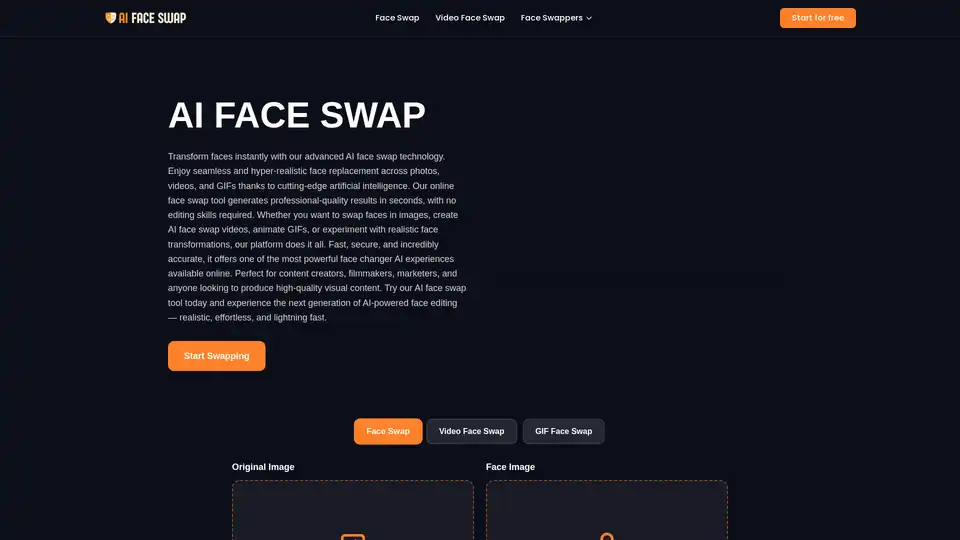
Overview of AI Face Swap
What is AI Face Swap?
AI Face Swap is a cutting-edge, web-based platform designed to revolutionize how you manipulate visual content. Utilizing state-of-the-art deep learning and diffusion models, this tool allows users to seamlessly replace faces in photos, videos, and GIFs with incredible realism. Unlike traditional editing software, AI Face Swap requires absolutely no technical skills or experience. It democratizes high-end visual effects, making them accessible to content creators, marketers, and casual users alike.
How Does AI Face Swap Work?
The technology behind AI Face Swap is sophisticated yet user-friendly. Here is the step-by-step process of how it generates hyper-realistic results:
- Facial Detection and Mapping: When you upload an original image and a source face, the AI instantly detects all facial features. It maps key landmarks such as eyes, nose, mouth, and jawline with precision.
- Alignment and Adjustment: The system analyzes the angle, lighting, and expression of both faces. It mathematically adjusts the source face to match the orientation and lighting conditions of the target image.
- Deep Synthesis: Using advanced neural networks, the AI blends the pixels. It doesn't just paste the face; it recreates skin texture, matches skin tones, and ensures that hair and background elements integrate naturally.
- Final Rendering: The result is a brand new image or video frame where the face swap is indistinguishable from reality. This process happens in the cloud, ensuring speed and security.
Key Features of AI Face Swap
AI Face Swap offers a comprehensive suite of features tailored for various creative needs:
- Photo Face Swap: The core feature allowing for high-resolution face replacement in static images. Ideal for digital art, memes, or professional photography adjustments.
- Video Face Swap: Bring your videos to life. Swap faces in video clips to create hilarious or engaging content for social media platforms like TikTok, Instagram, or YouTube.
- GIF Face Swap: Add a personal touch to animations. Upload a GIF and a face to create viral-ready reaction assets.
- Batch Face Swap: A powerful feature for productivity. Process multiple photos at once, applying the same face swap across a series of images. Perfect for e-commerce or bulk content creation.
- Multiple Face Swap: The AI can detect and swap multiple faces within a single frame simultaneously, allowing for group photo edits or complex scene alterations.
Who is AI Face Swap For?
This tool is designed for a wide range of users:
- Content Creators & Influencers: generate high-engagement, viral content quickly.
- Digital Marketers: Create unique visual assets for ad campaigns without the cost of professional photo shoots.
- Filmmakers & Hobbyists: Experiment with visual effects or create storyboards using existing footage.
- Casual Users: Anyone looking to have fun with photos and videos for personal entertainment.
Why Choose AI Face Swap?
Unmatched Realism: Unlike older tools that produce blurry or mismatched results, AI Face Swap focuses on hyper-realism. The deep learning models ensure that lighting, shadows, and skin textures are perfectly matched.
Speed and Efficiency: What used to take hours in Photoshop can now be done in seconds. The batch processing feature further streamlines workflow for heavy users.
Privacy and Security: The platform takes privacy seriously. All uploaded files are encrypted, and images are automatically deleted from servers after processing to ensure your data remains safe.
Ease of Use: With a drag-and-drop interface and a "Start for Free" option, the barrier to entry is non-existent. The "Frequently Asked Questions" section on the site provides transparency regarding usage rights and legality, ensuring users feel confident in creating content.
Best Way to Use AI Face Swap
To achieve the best results with AI Face Swap, follow these best practices:
- High-Quality Inputs: Use clear, front-facing photos with good lighting. The better the source images, the more realistic the output.
- Consistent Angles: Try to match the angle of the face you are adding with the body in the original photo.
- Respect Legal Guidelines: As noted in the FAQ, always ensure you have the right to use the images you upload. The tool provides commercial rights to the output, provided the input images are owned by you.
In summary, AI Face Swap is a robust, free-to-try AI tool that bridges the gap between professional visual effects and everyday users. Whether for fun, professional projects, or marketing, it delivers fast, secure, and realistic face transformation.
Tags Related to AI Face Swap
