
AI Thumbnail
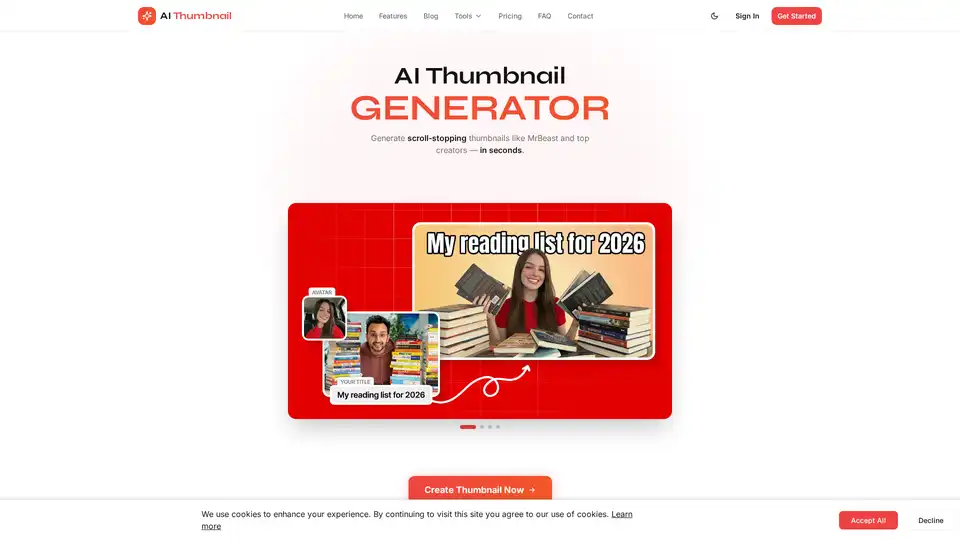
Overview of AI Thumbnail
What is AI Thumbnail?
AI Thumbnail is a specialized AI-powered YouTube thumbnail generator designed to help content creators produce high-converting, viral thumbnails in seconds, not hours. Unlike generic AI image tools, this platform is purpose-built for YouTube, trained on millions of successful video thumbnails to understand what visually compels viewers to click. It addresses a critical pain point for creators: the significant time and cost typically spent on custom thumbnail design. With AI Thumbnail, users can bypass complex graphic design software and expensive freelancers to generate professional-grade visuals instantly.
Key Features of AI Thumbnail
The tool offers a suite of features tailored for YouTube optimization:
- AI-Powered Design Engine: Trained on millions of viral videos, the AI analyzes trends and psychological triggers to generate thumbnails that are algorithmically designed to boost click-through rates (CTR).
- Brand Consistency: Users can add their brand's color palette. The AI then intelligently incorporates these colors into every thumbnail, ensuring a cohesive and professional look across their channel.
- Face Integration: Perfect for reactions, collaborations, or interviews, the tool allows users to add up to two faces to their thumbnails. This feature leverages the psychological principle of using human faces to increase engagement.
- Speed & Efficiency: Generation is lightning-fast, typically under 60 seconds. Users receive two unique design variations with each prompt, offering choice without delay.
- No Design Skills Required: The platform is built for ease of use. An "Easy Mode Wizard" guides users through the process, making it accessible to beginners and seasoned creators alike.
- Resource & Cost Efficiency: The pricing model is transparent and creator-friendly, starting as low as $0.49 per thumbnail. The "Lifetime" plan even allows users to bring their own API key for unlimited generations, maximizing value.
How Does AI Thumbnail Work?
The workflow is straightforward: users provide a simple prompt or idea, and the AI does the heavy lifting. The system processes the input, applies its trained knowledge of what works on YouTube, and outputs two professional thumbnail options. Users can then select the best design or iterate further. The core technology relies on generative AI models specifically tuned for the visual aesthetics and performance metrics of YouTube thumbnails, prioritizing clarity, focal points, and emotional appeal.
Who is AI Thumbnail For?
AI Thumbnail is ideal for:
- YouTubers & Content Creators: From beginners to those with millions of subscribers, anyone looking to save time and increase views can benefit.
- Gaming Creators: Need fast, action-packed thumbnails for new video uploads.
- Educational Channels: Benefit from clean, information-dense designs that promise value.
- Vloggers and Lifestyle Brands: Focus on consistent branding and personable visuals.
- Marketing & Social Media Teams: Who manage multiple channels and need to scale thumbnail production efficiently.
Why Choose AI Thumbnail?
The primary advantage is the specialization. While tools like Gemini or ChatGPT (DALL-E) can generate images, AI Thumbnail is optimized specifically for the YouTube ecosystem. Its templates are backed by data on what drives CTR, its text overlay positioning is automated for readability, and its speed ensures you never miss a trending topic. It directly solves the problem of wasted time and high costs, with proven results: users report an average CTR increase of 2.4x, and the platform is trusted by over 17,000 active creators.
Pricing and Plans
AI Thumbnail offers scalable plans:
- Creator Plan ($20.99/month): Perfect for starting out, offering 20 generations per month with 2 options each.
- Pro Creator Plan ($69.99/month): For serious creators needing 100 generations monthly, with priority generation and advanced face integration.
- Lifetime Plan ($139.99 one-time): Provides unlimited generations by using your own API key (e.g., fal.ai), including all Pro features and lifetime updates.
Getting Started
To begin, users simply sign up, choose a plan, and start creating. The platform's interface is intuitive, and with a robust FAQ section and the Easy Mode Wizard, onboarding is seamless. The promise is clear: transform your thumbnail workflow from a time-consuming chore into a quick, data-driven process that directly contributes to channel growth.
Tags Related to AI Thumbnail
