
ChatGPT Notepad
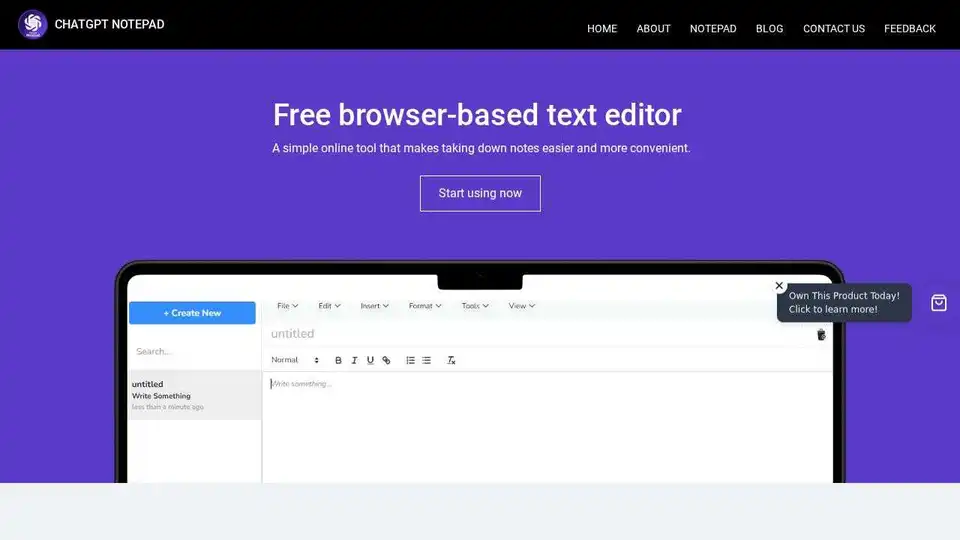
Overview of ChatGPT Notepad
What is ChatGPT Notepad?
ChatGPT Notepad is a free, browser-based text editor designed to simplify note-taking and text editing. It provides a minimalistic interface that helps users focus on their writing without distractions. Whether you need to jot down quick notes or compose detailed documents, ChatGPT Notepad offers a seamless and efficient writing experience.
Key Features of ChatGPT Notepad
Simple Interface
The interface of ChatGPT Notepad is beautifully crafted to be minimalistic, ensuring that users can focus solely on their writing. The plain-text editor is free from any distractions, making it an ideal tool for seamless note-taking.
Auto Text Cleanup
One of the unique features of ChatGPT Notepad is its auto text cleanup functionality. This feature automatically removes asterisks (*) and hashes (#) from text copied from AI tools like ChatGPT, Gemini, and Copilot. This ensures that your notes are clean and well-formatted.
Real-Time Word Count
ChatGPT Notepad includes a real-time word counter that updates dynamically as you type. This feature helps you keep track of your document's length effortlessly.
Find & Replace
The Find & Replace feature allows you to easily locate and replace any word or phrase within your document. This functionality is particularly useful for making quick corrections and substitutions throughout your text.
Spellcheck
ChatGPT Notepad utilizes your browser's native spell checker to instantly identify and correct spelling mistakes. Simply right-click on the underlined word and select the correct spelling.
Print and Save
With ChatGPT Notepad, you can get a hard copy of your notes or save them directly to your system as a text file. With just a click of a button, you can print your document or save it for later use on any text editor.
How Does ChatGPT Notepad Work?
Using ChatGPT Notepad is straightforward. Simply open your browser and visit chatgptnotepad.com to start your writing journey. There’s no need for any setup or installation – just begin typing directly in the editor. The intuitive interface allows you to focus on your content without distractions. You can easily save your work, print it, or continue editing at any time.
Browser Compatibility
ChatGPT Notepad is designed to be compatible with all modern web browsers. Whether you prefer Mozilla Firefox, Safari, Opera, Microsoft Edge, Google Chrome, or even the Steam browser, our online notepad will function seamlessly across all these platforms. Enjoy the same efficient note-taking experience regardless of your preferred browser.
Who is ChatGPT Notepad For?
ChatGPT Notepad is perfect for anyone who needs a reliable text editor for daily tasks or a robust tool for extensive note-taking. Whether you are a student, professional, or someone who just needs to jot down quick notes, ChatGPT Notepad is here to help.
Why Choose ChatGPT Notepad?
- Free and Easy to Use: No registration or login required.
- Minimalistic Interface: Focus on your writing without distractions.
- Essential Features: Includes undo, redo, copy, cut, paste, find and replace, font formatting, date and time insertion, emoji list, special characters, spell checker, word counter, file saving, and printing.
- Browser Compatibility: Works seamlessly across all modern web browsers.
Conclusion
ChatGPT Notepad is the ultimate online notepad designed for seamless and efficient note-taking. Our mission is to provide a simple and distraction-free platform where you can focus on your writing. Whether you need a reliable text editor for daily tasks or a robust tool for extensive note-taking, ChatGPT Notepad is here to help.
Tags Related to ChatGPT Notepad
