
Cuto
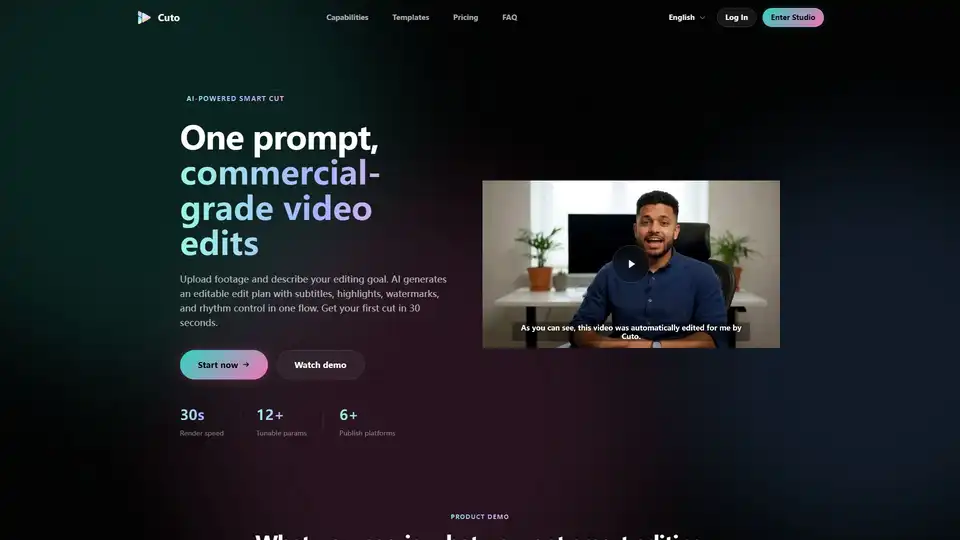
Overview of Cuto
What is Cuto? The AI-Powered Commercial Smart Editing Workspace
Cuto is a revolutionary AI video editor designed to transform raw video footage into polished, commercial-grade content with unprecedented speed and efficiency. By leveraging advanced artificial intelligence, Cuto automates the complex and time-consuming aspects of video production, allowing creators, marketers, and businesses to generate high-quality videos in seconds, not hours. Forget staring at a blank timeline; with Cuto, you simply upload your footage, describe your editing goal, and let AI generate an editable, comprehensive edit plan complete with essential enhancements.
What are the Key Features of Cuto? Unlocking Professional Video Editing
Cuto offers a comprehensive suite of features integrated into a single, intuitive workspace, eliminating the need to juggle multiple tools. This all-in-one approach streamlines the entire video editing and publishing workflow.
1. AI-Driven Smart Editing
At the core of Cuto is its intelligent AI engine, which redefines the editing process. Users can articulate their editing vision using natural language prompts, and the AI takes over, analyzing footage to optimize for rhythm, identify high-performing clips, and apply seamless transitions.
- Natural Language Processing: Describe your desired outcome in plain English, and Cuto's AI interprets and executes your vision.
- Parallel Multi-Clip Analysis: The AI efficiently processes multiple video clips simultaneously, detecting shots and aligning captions automatically.
- Highlight Extraction and De-duplication: Automatically identifies and extracts the most engaging moments, preventing repetitive content.
- Auto-Matched Rhythm and Transitions: Ensures a smooth, dynamic flow between scenes with AI-optimized rhythm and transitions.
- Scene Presets: Cuto comes with built-in, intelligent presets like 'Talking Head Cut' for extracting energetic clips from long videos, 'Unboxing' for fast-paced product reveals, and 'Educational' for structured deep content, along with options for 'Live Clip', 'Store Review', 'Course Highlights', and 'Event Montage'. These can be customized and saved for future reuse.
2. Comprehensive Visual Enhancements in One Flow
Cuto integrates crucial visual enhancements directly into the editing process, ensuring brand consistency and viewer engagement without extra steps.
- Subtitle Generation and Customization: Automatically generates subtitles with AI segmentation, offering four distinct subtitle styles to match your brand or content theme. This feature is vital for accessibility and audience retention, especially on social media platforms.
- Key Information Highlighting: Elevate important text with six adaptive highlight styles, drawing viewer attention to critical messages.
- Branded Watermarking: Maintain brand identity with fully controllable branded watermarks, effortlessly applied across your video content.
3. Multi-Platform Publishing Copy Generation
Beyond video editing, Cuto empowers creators with AI content creation for distribution. As you export your video, Cuto can simultaneously generate platform-ready titles, descriptions, and hashtags tailored for various social media platforms.
- Optimized for Top Platforms: Supports generation for YouTube Shorts, Instagram Reels, TikTok, Douyin, and Xiaohongshu.
- Platform-Specific Optimization: Content is automatically adapted to suit the conventions and best practices of each platform, maximizing visibility and engagement.
- Bilingual and Multi-Language Support: Generate publishing copy in multiple languages, expanding your reach to a global audience.
4. Flexible Asset Ingestion
Cuto supports a variety of asset types to kickstart your editing process efficiently.
- Multi-Video Upload: Easily drag and drop up to 12 video clips for batch processing.
- External Subtitle Import: Supports .srt and .vtt subtitle files, allowing for pre-existing captions.
- Auto-Detection of Media Metadata: Intelligently analyzes and imports media metadata for seamless integration.
5. Versatile Editing Modes
Cuto caters to different technical preferences with multiple ways to interact with your edit plan.
- Visual Timeline: For traditional editors who prefer a visual representation of their clips.
- Form Parameters: For quick adjustments through structured settings.
- Raw JSON Editing: For advanced users who need granular control over every aspect of the edit plan.
How Does Cuto Work? A Four-Step Seamless Workflow
Cuto simplifies the video production pipeline into a logical, efficient four-step closed loop, guiding users from raw footage to final cut.
- Upload Assets: Begin by uploading your video clips (up to 12) and optional .srt/.vtt subtitle files into the Cuto workspace.
- Generate AI Plan: Describe your editing objective using natural language. Cuto's AI then analyzes your footage, generating an initial edit plan that includes suggested clips, transitions, and rhythmic pacing.
- Visual Refinement: Fine-tune the AI-generated plan on a visual timeline. Adjust clips, refine subtitles, customize highlights, and position your branded watermark in real-time until it perfectly matches your vision.
- Export and Distribute: Render your final video with one click. Simultaneously, Cuto generates platform-optimized titles, descriptions, and hashtags, preparing your content for immediate multi-platform distribution.
Who is Cuto For? Ideal Users and Scenarios
Cuto is an invaluable tool for a diverse range of users looking for automated video production and smart video editing solutions:
- Individual Content Creators: YouTubers, TikTokers, and Instagrammers seeking to produce high-quality, engaging content rapidly.
- Social Media Marketing Teams: Businesses and agencies aiming to scale their video content creation for various social platforms with consistent branding.
- Small to Medium Businesses: Companies that need commercial-grade promotional videos, product reviews, or educational content without investing heavily in manual editing time or expensive software.
- Professional Studios and Batch Producers: For high-volume production needs, Cuto offers efficient batch-friendly operations and high-concurrency capabilities.
- Educators and Trainers: To easily transform long lectures or course material into digestible, engaging video highlights with auto-generated chapters and subtitles.
Why Choose Cuto? The Value Proposition of AI-Powered Editing
Choosing Cuto means opting for speed, efficiency, and professional-grade output. Here's why Cuto stands out as a leading AI video editor:
- Unparalleled Speed: Get your first editable cut in just 30 seconds. The platform boasts a render speed of 30 seconds, allowing for rapid iteration and deployment.
- Streamlined Workflow: All editing, enhancement, and publishing preparation occurs within a single workspace, minimizing tool-hopping and maximizing productivity.
- Ease of Use: Cuto's natural language prompting and intuitive interface make professional video editing accessible to users of all skill levels, even those without extensive editing experience.
- Commercial-Grade Quality: The AI's ability to analyze and optimize footage ensures that your final videos meet high commercial standards, complete with professional subtitles, dynamic highlights, and consistent branding.
- Optimized for Growth: With multi-platform copy generation, Cuto helps ensure your video content is not only ready for publication but also optimized for maximum reach and engagement across different social media channels.
Cuto Pricing: Plans for Every Production Need
Cuto offers flexible pricing plans designed to accommodate varying production volumes and needs, all including the full smart editing workflow.
- LITE Plan ($19/month): Ideal for personal trials and light usage, offering 380 credits per month. A low-risk entry point to explore Cuto's capabilities.
- PRO Plan ($39/month): Recommended for professional creators and social teams, providing 780 credits per month. This plan includes priority fast rendering and is designed for more frequent, stable commercial output.
- ULTRA Plan ($79/month): Built for studios and batch production, offering a generous 1580 credits per month. This plan supports large credit quotas, high-concurrency production, and batch-friendly operations.
Payment options include PayPal and Stripe subscriptions for convenience.
Frequently Asked Questions (FAQ) about Cuto
Users often have questions about how Cuto compares to traditional editing methods and its specific functionalities. Here are some common inquiries:
Q: What is smart editing and how is it different from traditional editors? A: Cuto's smart editing is entirely AI-driven. Unlike traditional editors where you start with a blank timeline, Cuto allows you to upload footage and describe your editing goal. The AI then generates an editable plan, giving you a strong foundation to build upon, significantly speeding up the initial editing phase.
Q: Can I manually modify AI-generated edit plans? A: Yes, absolutely. Cuto provides a visual refinement step where you can fine-tune clips on the timeline and adjust subtitles, highlights, and watermarks in real-time, giving you full creative control over the AI's suggestions.
Q: Do you support external subtitle files? A: Yes, Cuto supports importing external .srt and .vtt subtitle files, allowing you to integrate existing captions into your video projects.
Q: Can I output branded videos? A: Cuto includes fully controllable branded watermarking capabilities, enabling you to consistently apply your brand's identity across all your video outputs.
Q: How are credits consumed? A: While specific consumption details aren't explicitly listed, credits are typically consumed based on factors like video length, resolution, and the number of exports or AI-generated features used.
Q: Is there an upload limit? A: Yes, you can upload up to 12 video clips in a single project for AI analysis and editing.
Conclusion: Transform Your Video Production with Cuto
Cuto represents the future of video editing, combining the power of AI with intuitive design to empower creators and businesses alike. By automating repetitive tasks and offering intelligent suggestions, Cuto significantly reduces production time while elevating the quality of your output. Whether you're a solo creator looking to quickly publish engaging content or a large studio managing batch productions, Cuto provides the tools you need to achieve your next final cut in just 30 seconds. Experience the efficiency of AI video editing and revolutionize your content creation workflow today. Try Cuto first, decide later, and see the difference AI can make.
Tags Related to Cuto
