
Email Tracker
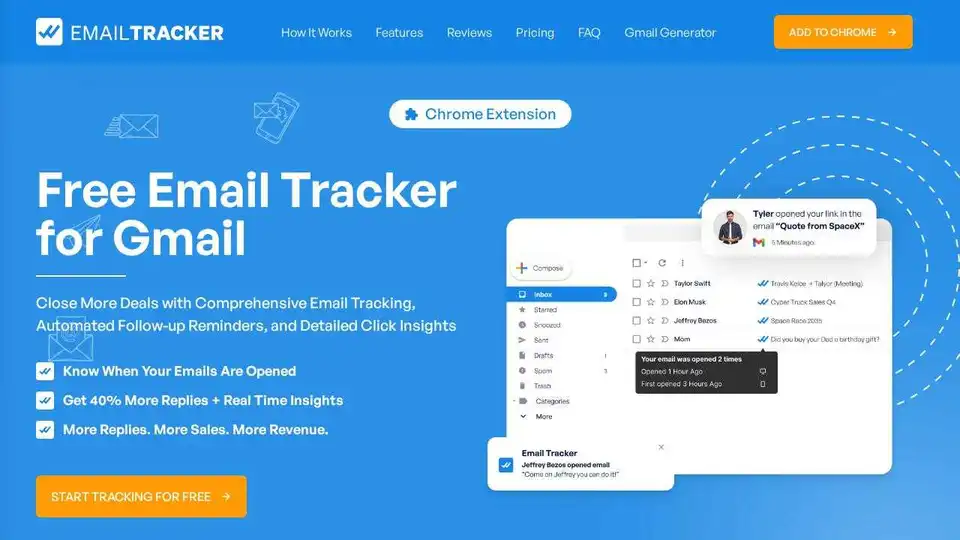
Overview of Email Tracker
What is Email Tracker?
Email Tracker is a powerful Chrome extension designed specifically for Gmail users. It provides comprehensive email tracking capabilities, allowing users to monitor when their emails are opened, how many times they are viewed, and when links within the emails are clicked. This tool is particularly useful for sales professionals, marketers, and anyone looking to enhance their email communication effectiveness.
Key Features of Email Tracker
Real-time Notifications
Email Tracker offers real-time notifications through Chrome alerts and email alerts. Users are instantly notified when their emails are opened, enabling timely follow-ups and strategic communication.
Detailed Insights
The tool provides detailed insights into email interactions, including the number of times an email is accessed and the specific times it is opened. This information helps users refine their email strategies and improve engagement rates.
Link Tracking
Email Tracker includes link tracking functionality, allowing users to know when recipients click on links within their emails or open attachments. This feature is crucial for understanding recipient engagement and optimizing email content.
Visible or Invisible Tracking
Users can choose between visible and invisible tracking modes. Visible tracking can increase response rates by making recipients aware of the tracking, while invisible tracking allows for discreet monitoring without alerting the recipient.
Customizable Alerts
Email Tracker allows users to customize how they receive notifications, ensuring they never miss important email interactions. This flexibility makes it easier to manage email communications effectively.
How Does Email Tracker Work?
Simple Integration
Integrating Email Tracker into your workflow is straightforward. Users simply need to install the Chrome extension, and it seamlessly integrates with their Gmail account, bringing powerful tracking capabilities to their fingertips.
Effortless Tracking
Once installed, Email Tracker works in the background, tracking email opens, views, and link clicks without requiring any changes to the user's email habits. This makes it an effortless tool to use.
Customizable Alerts
Users can set up customizable alerts to receive notifications in their preferred manner, whether through Chrome notifications or email alerts. This ensures that users are always informed about their email interactions.
Why Choose Email Tracker?
Enhanced Email Strategy
Email Tracker provides valuable insights that help users understand how their recipients engage with their emails. This information can be used to tailor communication strategies, improving the effectiveness of email campaigns.
Privacy and Security
Email Tracker prioritizes user privacy and security. It does not store any email addresses, content, or sensitive data. Only the open dates of tracked emails are recorded, ensuring that user data remains secure.
Free and Unlimited
Email Tracker offers a free version that provides essential tracking features without any limits on the number of emails tracked. For users with more advanced needs, a premium plan is available, offering additional features like removing branding, accessing in-depth analytics, and more detailed tracking options.
Who is Email Tracker For?
Email Tracker is ideal for:
- Sales Professionals: Enhance email communication and follow-up strategies to close more deals.
- Marketers: Optimize email campaigns and improve engagement rates.
- Business Owners: Monitor email interactions to enhance customer communication and sales efforts.
- Individuals: Track personal emails to ensure important messages are received and read.
Best Way to Use Email Tracker
To get the most out of Email Tracker, users should:
- Install the Extension: Add Email Tracker to your Chrome browser and integrate it with your Gmail account.
- Set Up Alerts: Customize notifications to receive real-time updates on email interactions.
- Analyze Insights: Use the detailed insights provided to refine your email strategies and improve engagement rates.
- Upgrade if Needed: Consider upgrading to the premium plan for advanced features and more detailed tracking options.
Customer Reviews
Users have praised Email Tracker for its ease of use and effectiveness. For example, Matt Jeffries, CMO at GrowthLab, mentioned that Email Tracker helped them double their response rate by creating a follow-up sequence based on email interactions. Tessa McFarlane, SDR at DocSignal, appreciated the immediate notifications when emails were opened. Robert Benson, Customer Success at Salesforce, highlighted the detailed analytics and privacy focus of the tool.
Pricing
Email Tracker offers a free plan with essential features and a professional plan with advanced capabilities. The professional plan is priced at $9.99 per month, with a yearly subscription offering a 55% discount.
Conclusion
Email Tracker is a versatile and powerful tool for anyone looking to enhance their email communication effectiveness. With its comprehensive tracking capabilities, real-time notifications, and detailed insights, it is an invaluable resource for sales professionals, marketers, and business owners alike.
Tags Related to Email Tracker
