
Enclave AI
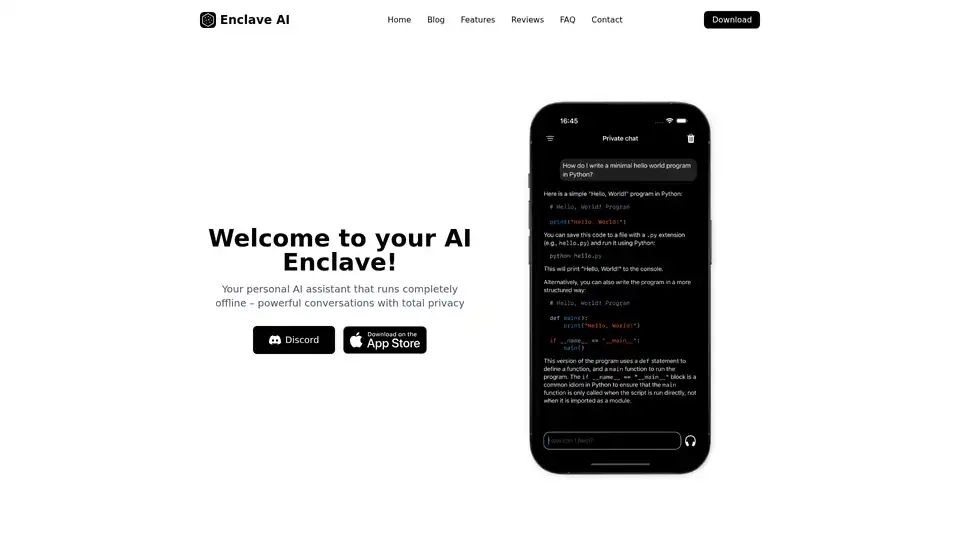
Overview of Enclave AI
Enclave AI: Your Private, Local, and Offline AI Assistant
What is Enclave AI? Enclave AI is a cutting-edge AI assistant designed for users who prioritize privacy and security. It runs entirely offline on your iOS and macOS devices, ensuring that your conversations and data remain completely private. No cloud services, no data collection, and no internet connection are required.
Key Features:
- Local Voice Chat: Engage in voice conversations with AI, processed locally on your device. Leverage on-device speech recognition and synthesis for secure and private communication.
- Top Open Source AI Models: Access a curated selection of leading open-source AI models optimized for local use. Choose from various model sizes and capabilities to balance performance and resource usage.
- Custom AI Assistants: Create personalized AI assistants tailored to your specific needs. Define custom system prompts, personalities, and expertise areas for different use cases.
- Chat with Your Documents: Upload and interact with your documents through natural conversation. Ask questions, get summaries, and extract insights from PDFs, text files, and more. All document processing happens locally.
- Shortcuts & Siri Integration: Seamlessly integrate powerful local AI into your automation workflows with Shortcuts support. Trigger AI tasks using Siri voice commands, process text, generate content, and analyze data - all offline.
- iMessage Integration: Access AI assistance directly within your iMessage conversations. Get help composing messages, summarizing discussions, and generating responses without leaving the Messages app.
How does Enclave AI work?
Enclave AI leverages the power of local large language models (LLMs) to provide AI assistance directly on your device. The app downloads the AI model once during installation, and everything runs completely offline afterwards. This includes voice recognition, text generation, and document processing. Enclave AI uses Apple's Neural Engine to efficiently utilize device resources, ensuring optimal performance and battery life.
Is my data private?
Yes, absolutely. All conversations happen locally on your device, and Enclave AI does not collect or store any of your data. The AI model runs completely offline, which means your conversations, prompts, and any generated content never leave your device and are not shared with any third parties. Your conversation history is stored locally and encrypted, giving you complete control over your data.
Why choose Enclave AI?
- Privacy-Focused: Enclave AI is designed with privacy as a top priority. Your data remains on your device, ensuring complete confidentiality.
- Offline Functionality: Use AI features even without an internet connection, making it ideal for travel, remote locations, or situations where privacy is paramount.
- Customization: Create custom AI assistants tailored to your specific needs and use cases.
- Integration: Seamlessly integrate AI into your existing workflows with Shortcuts and Siri integration.
Who is Enclave AI for?
Enclave AI is for anyone who values privacy and wants to leverage the power of AI without compromising their data. It's perfect for:
- Professionals who handle sensitive information.
- Individuals who want to keep their conversations private.
- Users who need AI assistance in areas with limited or no internet access.
User Reviews:
- drmuratustun: "Absolutely the best! I’ve tried lots of offline AI apps, even paid versions... This is one of the best apps I’ve ever used. It’s very fast and accurate..."
- Dilation6077: "Didn't think it'd be this good... it does do brainstorming really well. Still, it surpassed my expectations in its ease of use and speed of response."
- Corymaster88: "Best off-line LLM chat on iPhone... I’m really amazed at how well it works... I really like the user interface and also how simple and responsive the app is!"
FAQ:
- Do I need an internet connection? No, you only need internet for the initial download of the app and, on macOS, for downloading additional AI models. After that, everything works completely offline!
- What devices are supported? The app is available for both Mac and iPhone.
- What kind of AI models does the app support? Both iOS and macOS versions support various open-source large language models. On iOS, you can choose from models like Llama, Qwen, SmolLM, and Gemma - all optimized for mobile performance.
- What's the difference between this and ChatGPT? While ChatGPT processes everything in the cloud, Enclave AI runs AI models directly on your device.
Conclusion:
Enclave AI offers a unique solution for users seeking a private, secure, and offline AI assistant. With its local processing, customizable AI models, and seamless integration with existing workflows, Enclave AI empowers you to leverage the power of AI without compromising your privacy. Experience the future of private AI on your device today.
Tags Related to Enclave AI
