
FilterPixel
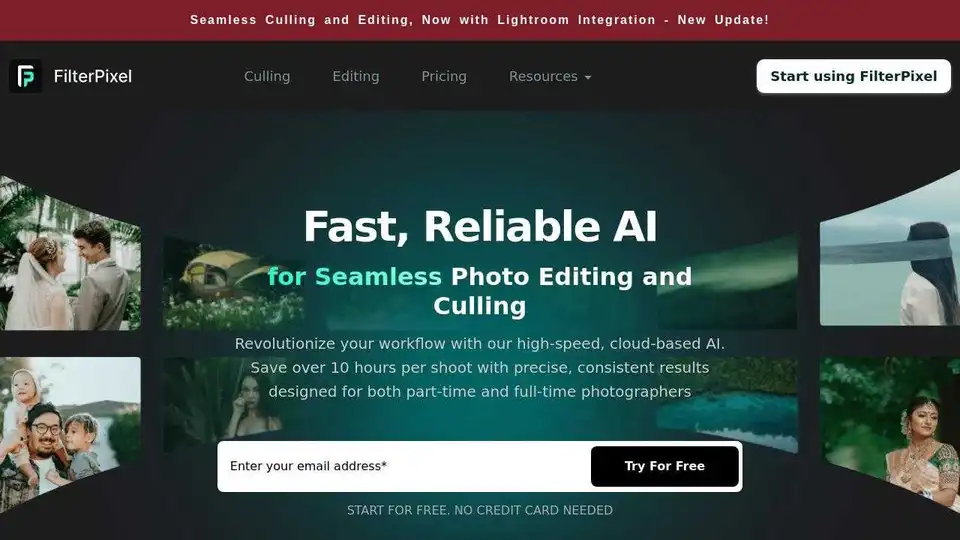
Overview of FilterPixel
What is FilterPixel?
FilterPixel is an advanced AI-powered photo culling and editing software specifically designed for photographers. It leverages artificial intelligence to automate the tedious tasks of photo selection and editing, allowing photographers to focus more on their creative work. FilterPixel is compatible with both Mac and Windows, making it a versatile tool for professionals in the photography industry.
Key Features of FilterPixel
AI Photo Culling
- Review Mode: Review photos faster with personalized settings using colors, stars, tags, or other customizable options.
- Survey Mode: Enhance productivity by personalizing your app to match your workflow.
- Magic Number: Automatically determine the optimal gallery size expected by clients.
- Personalized Workflow: Customize the AI to understand your tagging system, ensuring a seamless workflow.
AI Photo Editing
- Style DNA: Personalize your AI editing style by uploading edited Lightroom catalogs, allowing the AI to learn your unique editing preferences.
- Expert Profiles: Utilize built-in AI profiles for editing photos without the need for additional training.
- One Click Edits: Apply comprehensive edits, including white balance and color grading, with just one click.
Workflow Integration
- One Timeline Workflow: Manage all tasks within a single app, eliminating the need for overnight processing and reducing workflow disruptions.
- Organize with Ease: Quickly load RAW and JPEG files, ingest directly from memory cards, and import multiple albums simultaneously.
- Export Flexibility: Export final images in various formats (JPEG, RAW, or both) and seamlessly integrate with other software like Lightroom, Capture One, or Photo Mechanic.
How Does FilterPixel Work?
FilterPixel uses advanced AI algorithms to analyze and process photos. The software can quickly identify the best shots, detect issues, and apply personalized editing styles. This automation significantly reduces the time spent on manual tasks, allowing photographers to deliver high-quality galleries faster.
How to Use FilterPixel?
- Download and Install: Start by downloading FilterPixel for free and install it on your Mac or Windows device.
- Import Photos: Load your RAW or JPEG files directly from your memory card or other storage devices.
- Cull Photos: Use the AI-powered culling features to quickly select the best photos.
- Edit Photos: Apply personalized editing styles or use built-in profiles to enhance your photos.
- Export Photos: Export your edited photos in your preferred format and continue your workflow with other software.
Why Choose FilterPixel?
- Time-Saving: Save over 40 hours every month by automating the culling and editing process.
- Professional Results: Achieve high-quality results with AI-powered tools that learn and adapt to your editing style.
- Versatility: Compatible with both Mac and Windows, supporting a wide range of RAW and JPEG formats.
- User-Friendly: Personalize your workflow with customizable settings and easy-to-use features.
Who is FilterPixel For?
FilterPixel is ideal for professional photographers who want to streamline their workflow and save time on repetitive tasks. Whether you specialize in weddings, portraits, or other events, FilterPixel can help you deliver high-quality galleries faster and more efficiently.
Best Way to Use FilterPixel
To get the most out of FilterPixel, start by personalizing the AI to match your editing style. Upload a catalog of your edited photos to train the AI, and use the built-in profiles for quick edits. Take advantage of the one-click editing feature to apply comprehensive adjustments, and export your photos in the format that best suits your needs.
Customer Testimonials
- Dominic & Ruby (Wedding Photographers, UK): "FilterPixel gives us our lives back. We take around 20K photos at a wedding and now we can edit them faster and our clients can get their photos faster."
- Bonnie Blu (Wedding Photographer, Atlanta): "Now I can deliver weddings in one day rather than months. It saves me days that I can spend with my son and, at the same time, deliver galleries much faster to my clients."
- Shinu John (Portrait Photographer, Dublin): "For culling 500 photos manually, it would take me an hour but FilterPixel does this barely in minutes. It saves so much time & money and is irreplaceable."
Frequently Asked Questions
How to use FilterPixel Software?
Once you sign up, you can download the software for free up to 4 projects. A quick guide is available to provide a walkthrough of the software.
Which camera files are supported inside FilterPixel Culling Software?
FilterPixel supports a wide range of RAW formats and JPEGs, including NEF, CR3, HEIC, JPG, CR2, DNG, ARW, 3FR, DCR, ORF, RW2, RAW, PEF, RAF, and PSD.
Can I trust FilterPixel with my data or images?
FilterPixel is GDPR and CCPA compliant. It does not upload your original images anywhere and has no intention or right to distribute, sell, or share your data. You can read their privacy policy for more details.
Conclusion
FilterPixel is a powerful tool for photographers looking to enhance their productivity and deliver high-quality work faster. With its advanced AI features, personalized workflows, and seamless integration with other software, FilterPixel is an essential tool for modern photographers.
Tags Related to FilterPixel
