
FlowSpeech
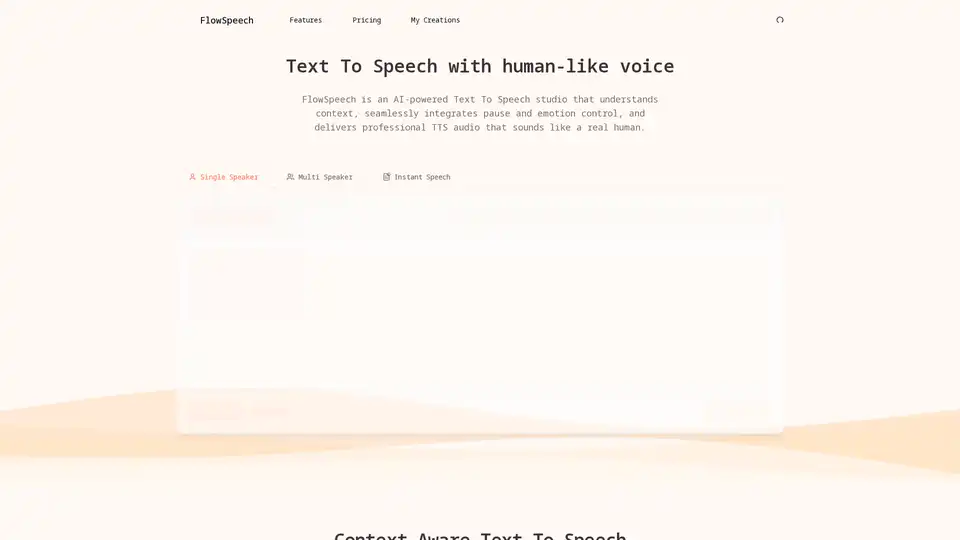
Overview of FlowSpeech
What is FlowSpeech?
FlowSpeech is an advanced AI-powered text-to-speech (TTS) studio designed to convert written text into high-fidelity, lifelike audio. Unlike standard TTS tools that simply read words, FlowSpeech acts as a "context-aware" engine. It analyzes the sentiment, timing, and nuance of the script to generate speech that sounds remarkably human, complete with natural emotional inflection and pacing. This makes it a go-to solution for creators who need professional-grade voiceovers without the cost and time of hiring voice actors.
Key Features of FlowSpeech
FlowSpeech stands out in the crowded TTS market by offering granular control over the output. Here are the core capabilities:
- Context-Aware Emotion Delivery: The AI doesn't just read; it understands. It analyzes the full context of the text to automatically infuse the appropriate sentiment—whether it's joy, sorrow, excitement, or authority—ensuring the audio carries the intended emotional weight.
- Custom Emotion and Accent Control: Users can add simple bracketed commands like
[whisper],[shout], or[strong British accent]. The advanced parser processes these instructions seamlessly, allowing for dynamic character performance without post-production editing. - Precise Pause Controls: You can master the pacing of your audio using pause tags (e.g.,
[⌛1.0s]). This eliminates the need to export files to a Digital Audio Workstation (DAW) for timing adjustments, streamlining the workflow significantly. - Single Speaker Auto-Markup: In Single Speaker mode, you simply upload a script. The AI analyzes the tone and automatically inserts appropriate emotion tags, resulting in polished, expressive narration with a consistent voice.
- Multi-Speaker Auto Voice Matching: FlowSpeech automatically detects different speakers within a text, splits the script, and pairs each segment with a suitable AI voice. This automates the creation of podcasts, dialogues, and complex stories involving multiple characters.
How Does FlowSpeech Work?
FlowSpeech utilizes a sophisticated AI engine to process text. The workflow is designed for efficiency:
- Input & Analysis: You input your text or upload a file. The AI scans the content to understand the narrative arc, sentence structure, and implied emotions.
- Instruction Processing: It recognizes any custom tags for emotions, accents, or pauses and prepares the audio trajectory accordingly.
- Voice Synthesis: The system selects from a library of over 30 distinct voices to synthesize the audio. For multi-speaker scripts, it intelligently casts voices to match the character profiles.
- Output: The result is a professional-grade audio file (likely MP3/WAV) ready for immediate use in videos, audiobooks, or marketing materials.
Who is FlowSpeech For?
FlowSpeech is versatile enough to serve a wide range of digital professionals:
- Content Creators & YouTubers: Generate engaging video voiceovers and narrations quickly.
- E-Learning & Educators: Convert textbooks and articles into accessible audiobooks or course materials with consistent pacing.
- Podcasters: Produce dialogue-heavy episodes with distinct character voices without a recording studio.
- Digital Marketers: Create high-quality audio ads and social media content that captures attention.
Why Choose FlowSpeech?
The primary value of FlowSpeech lies in its ability to bridge the gap between robotic TTS and expensive human recordings. By offering "human-grade" audio with emotional intelligence and precise control, it allows users to scale their audio content production efficiently. It saves time by removing the need for manual audio editing (DAW work) and reduces the logistical headache of coordinating with voice talent.
How to Use FlowSpeech?
Using the tool is straightforward:
- Upload or Paste: Input your script directly into the editor or upload a text file.
- Select or Auto-Assign Voices: Choose a specific voice or let the Multi-Speaker feature auto-assign them.
- Add Controls (Optional): Use bracket tags to add whispers, shouts, or pauses to specific lines for dramatic effect.
- Generate: Click the generate button to process the text. The AI will analyze and synthesize the audio in moments.
- Download: Export the final audio file for use in your projects.
FlowSpeech is redefining the standards of text-to-speech technology by prioritizing context and emotional depth, making it an essential tool for modern audio content creation.
Tags Related to FlowSpeech
