
Flux 2
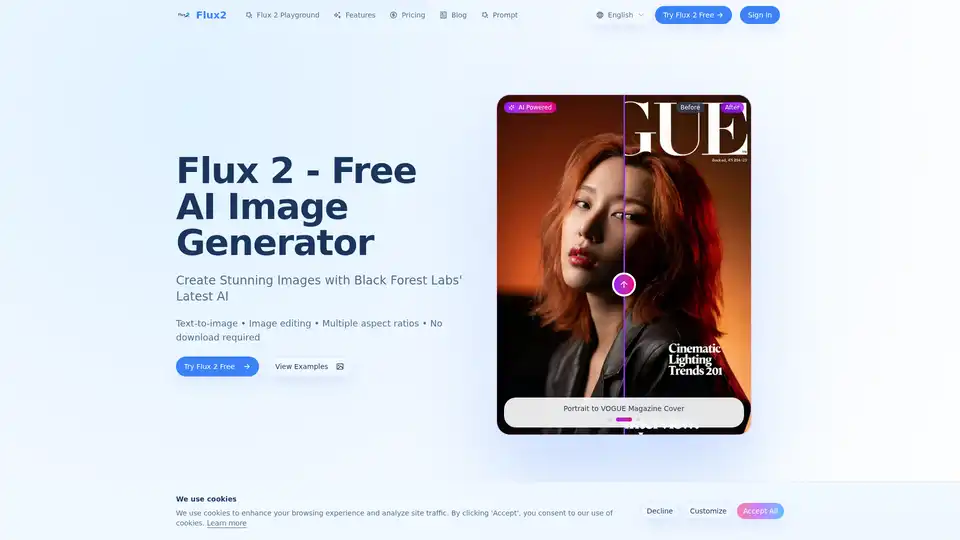
Overview of Flux 2
What is Flux 2?
Flux 2 is a next-generation AI image generation and editing suite developed by Black Forest Labs. It represents a significant advancement in text-to-image AI technology, offering users the ability to create photorealistic images from simple text prompts or edit existing photos using natural language instructions. As a free tool available through an online playground, Flux 2 removes barriers to entry, allowing creators, designers, and enthusiasts to explore high-quality AI art generation without downloads, signups, or watermarks.
Key Features of Flux 2 AI
Flux 2 distinguishes itself from other AI image generators through several advanced capabilities:
- Superior Prompt Following: Unlike many models that struggle with complex, detailed instructions, Flux 2 excels at interpreting nuanced prompts. It accurately renders scenes as described, capturing specific stylistic elements, color palettes, and compositional details with remarkable fidelity.
- Photorealistic Quality: Leveraging advanced neural network architectures, Flux 2 generates images with realistic lighting, textures, and physics. The output supports resolutions up to 4 megapixels, making it suitable for both digital displays and print applications.
- Natural Language Image Editing: One of Flux 2's standout features is its ability to edit existing images. Users can upload a photo and describe desired changes in plain English (or other supported languages). Flux 2 understands instructions like "change the sky to a sunset," "add a person in a red coat," or "make the background blurry" while preserving the original context and overall image quality.
- Multiple Aspect Ratios: The tool supports a wide range of aspect ratios, including 21:9 (ultra-wide), 16:9 (landscape), 4:3 (standard), 1:1 (square), 3:4 (portrait), and 9:16 (vertical/mobile). This versatility makes Flux 2 ideal for creating everything from desktop wallpapers to Instagram Stories and promotional graphics.
- Free & No Watermark: For basic usage, Flux 2 is completely free. Images generated and downloaded through the playground do not contain watermarks, making them immediately usable for personal projects or commercial prototypes.
How Flux 2 Works
Flux 2 operates on a diffusion model architecture, a state-of-the-art technique in generative AI. Here's a simplified breakdown of the process:
- Text Processing: When you enter a prompt (e.g., "A serene lake at sunset, mountains in the background, golden hour lighting"), the model's text encoder analyzes the language to understand semantic meaning, objects, attributes, and relationships.
- Image Generation: The model starts with random noise and iteratively refines it over multiple steps, guided by the text embedding. It "de-noises" the image, gradually revealing the scene described in your prompt. This process ensures coherence and adherence to your instructions.
- Image Editing: For editing, the model uses a technique called inpainting or outpainting combined with the text condition. It identifies the areas of the image to modify (based on your instruction) and reconstructs them to match the new description while blending seamlessly with the unchanged parts.
- Output: The final image is generated in a configurable resolution and format, ready for download.
Who is Flux 2 For?
Flux 2 is designed for a broad audience:
- Digital Artists & Illustrators: For conceptualizing ideas, creating base artwork, or exploring styles quickly.
- Graphic Designers: For generating custom visuals for social media, marketing materials, or client presentations.
- Content Creators & Marketers: For producing unique visuals for blogs, YouTube thumbnails, or advertising campaigns without relying on stock photos.
- Photographers: For editing existing photos, extending backgrounds, or creating alternative versions of their work.
- Students & Educators: For educational projects, visual aids, and exploring the capabilities of generative AI.
- Anyone Curious about AI: The free, no-signup model makes it accessible for hobbyists and those new to AI image generation.
How to Use Flux 2 in 3 Simple Steps
Getting started with Flux 2 is straightforward:
- Enter Your Prompt: Describe the image you want to create or the edit you want to make. Be specific about style, subject, colors, and composition. (Example: "Cyberpunk city street at night, neon signs reflecting on wet pavement, a woman in a trench coat walking, cinematic lighting.")
- Choose Settings:
- Aspect Ratio: Select from presets like 16:9, 1:1, or 9:16 based on your project needs.
- Model Variant: Choose between Flux Kontext Pro (for faster, balanced results) or Flux Kontext Max (for complex scenes requiring higher detail and quality).
- Resolution/Output Format: Set the desired image quality (e.g., 1K).
- Generate & Download: Click the "Generate" button. The processing typically takes 30-60 seconds. Once the image appears, you can download it directly. For editing, upload an image first and then provide your edit prompt.
Frequently Asked Questions (FAQ)
What is Flux 2? Flux 2 is Black Forest Labs' next-generation AI image generation and editing model. It offers superior prompt following, photorealistic outputs, and natural language editing, making it one of the most advanced AI image generators available.
Is Flux 2 free to use? Yes. The Flux 2 playground is free. You can generate and edit AI images without payment. The Pro (balanced) and Max (advanced) models are available for different use cases.
How do I use Flux 2 for image generation? Enter a text prompt, select aspect ratio and model variant, then click Generate. Your AI image will be ready in 30-60 seconds.
What's the difference between Flux Kontext Pro and Max? Flux Kontext Pro is optimized for speed and general use, delivering results in about 30 seconds. Flux Kontext Max is designed for complex scenes, offering higher detail and quality at the cost of slightly longer generation times.
Can I edit existing images with Flux 2? Yes. Upload any image and use natural language to describe changes. Flux 2 will edit the image based on your instructions while preserving the original context and quality.
What aspect ratios does Flux 2 support? It supports 21:9 (ultra-wide), 16:9 (landscape), 4:3 (standard), 1:1 (square), 3:4 (portrait), and 9:16 (mobile/stories).
Why Choose Flux 2 AI?
Choosing Flux 2 means accessing cutting-edge AI technology without complexity or cost. Its superior understanding of complex prompts allows for more creative control. The photorealistic quality rivals paid services, and the natural language editing feature is a game-changer for iterative design workflows. The absence of watermarks and sign-up barriers for basic use lowers the entry point significantly, making it an excellent tool for both professional and casual users.
Whether you need a specific visual for a presentation, want to generate creative art, or edit a photo, Flux 2 provides a powerful, user-friendly platform powered by the latest advancements from Black Forest Labs.
Tags Related to Flux 2
