
Free Video Generator
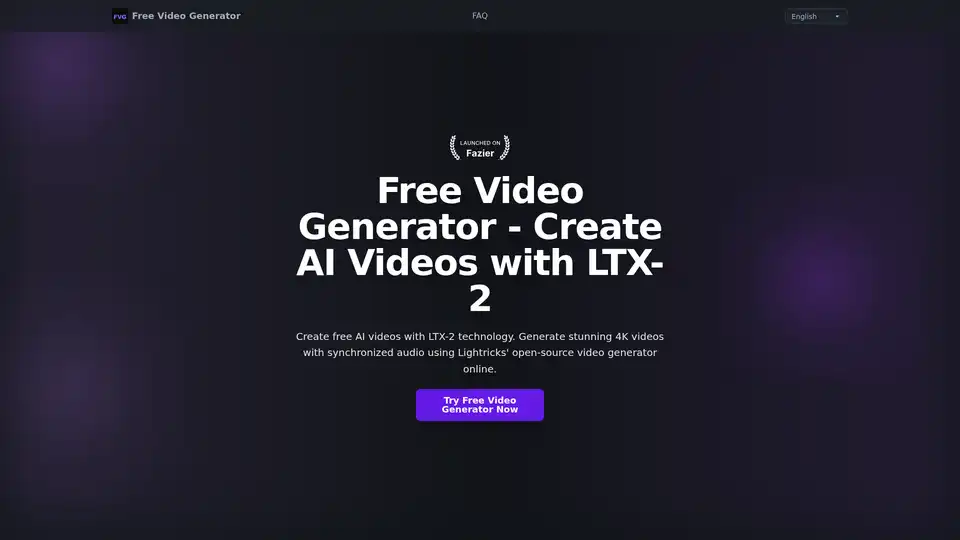
Overview of Free Video Generator
What is Free Video Generator?
Free Video Generator is an advanced, open-source AI video creation tool developed by Lightricks. Powered by the LTX-2 technology, it allows users to generate professional-quality videos directly from text descriptions. Unlike many other AI tools, this generator focuses on creating videos up to 20 seconds in length with native 4K resolution and synchronized audio, including dialogue, music, and sound effects. It is designed to democratize high-quality video production, making it accessible to anyone with a creative idea, regardless of technical skill or budget.
Key Features of Free Video Generator
🚀 Professional-Grade Quality & Performance
- Native 4K Resolution: Videos are generated at up to 4K resolution, meeting broadcast-quality standards suitable for social media, advertising, and presentations.
- Synchronized Audio: A core differentiator is the seamless integration of audio with visuals. The LTX-2 model generates dialogue, background music, and sound effects that are perfectly timed with the video action, eliminating the need for separate audio post-production.
- High Frame Rate: Supports generation at up to 50 frames per second (fps) for smooth, fluid motion in generated videos.
- Extended Duration: Can create video clips up to 20 seconds long, offering flexibility for various content formats.
🧠 Versatile Generation Modes
The Free Video Generator supports three primary input methods:
- Text-to-Video: The most straightforward method. Provide a detailed text prompt describing the scene, subjects, actions, camera movements, and desired sounds.
- Image-to-Video: Upload a source image (e.g., a product photo or a concept sketch) and use a text prompt to animate it into a dynamic video sequence.
- Video-to-Video: Transform an existing video clip into a new style or context based on a text prompt.
⚙️ Advanced Technical Capabilities
- Multi-Keyframe Conditioning: Allows for precise control over specific moments within the video, enabling complex scene compositions and transitions.
- 3D Camera Logic: The AI understands 3D space and camera movements, creating more realistic and immersive visuals.
- LoRA Fine-Tuning Support: Users can leverage Low-Rank Adaptation (LoRA) techniques for customized model behavior and specific visual styles.
- Lower Compute Cost: Lightricks claims the LTX-2 model operates with approximately 50% lower computational cost compared to competing models, which contributes to its availability as a free tool.
🔓 Open-Source & Responsible AI
- Open-Source Model: LTX-2 is an open-source model, providing transparency into its architecture and allowing the community to contribute to its development and audit its safety features.
- Content Safety: Lightricks has implemented content filtering mechanisms to prevent the generation of harmful or inappropriate material.
- Commercial Use License: Videos created with the Free Video Generator can be used for commercial purposes by individuals and companies with an annual recurring revenue (ARR) under $10 million. Larger enterprises can inquire about commercial licensing.
How Free Video Generator Works
The generation process is streamlined for user accessibility:
- Input: The user accesses the online platform and inputs a text prompt. Specificity is key—describing the subject, environment, actions, lighting, and required sounds (dialogue, music genre, ambient noise) yields the best results.
- Processing: The LTX-2 model analyzes the prompt, breaking it down into visual and auditory components. It applies its understanding of physics, lighting, and synchronization to construct the video frame-by-frame.
- Output: The user receives a downloadable 4K video file with embedded, synchronized audio. The process is entirely online and does not require powerful local hardware.
Who Is Free Video Generator For?
This tool is ideal for a broad range of users:
- Content Creators & Social Media Managers: Quickly produce engaging, high-quality video content for platforms like YouTube, TikTok, and Instagram without costly equipment or software.
- Marketing Professionals: Generate prototype videos for ad campaigns, product demonstrations, or social media ads rapidly and at zero cost.
- Educators & Instructional Designers: Create visual aids, explanations, or animated scenarios for online courses and educational materials.
- Filmmakers & Storytellers: Visualize concepts, storyboard scenes, or create test footage quickly during the pre-production phase.
- Small Businesses & Startups: Produce professional marketing videos without the budget for a full production team.
Practical Value & Use Cases
The Free Video Generator solves common challenges in video production:
- Speed & Efficiency: Create a polished video in minutes, bypassing lengthy filming and editing schedules.
- Cost Reduction: Eliminates the need for expensive software licenses, camera equipment, and editing personnel.
- Accessibility: Lowers the barrier to entry for high-quality video production, empowering individuals without technical expertise.
- Idea Validation: Allows creators to test multiple video concepts quickly and affordably before committing to a full-scale production.
Getting Started and Best Practices
To maximize the quality of your generated videos:
- Be Descriptive: Provide detailed prompts. Instead of "a cat running," try "a fluffy orange tabby cat running through a sunlit autumn park, with leaves rustling and soft ambient music."
- Specify Audio: Explicitly mention any dialogue, sound effects, or musical styles you want included to ensure synchronization.
- Iterate: If the first result isn't perfect, refine your prompt with more specific details about composition, lighting, and mood.
- Use Multi-Keyframe for Complex Scenes: For videos with specific sequences or changes, use the multi-keyframe conditioning feature to guide the AI through different segments of the video.
Summary
Free Video Generator by Lightricks, powered by the LTX-2 open-source model, is a revolutionary tool that makes 4K AI video generation with synchronized audio accessible for free. It supports text, image, and video inputs, offering professional results for creators, marketers, and educators. Its open-source nature, combined with robust safety features and a permissive commercial license, makes it a powerful and trustworthy option in the landscape of AI video tools.
Tags Related to Free Video Generator
