
GiGOS
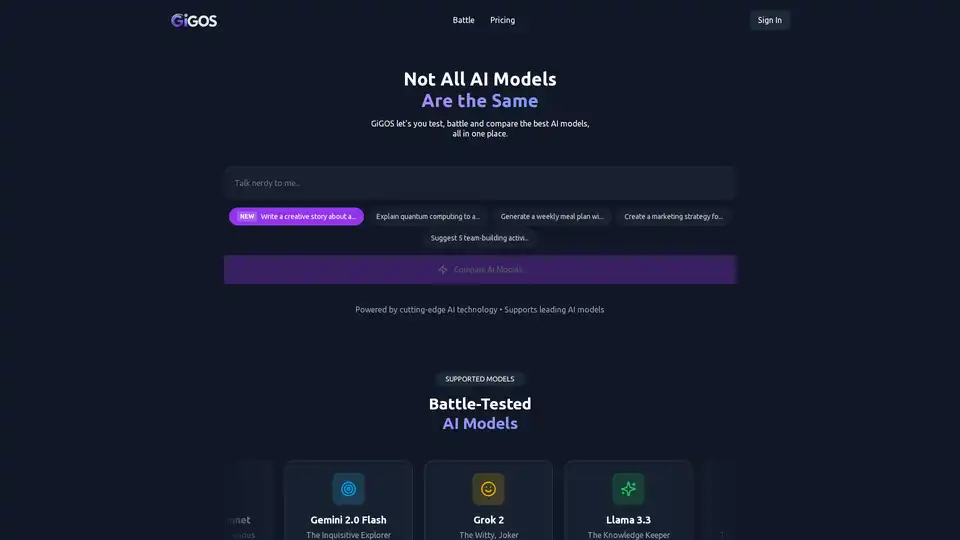
Overview of GiGOS
What is GiGOS?
GiGOS is a cutting-edge platform designed for testing and comparing various AI models. It allows users to evaluate and compare the performance of leading AI models such as Claude 4.5 Sonnet, GPT-5, Gemini 2.5 Flash, Grok 4, Llama 4 Maverick, and DeepSeek R1. The platform provides a user-friendly interface for real-time testing and side-by-side comparisons, making it easier for users to choose the best AI model for their specific needs.
Key Features of GiGOS
- Real-Time Testing: GiGOS offers real-time testing capabilities, allowing users to see how different AI models perform on various tasks instantly.
- Side-by-Side Comparisons: Users can compare multiple AI models simultaneously, making it easier to identify the strengths and weaknesses of each model.
- Support for Leading AI Models: The platform supports a wide range of AI models, including Claude 4.5 Sonnet, GPT-5, Gemini 2.5 Flash, Grok 4, Llama 4 Maverick, and DeepSeek R1.
- User-Friendly Interface: GiGOS is designed with a user-friendly interface that makes it easy for users to navigate and use the platform effectively.
How Does GiGOS Work?
GiGOS works by providing a centralized platform where users can input various tasks and see how different AI models perform. The platform uses advanced algorithms to ensure that the comparisons are accurate and reliable. Users can input tasks such as writing a creative story, explaining complex concepts, generating meal plans, creating marketing strategies, and more. The platform then processes these tasks and provides real-time results from the selected AI models.
How to Use GiGOS?
- Sign In: Users need to sign in to the GiGOS platform to access its features.
- Select Tasks: Users can select from a variety of predefined tasks or input their own custom tasks.
- Choose AI Models: Users can choose which AI models they want to test and compare.
- Run Tests: The platform will run the selected tasks on the chosen AI models and provide real-time results.
- Compare Results: Users can compare the results from different AI models side-by-side to determine which model performs best for their specific needs.
Why Choose GiGOS?
GiGOS is an essential tool for anyone looking to evaluate and compare AI models. Whether you are a researcher, developer, or business professional, GiGOS provides the tools you need to make informed decisions about which AI models to use. The platform's real-time testing and side-by-side comparison features make it easier to identify the best AI model for your specific requirements.
Who is GiGOS For?
GiGOS is designed for a wide range of users, including:
- Researchers: Researchers can use GiGOS to evaluate the performance of different AI models for their research projects.
- Developers: Developers can use the platform to test and compare AI models for their applications and software.
- Business Professionals: Business professionals can use GiGOS to identify the best AI models for their business needs, such as marketing strategies, customer service, and more.
- Students: Students can use the platform to learn about AI models and their capabilities.
Best Way to Compare AI Models
GiGOS provides the best way to compare AI models by offering a comprehensive and user-friendly platform. With its real-time testing and side-by-side comparison features, users can easily evaluate the performance of different AI models and choose the best one for their needs. The platform's support for leading AI models ensures that users have access to the latest and most advanced AI technologies.
Tags Related to GiGOS
