
Grok Video Generator
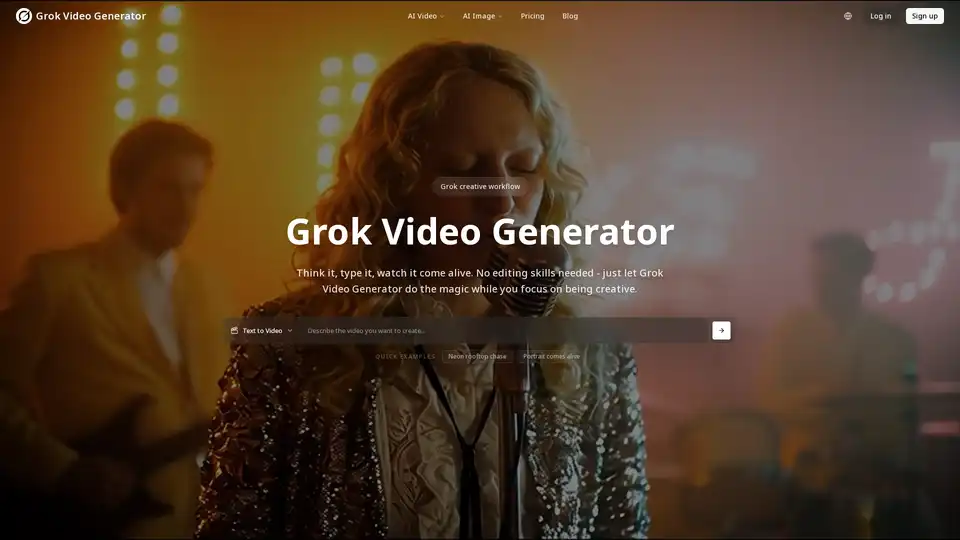
Overview of Grok Video Generator
What is Grok Video Generator?
Grok Video Generator is an innovative artificial intelligence tool designed to transform text descriptions and static images into dynamic, engaging video content. Powered by the advanced Grok Imagine technology, this platform enables users to create high-quality, shareable videos in a matter of seconds, without requiring any prior video editing skills. It stands out by automatically integrating perfectly matched audio, music, and sound effects, delivering a complete cinematic experience ready for various platforms.
Key Features and How Grok Video Generator Works
Grok Video Generator leverages cutting-edge AI to streamline the video creation process, offering a suite of powerful features for both beginners and seasoned creators.
Text to Video with Audio
How does Grok Video Generator work with text? Users simply type a description of the video they envision, much like giving instructions to a creative assistant. The Grok Imagine engine then interprets these words, generating a corresponding video. What truly sets this feature apart is its intelligent audio integration: it automatically composes and adds relevant sound effects, background music, and ambient audio that perfectly complements the visual narrative, ensuring a cohesive and immersive viewing experience. This eliminates the need for manual audio selection and synchronization, saving creators significant time and effort.
Animate Your Images
Beyond text, Grok Video Generator offers a unique capability to animate your images. By uploading any photograph or static image, users can bring them to life with realistic movement and appropriate soundscapes. Grok Imagine analyzes the image content and applies dynamic motion effects, transforming still visuals into captivating video clips that tell a story. This feature is ideal for breathing new life into old photos, creating engaging visual content from digital art, or generating unique marketing materials.
Multiple Resolution Options
Why choose Grok Video Generator for flexible output? Recognizing the diverse needs of different platforms and users, Grok Video Generator provides multiple resolution options. Creators can generate videos in various quality settings, ranging from standard 480p up to high-definition 1080p. Additionally, it supports a range of aspect ratios, including the widescreen 16:9 for YouTube, the vertical 9:16 for TikTok and Instagram Stories, and the square 1:1 for universal social media posts. This flexibility ensures that your content is optimized for its intended destination.
Advanced Camera Controls
For users seeking more creative command, Grok Video Generator includes advanced camera controls. These settings allow for fine-tuning the visual dynamics of the generated video. Users can adjust motion dynamics, choose between fixed or dynamic camera movements, and even modify frame rates to achieve a specific cinematic look and feel. This level of control empowers creators to infuse their unique artistic vision into the AI-generated content.
Automatic Audio Generation
One of the most compelling features is automatic audio generation. Every video created with Grok Video Generator comes with perfectly matched audio. The platform intelligently generates ambient sounds, background music, and specific sound effects that enhance and complement the visual content. This ensures a polished, professional output without any manual audio editing, making the process incredibly efficient.
Fast Processing Speed
Best way to create videos quickly? Grok Video Generator boasts fast processing speed. Its optimized AI engine is designed to deliver high-quality video results in minutes, not hours. This rapid turnaround time is invaluable for content creators, marketers, and businesses who operate under tight deadlines and require a constant stream of fresh, engaging video content.
Aurora AI Engine
At the core of Grok Video Generator's capabilities is the Aurora AI Engine. Developed by xAI, Aurora is the cutting-edge technology responsible for powering the platform's advanced video and image generation. This sophisticated engine enables the seamless transformation of text into video with synchronized audio, producing realistic and high-quality content that pushes the boundaries of AI creativity.
Spicy Content Mode
The 'Spicy' mode is an innovative feature within Grok Video Generator that offers advanced content generation settings. This mode grants users greater creative freedom and allows for the exploration of more diverse artistic styles. While encouraging expressive and varied content, it is designed to maintain appropriate content guidelines and promote responsible AI usage, ensuring a balance between creativity and ethical considerations.
Who is Grok Video Generator For?
Grok Video Generator is an indispensable tool for a wide array of individuals and organizations looking to leverage the power of AI for video creation.
- Content Creators: YouTubers, TikTokers, Instagrammers, and bloggers can quickly produce engaging shorts, explainer videos, and visual stories.
- Marketers and Businesses: Ideal for creating dynamic social media ads, promotional videos, product showcases, and marketing campaigns without significant budget or technical expertise.
- Educators: Generate animated explanations or visual aids for educational content.
- Artists and Designers: Experiment with animating static artwork or transforming concepts into visual narratives.
- Hobbyists: Anyone with a creative idea can bring it to life visually, regardless of their technical skill level.
Why Choose Grok Video Generator?
Choosing Grok Video Generator offers several distinct advantages that set it apart in the rapidly evolving landscape of AI video creation.
- Unparalleled Ease of Use: No complex software or technical skills are required. The intuitive interface allows anyone to "think it, type it, watch it come alive."
- Integrated Audio: The automatic addition of perfectly matched sounds, music, and effects eliminates the often-challenging aspect of audio design in video production.
- Speed and Efficiency: Produce high-quality videos in minutes, freeing up valuable time for other creative or business tasks.
- Creative Freedom: From simple text prompts to animated images and advanced camera controls, the tool provides robust options for expressing diverse creative visions, further enhanced by the 'Spicy' mode.
- Versatile Output: With multiple resolution and aspect ratio options, your content is always optimized for the desired platform.
How to Use Grok Video Generator
Getting started with Grok Video Generator is straightforward:
- Sign Up/Log In: Access the platform via its website.
- Choose Your Input: Select either "Text to Video" or "Animate Your Images."
- Provide Your Content:
- For text to video: Describe your desired video in detail.
- For image to video: Upload the image you wish to animate.
- Customize (Optional): Adjust resolution, aspect ratio, and camera controls as needed.
- Generate: Click to create your video. The Aurora AI Engine will process your request, adding visuals and synchronized audio.
- Download & Share: Your high-quality video will be ready in minutes, perfect for sharing across social media and other platforms.
User Testimonials and Community Feedback
Grok Imagine has already garnered positive attention from creators, highlighting its ease of use and impressive results:
- @TheCamChaos: Praised "Grok Imagine my Best Dragon Day Image," showcasing its image animation capabilities.
- @elonmusk: Shared content "Made with Grok Imagine" and encouraged others to "Imagine with @Grok," underscoring its potential.
- @Real_Futurist: Expressed amazement, stating, "Man, @Grok Imagine is pretty amazing. I input this painting I love and seconds later it made me something out of RDR2!" This highlights the speed and quality of image-to-video conversion.
- @Imaginary__Cat: Enthusiastically noted, "Purring over the new Grok’s Imagine – we can play with it now, and it's just the first step but totally pawsome!" emphasizing its playful and accessible nature.
- @Rainmaker1973: Used it for creative prompts like "Einstein and Newton playing chess," showing its ability to handle conceptual ideas.
- @BarrakAli: Highlighted the "Spicy mode 🌶️," suggesting its appeal for experimental content.
- @bmxai13: Demonstrated detailed prompt usage, such as
Grok Imagine { "prompt": "Create a fun and playful skateboarding video featuring two adorable cats skating side by side on a smooth urban pavement. Use a fisheye lens effect to give it an authentic 90's skate video vibe, with exaggerated wide-angle distortion and dynamic..., illustrating the depth of control available.
These testimonials collectively demonstrate Grok Video Generator's capacity to deliver on diverse creative prompts and its user-friendly interface.
Frequently Asked Questions (FAQs)
What is Grok Video Generator?
Grok Video Generator is an advanced AI tool, powered by Grok Imagine, that creates videos from text descriptions or static images, automatically adding matching audio and effects.
How does Grok Video Generator work?
You provide a text description or upload an image. The Aurora AI Engine then processes this input, generating a video with visuals, movements, and synchronized audio, including music and sound effects.
What makes Grok Imagine special for video creation?
Grok Imagine distinguishes itself by its ability to automatically generate perfectly matched audio (sounds, music, effects) for every video, removing the need for manual audio editing, and its user-friendly approach that requires no prior editing skills.
Can I try Grok Video Generator for free?
Yes, the website indicates a "Free trial available," allowing users to experience its capabilities before committing.
How is this different from other AI video makers?
Grok Video Generator stands out with its automatic, context-aware audio generation, diverse resolution and aspect ratio options, advanced camera controls, and the innovative 'Spicy' content mode, all powered by the Aurora AI Engine developed by xAI.
What can I create with Grok Video Generator?
You can create a wide range of videos, from short clips for social media (e.g., viral content, promotional videos) to animated images, explainer videos, and artistic expressions based on text prompts.
What is the Aurora AI engine?
Aurora is the advanced AI engine developed by xAI that underpins Grok Video Generator's capabilities for generating high-quality, realistic videos and images with synchronized audio.
What is the 'Spicy' content mode?
The 'Spicy' content mode is an advanced setting that offers greater creative freedom and diverse artistic styles, allowing users to generate more expressive and varied content while adhering to responsible AI guidelines.
Can I use images with Grok Video Generator?
Yes, you can upload any photo or image to Grok Video Generator, and it will animate them, adding realistic movement and appropriate sounds to transform them into dynamic video clips.
Do I own the videos I create?
While the page doesn't explicitly state "you own the videos," the emphasis on "creators making amazing videos" and "your first video is just one click away" strongly implies user ownership for content created on the platform, allowing for personal and commercial use (subject to their terms and conditions, which are not provided).
Start Making Videos with Grok Video Generator Today
Join the growing community of creators transforming their ideas into viral content in seconds. Grok Video Generator makes high-quality video creation accessible to everyone. Your next amazing video is just a prompt away!
Tags Related to Grok Video Generator
