
HappyHorse AI
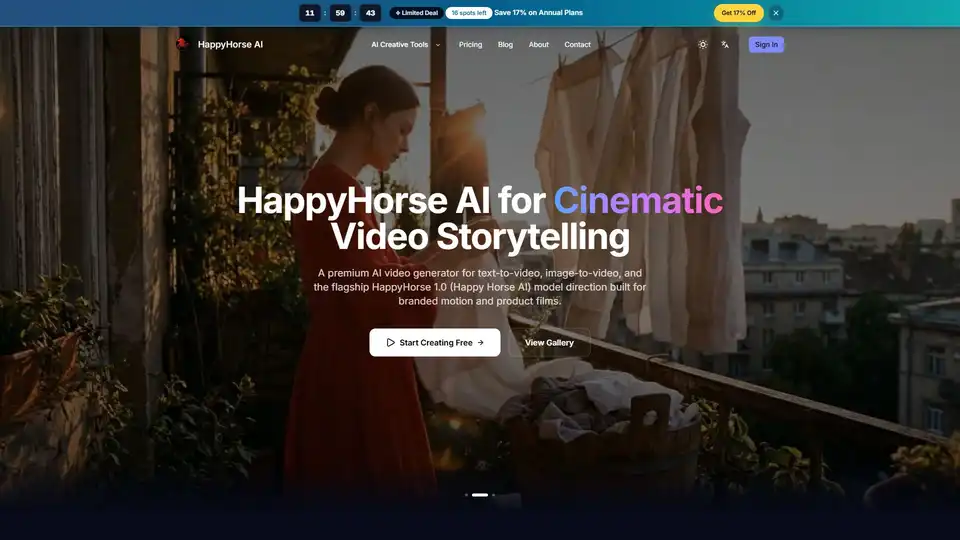
Overview of HappyHorse AI
What is HappyHorse AI?
HappyHorse AI stands out as a premium, browser-based AI video generator designed to transform text prompts and still images into high-quality, cinematic video content. This innovative platform caters specifically to creators, marketers, and businesses looking to produce engaging brand films, polished short-form visuals, and dynamic motion graphics efficiently, without the need for complex software or powerful local hardware. With its intuitive interface and powerful underlying AI models, HappyHorse AI streamlines the video creation process, making advanced AI video production accessible to everyone.
Key Features of HappyHorse AI
HappyHorse AI offers a robust set of features engineered to simplify and accelerate your video creation workflow, distinguishing itself with practical applications for real creative work.
Text-to-Video Creation
This core workflow allows users to articulate their vision through written prompts, which HappyHorse AI then interprets to generate dynamic video concepts. Ideal for rapid prototyping, ad scenes, creative tests, and social media content, the text-to-video functionality supports prompt-first creation with options for camera and style direction, enabling fast concept testing.
Image-to-Video Animation
Go beyond static visuals by uploading existing portraits, product photos, illustrations, or still frames. HappyHorse AI can inject motion into these images while meticulously preserving the original composition and tone. This feature is particularly valuable for animating product photography, bringing characters to life, or adding dynamic elements to existing visual assets.
Multi-Model Video Workspace
One of HappyHorse AI's significant advantages is its ability to host and compare leading AI video models within a single interface. Users can access the flagship HappyHorse 1.0 model, known for cleaner motion and strong branded output, alongside other supported models. This eliminates the need to manage multiple tabs, accounts, or prompts, fostering a more fluid experimental environment.
Fast Iteration Loops
The platform is built for speed, allowing creators to move from initial prompt to video preview in minutes. This rapid feedback loop facilitates quick adjustments to duration, aspect ratio, or model choice without the hassle of rebuilding an entire workflow, ensuring efficient refinement of video outputs.
Commercial-Friendly Workflow
HappyHorse AI is designed with commercial applications in mind. It enables the generation of clips suitable for marketing campaigns, client presentations, social media posts, and internal creative testing. The platform offers export-ready files and simple credit plans, ensuring businesses can integrate AI-generated content seamlessly into their professional operations.
Flexible Controls
Creators maintain precise control over their video outputs. HappyHorse AI provides options to adjust aspect ratio (16:9, 9:16, 1:1), duration, resolution (up to 1080p), and reference inputs. Furthermore, it exposes model-specific settings when supported, offering granular control over the final visual style and motion.
How Does HappyHorse AI Work?
Creating an AI video with HappyHorse AI is a straightforward, three-step process that eliminates the need for local GPU processing, complex editing timelines, or extensive setup.
- Describe the Scene: Begin by crafting a clear and descriptive prompt. Include details about the subject, desired action, camera movement, mood, and setting. If you're animating a still image, a concise motion instruction can guide the AI effectively.
- Pick a Model and Settings: Select the AI model that best aligns with your creative goal. Then, define essential output settings such as aspect ratio, resolution, and video duration. Utilize supported reference inputs, like uploaded images, for tighter control over the visual composition.
- Generate and Export: Initiate the generation job. Once completed, preview the resulting video clip. If satisfied, export it as an MP4 file, ready for review, editing, or direct publishing. The platform encourages iteration, allowing users to refine their prompts or settings for stronger styles or cleaner motion.
Why Choose HappyHorse AI for Your Video Storytelling?
Creators and businesses increasingly turn to HappyHorse AI for its unique blend of simplicity, efficiency, and professional-grade output.
- Streamlined Creation: HappyHorse AI simplifies the entire video production loop, allowing you to quickly go from an idea to a tangible video concept. It’s less about flashy promises and more about keeping the creation workflow clean and effective.
- Cost and Time Efficiency: By eliminating the need for expensive equipment or extensive video editing skills, HappyHorse AI significantly reduces the time and budget typically associated with video production. Its fast turnaround times (approximately 1-3 minutes per clip) mean quicker content deployment.
- High-Quality Output: The platform’s flagship HappyHorse 1.0 model is specifically tuned for producing cinematic quality, branded motion, and polished product visuals, ensuring your content looks professional.
- Accessibility: Being a browser-based tool, HappyHorse AI requires no local installation or powerful hardware, making it accessible from virtually anywhere with an internet connection.
- Versatile Applications: From marketing campaigns and social media content to storyboarding and product showcases, HappyHorse AI supports a wide array of use cases, making it a versatile asset for any creative or marketing team.
Use Cases: Where HappyHorse AI Fits Best
HappyHorse AI excels in scenarios where short-form drafts, conceptual motion, or exportable clips are needed without the overhead of a full production pipeline.
Campaign Concepts
Rapidly generate diverse ad angles, short campaign cuts, and captivating visual hooks. This allows marketing teams to test ideas and iterate on concepts efficiently before committing significant time and budget to larger production cycles for ads, launches, and creative tests.
Social Video Production
Accelerate the creation of engaging content for platforms like TikTok, Reels, and Shorts. The workflow is optimized for quick prompting, fast previews, and repeatable exports, enabling content creators to keep up with the demands of fast-paced social media trends.
Storyboard and Pre-Vis
Transform rough ideas and static storyboards into dynamic moving samples for client decks, production treatments, and planning documents. When still images aren't enough to convey the vision, HappyHorse AI provides a crucial visual aid for storyboarding, pre-visualization, and client pitches.
Product Motion
Animate product photography to create dynamic loops, immersive showcases, and engaging landing page clips. This breathes life into static mockups, making products more appealing for e-commerce, digital marketing, and online showcases.
Creative Exploration
Experiment with multiple AI model looks using the same prompt or reference image. This enables designers and artists to explore various style directions and aesthetic possibilities quickly, facilitating the discovery of desired visual outcomes before refining the final output for moodboards, style tests, and general creative exploration.
Team Review Workflows
Share generated drafts internally with stakeholders across marketing, design, and product teams. This allows for feedback on moving visuals rather than abstract briefs, streamlining approval processes and internal demonstrations.
HappyHorse AI Workflow and Output Options
The platform’s design focuses on practicality, offering essential modes, manageable controls, and quick exports.
- MODES: Offers core creation paths in one workspace: Text-to-Video, Image-to-Video.
- TURNAROUND: Videos are typically generated in about 1-3 minutes, varying by model, queue status, and output settings.
- ASPECT RATIOS: Supports common social and presentation formats including 16:9, 9:16, and 1:1.
- MODEL ACCESS: Includes the flagship HappyHorse 1.0 model and access to a broader multi-model comparison workflow.
- AUDIO SUPPORT: Available when supported by the chosen model workflow, allowing for planning around sound or dialogue.
- LANGUAGES: The site interface supports 7 languages: English, Chinese, Spanish, French, German, Japanese, and Korean.
- RESOLUTION: Supports output resolutions up to 1080p on compatible models.
- EXPORTS: Generated clips are available for download as MP4 files, ready for review, editing, or publishing.
- CONTROL INPUTS: Users can guide generation with text prompts, reference images, and advanced model-specific inputs.
- BEST FOR: Short-form, iterative AI video production for ads, social media, and demos.
About the HappyHorse AI Stack: Powering Your Creative Vision
HappyHorse AI is built as a product layer focused on rapid AI video production. It seamlessly integrates a broader multi-model workflow while positioning HappyHorse 1.0 as the flagship model, specifically curated for producing cleaner motion, stronger branded output, and highly polished product visuals. This architecture allows users to select a generation mode, choose a model, set parameters like duration and aspect ratio, and launch their project with ease. Whether you seek the default HappyHorse aesthetic or require different speeds, costs, or motion behaviors, the platform accommodates by offering various supported models within the same workspace. This approach ensures that creators benefit from a unified brand experience, a single browser workflow, and a consistent credit system, even as the underlying AI model landscape evolves. The ultimate goal is to enable faster review, quicker choices, and the delivery of usable, high-quality clips for real creative work.
Frequently Asked Questions About HappyHorse AI
What is HappyHorse AI? HappyHorse AI is a premium, browser-based AI video generator that allows users to create cinematic videos from text prompts and still images. It’s designed for rapid production of brand films, social content, and conceptual visuals.
What makes HappyHorse AI different? HappyHorse AI stands out due to its multi-model video workspace, enabling comparison of leading AI video models in one interface. It prioritizes a clean, fast iteration loop and offers commercial-friendly outputs without requiring complex setups or powerful local hardware.
What types of videos can I create? You can create a wide range of videos, including concept clips, ad scenes, creative tests, social media content (TikTok, Reels, Shorts), product showcases, storyboards, pre-visualizations, and animated portraits from still images.
Which models are available on HappyHorse AI? The platform features the flagship HappyHorse 1.0 model for cinematic, branded motion, and also supports a selection of other leading AI video models within its multi-model workspace.
How long does generation take? Video generation typically takes about 1-3 minutes, though this can vary based on the chosen AI model, current queue conditions, and selected output settings.
Do I need a powerful computer or GPU? No, HappyHorse AI is entirely browser-based, meaning all video processing is handled on their cloud servers. You do not need a powerful local computer or a dedicated GPU.
What is the difference between text-to-video and image-to-video? Text-to-video allows you to generate videos by writing a descriptive prompt, guiding the AI to create a scene from scratch. Image-to-video allows you to upload an existing image and add motion to it, preserving its composition while animating elements within the frame.
Can I use generated videos commercially? Yes, HappyHorse AI offers a commercial-friendly workflow. Generated videos are intended for creative and commercial use, subject to model-specific policies, making them suitable for campaigns, client decks, and social posts.
Is there a free plan? Yes, HappyHorse AI offers free credits for new users, allowing you to start creating videos without an initial investment. Pricing plans are available for continued use.
What output settings are supported? The platform supports various aspect ratios (16:9, 9:16, 1:1), resolutions up to 1080p (on supported models), and MP4 exports. Users can also control duration, reference inputs, and model-specific settings.
Tags Related to HappyHorse AI
