
Image To Music AI
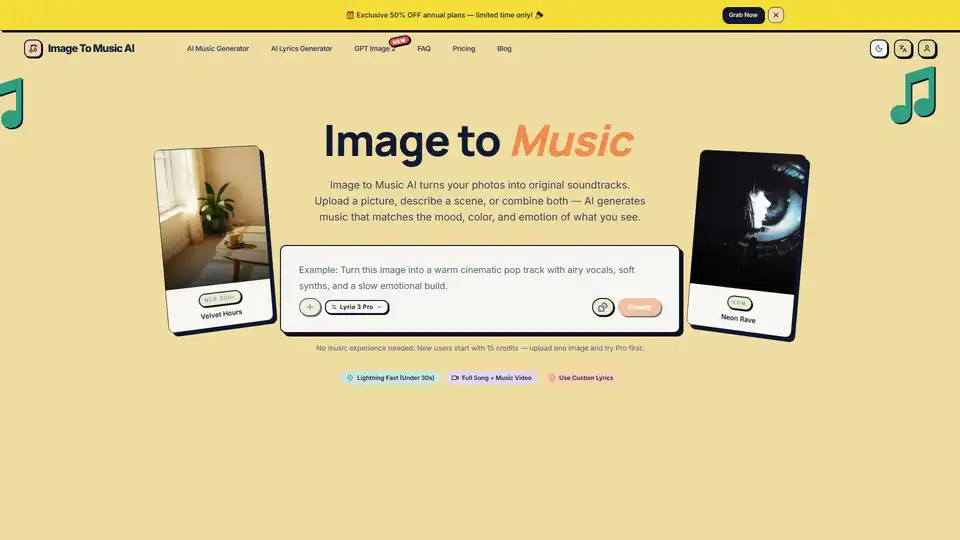
Overview of Image To Music AI
What is Image To Music AI?
Image To Music AI is an innovative artificial intelligence platform designed to transform static visual content into dynamic audio experiences. Unlike traditional music generation tools that rely heavily on text prompts, this service utilizes advanced computer vision and audio synthesis technologies to interpret the mood, color, and energy of an uploaded photograph. The core proposition is simple yet powerful: a photo says more than a prompt ever could. By leveraging the visual data inherent in an image, the AI constructs a soundtrack that emotionally and atmospherically aligns with what is seen.
This tool is particularly valuable for content creators, marketers, and artists who struggle to find the perfect background music for their visual projects. Whether you are creating a travel vlog, a social media reel, or a conceptual mood board, Image To Music AI streamlines the workflow by eliminating the need for extensive music theory knowledge or complex prompt engineering.
Key Features of Image To Music AI
Image-First Music Generation
The standout feature of this platform is its ability to use an image as the primary input. While most AI music tools require users to specify genre, tempo, instruments, and mood through text, Image To Music AI reads the visual composition directly. The AI analyzes lighting, color palette, and subject matter to determine the appropriate sonic texture. For example, a photo with warm highlights and cool shadows might generate a track with dense textures and specific tonal qualities, rather than just a generic genre label.
Lyria 3 Pro Model
Powered by the Lyria 3 Pro model, the generator ensures high-fidelity audio output. This model is optimized for understanding the nuanced relationship between visual stimuli and auditory responses. It supports both "Pro" presets for image-led full tracks and "Clip" presets for faster, text-only sketches, giving users flexibility based on their needs.
Lightning Fast Generation
Speed is critical in creative workflows. Image To Music AI boasts generation times of under 30 seconds under normal conditions. This allows users to iterate quickly, testing different images or prompts until the desired vibe is achieved without waiting hours for renders.
Commercial Use Rights
For professional users, licensing is a major concern. The Pro and Max plans include commercial use rights for generated music, subject to the Terms of Service. This makes the tool viable for monetized content on platforms like YouTube, Instagram, and commercial advertising projects.
Custom Lyrics and Full Songs
Beyond instrumental tracks, the platform supports the creation of full songs with custom lyrics. Users can combine image inputs with text descriptions to guide the vocal style and lyrical content, adding another layer of customization to the final output.
How Does Image To Music AI Work?
The process is designed to be intuitive and accessible, requiring no prior music experience. It operates in three straightforward steps:
- Upload a Photo or Describe a Scene: Users can start by picking any image—a landscape, portrait, or memory—or by typing a scene description. The system accepts common formats like JPG, PNG, and WebP. Higher resolution images are recommended as they preserve more visual detail for the model to interpret.
- AI Turns Your Image into Music: Once uploaded, the AI reads the visual mood, colors, and energy of the photo. It composes a track that matches the feeling, using the image as an anchor for emotion and overall energy. Users can add text prompts to tighten genre, tempo, instrumentation, and intensity if needed.
- Preview, Refine, and Download: Users can listen to the AI-generated soundtrack instantly. If the first result isn't perfect, the prompt can be adjusted to regenerate the track. Once satisfied, the final audio can be downloaded directly without extra hoops.
Image-First vs. Prompt-First Creation
A significant advantage of Image To Music AI is its approach compared to traditional prompt-first tools.
| Feature | Prompt-First Tools | Image To Music AI |
|---|---|---|
| Input | Text keywords (Genre, BPM, Mood) | Photo + Optional Text |
| Workflow | Translate vibe into words → Listen | See image → Hear music |
| Iteration | Many dead-end regenerations | Fewer regenerations, visual anchor |
| Accessibility | Requires music vocabulary | Intuitive, visual-driven |
Some feelings are easier to show than to describe. Atmosphere shows up in a glance before you learn how to write music prompts. By starting from the frame rather than a blank box, users find a shorter path to the first listen.
Use Cases and Application Scenarios
Travel & Photography
Photographers and travel vloggers can start from one strong travel photo—coast, city, or trail—and get a soundtrack that matches the vibe without naming instruments. This creates a cohesive audio-visual narrative.
Short Videos & Vlogs
Video editors can grab a still frame from their edit, generate a bed track, and iterate faster than hunting through stock music libraries. The generation time of under 30 seconds fits perfectly into rapid editing workflows.
Creative Projects & Moodboards
Designers can point the model at concept art or a curated board so color and composition lead the mix, not a genre buzzword list. This helps in creating immersive presentations where audio complements the visual identity.
Social & Brand Moments
Marketers can turn a portrait, product shot, or launch visual into a short signature sound for Reels, Shorts, or a hero video loop. This ensures brand consistency across visual and audio channels.
Pricing and Credits System
Image To Music AI operates on a credits-based usage model.
- Free Start: New users start with 15 credits, allowing them to upload one image and try the Pro model first.
- Paid Plans: Exclusive offers, such as 50% OFF annual plans, are available periodically.
- Models: Two built-in presets are available: Pro for image-led full tracks and Clip for lighter text-to-music tasks.
Why Choose Image To Music AI?
Choosing the right tool depends on your workflow needs. If you think in pictures, you are already halfway there. Each card in the gallery pairs a typical visual input with the kind of audio you want, focusing on workflows rather than music theory.
- No Music Experience Needed: You do not need to know terms like "legato" or "BPM" to get great results.
- Visual Context: Light and palette steer the mix naturally.
- Efficiency: Reference image in, composed audio preview out.
Common Questions (FAQ)
Is Image To Music AI free to use? Yes, new users start with 15 credits for free. Additional credits require a subscription.
How does Image To Music AI turn a photo into music? The AI analyzes composition, color, and mood of the image to compose a matching track.
Can I use the generated music commercially? Yes, Pro and Max plans include commercial use rights, subject to Terms of Service.
What image formats are supported? JPG, PNG, and WebP uploads are supported. Clear lighting and mood help the model read composition better.
What AI model powers Image To Music AI? The platform utilizes the Lyria 3 Pro model for high-quality generation.
Conclusion
Image To Music AI represents a significant shift in how digital content is created. By bridging the gap between visual and auditory senses, it empowers creators to produce professional-grade soundtracks effortlessly. Whether you are a seasoned video editor or a social media enthusiast, this tool offers a unique, image-led approach to music generation that saves time and enhances creativity. With its fast processing, commercial licensing options, and intuitive interface, it stands out as a top choice for modern content creation.
Tags Related to Image To Music AI
