
Image-to-Video Maker
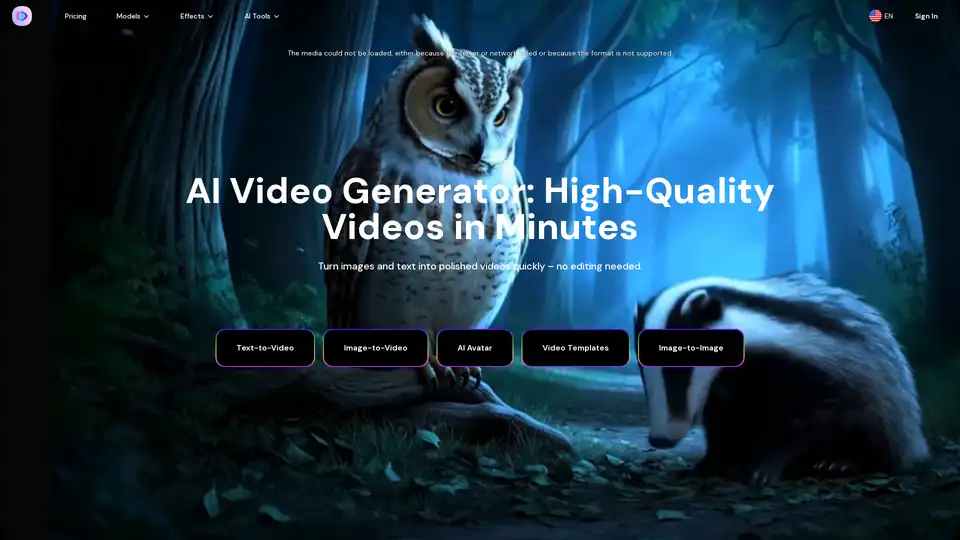
Overview of Image-to-Video Maker
Image-to-Video Maker: The Ultimate AI Video Generator
What is Image-to-Video Maker? Image-to-Video Maker is a cutting-edge AI video generator that empowers users to create high-quality videos from text, images, or video clips in minutes. This innovative platform simplifies video creation, making it accessible to both beginners and experienced professionals.
Key Features
- Text-to-Video: Describe your idea in plain language, and the AI video generator will draft a 4K video, complete with dialogue, effects, and ambient sound. Supports advanced models like Veo3, Kling 2.1, and Hailuo 02.
- Image-to-Video: Generate videos from any text prompt with enhanced semantic understanding. Compatible with Kling 2.1 and Hailuo 02.
- AI Avatar: Turn any selfie into a talking photo with hyper-realistic lip-sync. Choose from 15+ voices or use your own audio.
- Video Upscaling: Transform blurry videos into 4K Ultra HD with sharp details and enhanced colors. Ideal for YouTube, films, and preserving old memories.
- AI Video Effects & Templates: Access hundreds of AI-powered video effects and templates to create stunning videos quickly. No editing skills are required.
How does Image-to-Video Maker work?
Image-to-Video Maker utilizes advanced AI models to interpret text prompts and images, generating videos that align with your creative vision. The platform's key technical advantages include:
- Semantic Understanding: The AI algorithms possess an enhanced understanding of text prompts, enabling more accurate and relevant video generation.
- 4K Resolution: Generate professional-grade videos with cinematic quality and smooth motion.
- Rapid Prototyping: Create videos in minutes, thanks to the platform's optimized AI engine.
How to use Image-to-Video Maker?
- Choose a Generation Method: Select either text-to-video or image-to-video.
- Input Your Idea: Describe your concept in plain language or upload an image.
- Generate: Let the AI work its magic and create a video based on your input.
- Customize: Add effects, templates, and upscale the video as needed.
Why choose Image-to-Video Maker?
- User-Friendly Interface: The platform is designed for ease of use, with a simple upload and generate process that requires no technical skills.
- High-Quality Output: Generate professional-grade videos with smooth transitions and cinematic 4K resolution.
- Time-Saving: Create videos in minutes instead of hours, thanks to the optimized AI engine.
Who is Image-to-Video Maker for?
Image-to-Video Maker is perfect for:
- Marketing Professionals: Creating engaging social media content quickly and easily.
- Content Creators: Transforming static images into dynamic videos to captivate audiences.
- Businesses: Developing promotional videos and advertisements without requiring extensive video editing skills.
- Anyone with a creative idea: Bringing their visions to life through the power of AI video generation.
AI Models Supported
The platform supports multiple AI models to provide diverse options:
| Model (Creator) | Max Duration | Max Resolution | Native Audio | Lip-Sync | Key Features | Target Use Case | Pricing Tier |
|---|---|---|---|---|---|---|---|
| Veo 3 (Google) | 8 sec | 1080p | ✔ | ✔ | Cinematic presets, multi-prompting | End-to-end creator tool, social media, ecosystem integration | High |
| Kling 2.1 (Kuaishou) | 5–10 sec | 1080p | ✖ | ✖ | Advanced 3D spatiotemporal attention, high-fidelity physics | Professional VFX, cinematic shorts, advanced narrative projects | Medium |
| Hailuo 02 (MiniMax) | 5–10 sec | 1080p | ✖ | ✖ | Director Control Toolkit (camera prompting), physics simulation | High-action scenes, cinematic pre-visualization, art films | Low |
| Wan 2.5 (Alibaba) | 5–10 sec | 1080p | ✔ | ✔ | Video-to-video (V2V) refinement, advanced motion control | End-to-end creator tool, social media content | Low |
| Sora 2 (OpenAI) | 4–12 sec | 1080p | ✔ | ✔ | Cameo user likeness insertion, social remixing features | Social media creator platform, viral UGC, consumer app | Medium |
Pricing
Image-to-Video Maker offers several pricing plans to suit different needs:
- Basic Plan: $6.5 for the first month, then $12.99 per month. Includes 1,000 credits per month and free downloads.
- Premium Plan: $23.99 per month. Includes 2,500 credits per month.
- Ultimate Plan: $59.99 per month. Includes 7,000 credits per month.
- Ultimate Pro Plan: $199 per month. Includes 23,000 credits per month.
Best way to create AI videos?
The best way to create AI videos with Image-to-Video Maker is to start with a clear vision of what you want to achieve. Use detailed text prompts or high-quality images to guide the AI, and experiment with different models and effects to achieve the desired result. The platform's user-friendly interface and optimized AI engine make it easy to iterate and refine your videos until they meet your expectations.
User Reviews
- "The AI technology behind this platform is incredible. It's revolutionized how we create marketing content."
- "The quality of videos generated is impressive. It's perfect for creating engaging social media content quickly."
- "As someone with no video editing experience, this platform has been a game changer for my business."
In conclusion, Image-to-Video Maker is a powerful and versatile AI video generator that can transform your ideas into captivating videos in minutes. With its user-friendly interface, high-quality output, and diverse AI models, it's the perfect tool for anyone looking to create engaging video content without the need for extensive video editing skills. Try Image-to-Video Maker today and unlock the power of AI video generation!
Tags Related to Image-to-Video Maker
