
Karaoke Video
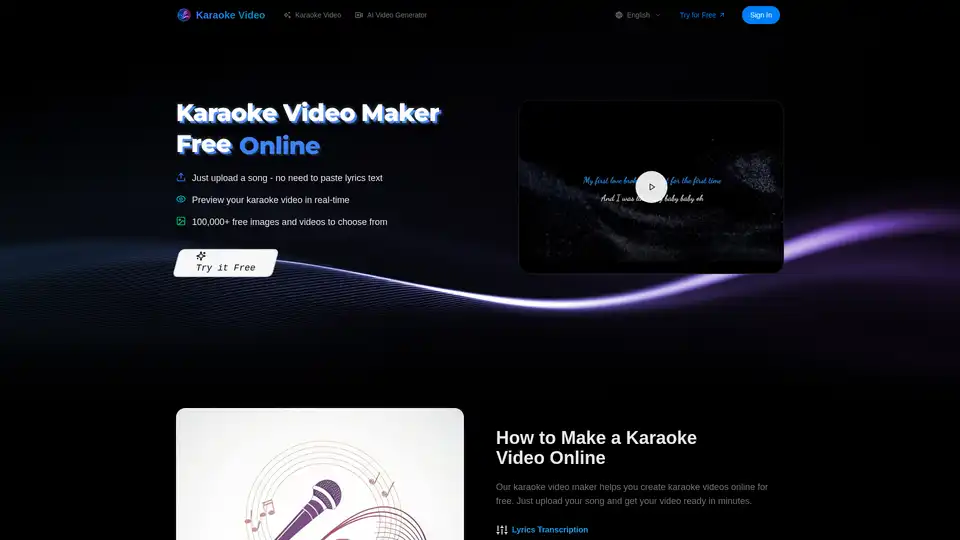
Overview of Karaoke Video
Create Karaoke Videos Online for Free with Karaoke Video
What is Karaoke Video? Karaoke Video is an innovative AI-powered platform designed to help you create karaoke videos online in minutes. It's a fast, easy, and free solution for making high-quality karaoke content without the need for complicated software or technical skills.
Key Features of Karaoke Video:
- AI Lyrics Transcription: Automatically transcribes lyrics from your audio with high accuracy for most languages and genres.
- Vocal Separation: Uses advanced AI to separate vocals from instrumentals, creating clean karaoke backing tracks.
- Auto Time Alignment: Automatically aligns lyrics with the music's timestamps, ensuring perfect synchronization.
- Custom Backgrounds: Add your own images or videos as backgrounds, and customize colors and fonts.
- Live Preview: Preview your karaoke video in real-time before downloading.
How does Karaoke Video work?
Karaoke Video simplifies the process of creating karaoke videos into three easy steps:
- Upload Music: Supports multiple formats including MP3, WAV, M4A, etc. You can simply drag and drop or click to upload your song files.
- AI Processing: The AI automatically completes all the complex work. Wait just a couple of minutes to see the results.
- Preview & Adjust: Preview the generated effects in real-time, and freely adjust font colors, backgrounds, and other personalized settings.
- Export & Share: Click export to get high-quality karaoke videos that are ready to share on social media.
Why choose Karaoke Video?
- Quick and Easy: Create a karaoke video in just 2 minutes with a simple upload. No complicated steps or software is required.
- AI-Powered: Utilizes advanced AI technology to automate complex tasks, ensuring high-quality results.
- Free to Use: The karaoke video maker is free, allowing you to create karaoke videos without any cost.
Who is Karaoke Video for?
Karaoke Video is perfect for:
- YouTubers and Content Creators: Generate professional karaoke videos quickly and efficiently to engage your audience.
- Music Educators: Create lyric videos for students to enhance learning and practice.
- Karaoke Enthusiasts: Turn your singing into engaging videos for social media sharing.
- Small Music Studio Owners: Produce lyric music videos for clients, saving time and resources.
- TikTok Creators: Quickly create high-quality karaoke videos with customizable backgrounds for your content.
What Users Say About Karaoke Video:
- Mike Chen (YouTuber): "Karaoke Video has made my content creation incredibly efficient! I can generate a professional karaoke video in 2 minutes, and my fans say the quality is amazing!"
- Sarah Johnson (Music Educator): "I use it to create lyric videos for my students. The vocal separation effect is excellent, and the lyric synchronization is very accurate. This tool saves me so much time!"
- Emma Wilson (Karaoke Enthusiast): "As someone who loves singing at home, this tool is amazing! I can turn my singing into small videos to share on social media, and everyone asks what software I use."
Karaoke Video Features
Karaoke Video provides all the necessary features to make karaoke videos online for free.
- Lyrics Transcription:
- AI transcribes and generates lyrics from your audio automatically.
- Accurate for most languages and genres.
- Vocal Separation:
- Advanced AI separates vocals from instrumentals to create clean karaoke backing tracks.
- Auto Time Alignment:
- Lyrics automatically align with your music's timestamps.
- Every word appears at the right moment.
- Live Preview:
- See your karaoke video as you make it.
- Preview before downloading.
- Custom Backgrounds:
- Add your own images or videos as backgrounds.
- Change colors and fonts.
- Works with Any Song:
- Upload MP3, WAV, M4A, FLAC files up to 50MB.
- Most song formats work.
How to use Karaoke Video?
- Go to the Karaoke Video website.
- Upload your song file (MP3, WAV, M4A, etc.).
- Wait for the AI to process the song.
- Customize your video by adding backgrounds, changing fonts, and adjusting colors.
- Preview your video in real-time.
- Export and share your karaoke video.
FAQ - Common Questions
How do I make a karaoke video?
- Just upload your song to the Karaoke Video maker. The AI will automatically add lyrics, remove vocals, and create the karaoke video in about 2 minutes.
Can I create karaoke videos for free?
- Yes! The Karaoke Video maker is free to use. Upload songs and create karaoke videos without any cost.
What is the best karaoke video maker online?
- The online Karaoke Video creator is designed to be the easiest and fastest. No downloads needed, works in a browser, and creates high-quality videos.
How long does it take to make a karaoke video?
- Most karaoke videos are ready in 2 minutes. The time depends on the song length, but the AI works fast to get your video ready quickly.
What song formats work with Karaoke Video?
- Upload MP3, WAV, M4A, FLAC, and OGG files up to 50MB. These formats work with most songs you want to turn into karaoke videos.
Can I customize my karaoke video?
- Yes! Change colors, fonts, and add your own background images or videos. Preview your changes before downloading your karaoke video.
Karaoke Video empowers you to produce high-quality karaoke videos swiftly and effortlessly. With its AI-driven capabilities and customizable features, it's an indispensable tool for content creators, educators, and karaoke enthusiasts alike.
Tags Related to Karaoke Video
