
LM Studio
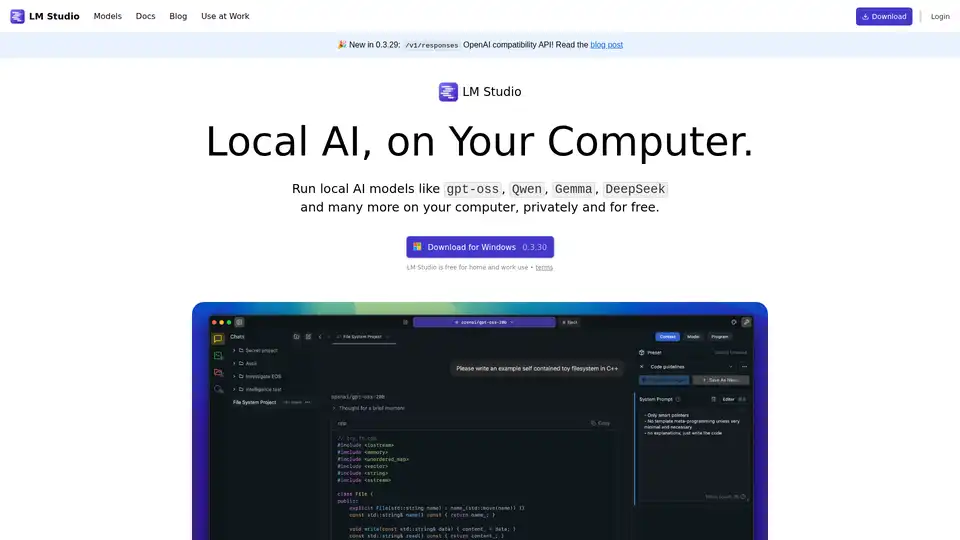
Overview of LM Studio
LM Studio: Your Local AI Powerhouse
What is LM Studio? LM Studio is a powerful tool that allows you to run AI models locally on your computer, privately and for free. It supports a wide range of models, including gpt-oss, Qwen, Gemma, and DeepSeek, giving you the flexibility to experiment with different AI capabilities without relying on cloud services.
How does LM Studio work?
LM Studio provides a user-friendly interface for downloading, configuring, and running AI models on your local machine. It handles the complexities of setting up the necessary software and dependencies, allowing you to focus on exploring the capabilities of the models themselves.
- Download and Installation: Download the LM Studio application for your operating system (Windows). Installation is straightforward.
- Model Selection: LM Studio integrates with the Hugging Face Hub, allowing you to download various models. Simply search for the model you need, and LM Studio will handle the download and setup.
- Inference: Once the model is downloaded, you can use LM Studio's interface to interact with it. This typically involves providing input text and receiving output generated by the model.
Key Features of LM Studio
- Local Execution: Run AI models directly on your computer, ensuring privacy and eliminating the need for an internet connection.
- Wide Model Support: Compatible with various popular AI models, including gpt-oss, Llama, Gemma, Qwen, and DeepSeek.
- Free to Use: LM Studio is free for both home and work use, making it accessible to a broad audience.
- Developer Resources: Offers JS and Python SDKs for seamless integration into your projects.
- OpenAI Compatibility API: The /v1/responses OpenAI compatibility API lets you use LM Studio models with tools that expect the OpenAI API.
Why choose LM Studio?
- Privacy: Keep your data and AI processing within your local environment.
- Cost-Effective: Avoid the costs associated with cloud-based AI services.
- Flexibility: Experiment with different models and configurations without limitations.
- Offline Access: Use AI models even without an internet connection.
Who is LM Studio for?
- Developers: Integrate AI capabilities into your applications using the JS and Python SDKs.
- Researchers: Explore and experiment with different AI models locally.
- AI Enthusiasts: Learn about and use AI technology without relying on cloud services.
Developer Resources
LM Studio provides developer resources to help you integrate AI capabilities into your projects:
- JS SDK: The JS SDK allows you to use LM Studio models within JavaScript applications. Documentation is available for
lmstudio-js. - Python SDK: The Python SDK enables you to use LM Studio models within Python applications. Documentation is available for
lmstudio-python. - LM Studio CLI (lms): A command-line interface for interacting with LM Studio models.
- OpenAI compatibility API: Use tools designed for the OpenAI API with LM Studio.
Practical Applications of LM Studio
LM Studio can be used for a variety of applications, including:
- Natural Language Processing (NLP): Text generation, sentiment analysis, and language translation.
- Code Generation: Automate code creation and completion.
- Data Analysis: Extract insights from data using AI models.
- Education and Research: Explore and experiment with AI technologies.
Conclusion
LM Studio empowers you to harness the power of AI locally on your computer. With its support for a wide range of models, developer resources, and user-friendly interface, LM Studio is an excellent choice for developers, researchers, and anyone interested in exploring the world of AI.
What is the best way to run AI models locally? LM Studio provides a straightforward and efficient solution.
Tags Related to LM Studio
