
LMQL
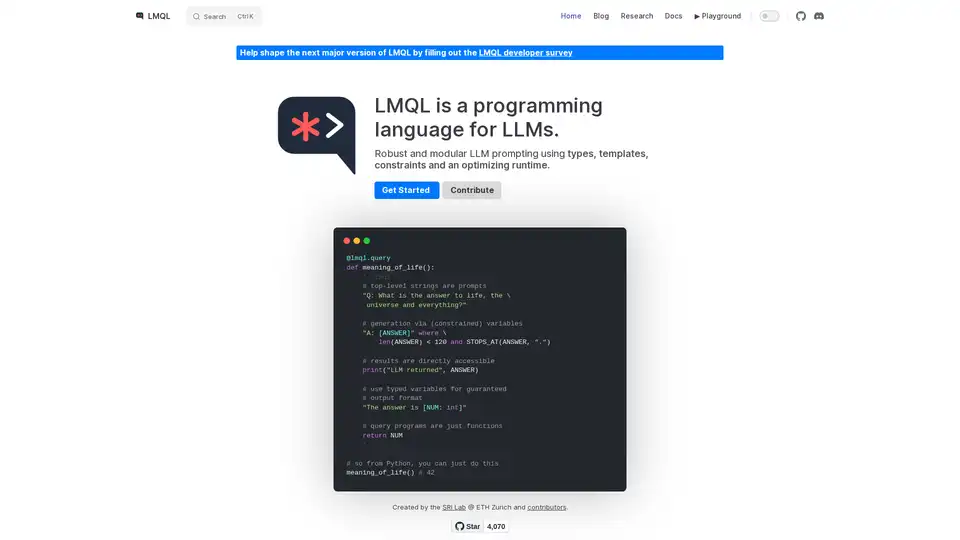
Overview of LMQL
What is LMQL?
LMQL (Language Model Query Language) is a programming language specifically designed for interacting with Large Language Models (LLMs). It provides a robust and modular approach to LLM prompting, leveraging types, templates, constraints, and an optimizing runtime to ensure reliable and controllable results. LMQL aims to bridge the gap between traditional programming paradigms and the probabilistic nature of LLMs, enabling developers to build more sophisticated and predictable AI applications.
How does LMQL work?
LMQL operates by allowing developers to define prompts as code, incorporating variables, constraints, and control flow. This approach contrasts with traditional string-based prompting, which can be less structured and harder to manage. Here's a breakdown of key LMQL features:
- Typed Variables: LMQL allows you to define variables with specific data types (e.g.,
int,str), ensuring that the LLM's output conforms to the expected format. This feature is crucial for building applications that require structured data. - Templates: LMQL supports templates, enabling the creation of reusable prompt components. Templates can be parameterized with variables, making it easy to generate dynamic prompts.
- Constraints: LMQL allows you to specify constraints on the LLM's output, such as maximum length or specific keywords. These constraints are enforced by the LMQL runtime, ensuring that the LLM's response meets your requirements.
- Nested Queries: LMQL supports nested queries, allowing you to modularize your prompts and reuse prompt components. This feature is particularly useful for complex tasks that require multiple steps of interaction with the LLM.
- Multiple Backends: LMQL can automatically make your LLM code portable across several backends. You can switch between them with a single line of code.
Example
@lmql.query
def meaning_of_life():
    '''lmql
    # top-level strings are prompts
    "Q: What is the answer to life, the \
     universe and everything?"

    # generation via (constrained) variables
    "A: [ANSWER]" where \
        len(ANSWER) < 120 and STOPS_AT(ANSWER, ".")

    # results are directly accessible
    print("LLM returned", ANSWER)

    # use typed variables for guaranteed
    # output format
    "The answer is [NUM: int]"

    # query programs are just functions
    return NUM
    '''

## so from Python, you can just do this
meaning_of_life() # 42
How to use LMQL?
Installation:
Install LMQL using pip:
pip install lmqlDefine Queries:
Write LMQL queries using the
@lmql.querydecorator. These queries can include prompts, variables, and constraints.Run Queries:
Execute LMQL queries like regular Python functions. The LMQL runtime will handle the interaction with the LLM and enforce the specified constraints.
Access Results:
Access the LLM's output through the variables defined in your LMQL query.
Why choose LMQL?
- Robustness: LMQL's types and constraints help ensure that the LLM's output is reliable and consistent.
- Modularity: LMQL's templates and nested queries promote code reuse and modularity.
- Portability: LMQL works across multiple LLM backends, allowing you to easily switch between different models.
- Expressiveness: LMQL's Python integration allows you to leverage the full power of Python for prompt construction and post-processing.
Who is LMQL for?
LMQL is suitable for developers who want to build AI applications that require precise control over LLM behavior. It is particularly useful for tasks such as:
- Data extraction: Extracting structured data from text.
- Code generation: Generating code based on natural language descriptions.
- Chatbots: Building chatbots with predictable and consistent responses.
- Question answering: Answering questions based on structured knowledge.
By using LMQL, developers can build more reliable, modular, and portable AI applications that leverage the power of LLMs.
Best way to use LMQL is to check documentation and start with simple example, then gradually increase complexity of prompts to suit you needs.
Tags Related to LMQL
