
mp3totext.net
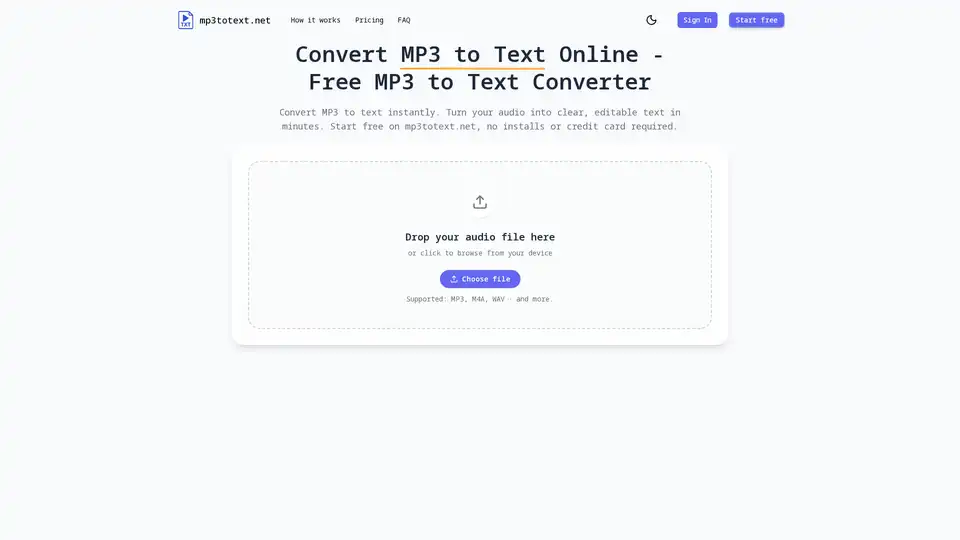
Overview of mp3totext.net
MP3 to Text Converter by mp3totext.net
What is mp3totext.net?
mp3totext.net is an online tool designed to convert MP3 and other audio files into text using advanced AI technology. It is a free, user-friendly platform that allows users to upload audio files and receive accurate transcripts quickly and efficiently.
Key Features of mp3totext.net
Fast and Accurate Transcription
The tool leverages modern AI models to achieve near-human-level accuracy for clear audio. Recordings with minimal background noise require very little cleanup, making it ideal for English and other major languages.
Free to Start
Users can try the service for free with a generous monthly allowance of minutes. This is sufficient to transcribe a few interviews, lectures, or podcast segments before considering an upgrade. No credit card is required to start using the free plan.
Browser-Based
The converter runs online in any modern browser on desktop or mobile devices. There is no need for installations, making it accessible from work, home, or school computers where new apps cannot be added.
Supports Common Audio Formats
Even if the recording is not in MP3 format, users can still use the audio-to-text converter. The tool supports typical formats like M4A, WAV, or AAC and handles them seamlessly using the same conversion pipeline.
User-Friendly Interface
The interface is designed to be simple and intuitive, featuring an upload area, a progress display, and a clean text editor. Users who know how to upload a file and copy text can easily use the tool.
AI Punctuation and Paragraphs
The AI automatically adds punctuation and breaks long audio into readable paragraphs. This feature is particularly useful for students who need to skim lecture notes and creators who want to turn episodes into clean transcripts for editing, captions, or show notes.
How Does mp3totext.net Work?
Step 1: Upload Your File
Users can drag and drop their MP3 file into the upload box or click "Upload MP3." The tool also supports common formats like M4A and WAV, making it versatile for various audio files.
Step 2: AI Transcribes Your Audio
The speech recognition engine starts the MP3-to-text process automatically. Short clips are usually ready in seconds, while longer recordings take a bit more time. Users can see the transcript appear in their browser as the audio is processed.
Step 3: Edit and Export Your Transcript
Users can review the result, fix any small mistakes in the built-in editor, and then export their text as a TXT file. Future updates will include more export options like DOCX and SRT to fit various workflows, including podcasts, blogging, captions, and research notes.
Who is mp3totext.net For?
Journalists and Media Students
Journalists and media students can record interviews on their phones and use mp3totext.net to get quick transcripts they can search, highlight, and quote. This eliminates the need to pause and rewind for every sentence.
Podcasters and Creators
Podcasters and creators can turn episodes into show notes, blog posts, and captions. The tool helps transcribe audio, which can then be repurposed for SEO, newsletters, or social media content.
Students and Educators
Students and educators can use mp3totext.net for lectures, seminars, and study group recordings. Instead of scrambling to write everything down, they can listen once, generate a transcript, and focus on the parts that matter most.
Researchers and Analysts
Researchers and analysts can use the tool for long interviews and focus groups. They can upload recordings, get transcripts, and use search and highlight tools to find patterns, quotes, and key themes.
Why Choose mp3totext.net?
No Installation Required
The tool runs entirely in the browser, eliminating the need for heavy installs or complex software. This makes it accessible from any device with an internet connection.
High Accuracy
The AI-powered transcription ensures high accuracy, reducing the need for manual editing. This is particularly beneficial for clear audio recordings with minimal background noise.
Versatile Format Support
The tool supports a wide range of audio formats, making it suitable for various types of audio files. Users do not need to convert their files to MP3 before using the service.
User-Friendly Design
The simple and intuitive interface makes it easy for users of all technical levels to navigate and use the tool effectively. The built-in editor allows for quick corrections and exports.
Frequently Asked Questions
Is mp3totext.net really free?
Yes, users can start using the service for free with a generous monthly allowance of minutes. No credit card is required to begin.
What formats does mp3totext.net support?
The tool supports common audio formats like MP3, M4A, WAV, and AAC.
How accurate is mp3totext.net?
The tool uses advanced AI models to achieve near-human-level accuracy for clear audio recordings.
How long can my recordings be?
The length of recordings depends on the free monthly allowance. Users can upgrade for more minutes if needed.
Is my audio safe when I use mp3totext.net?
Yes, the tool ensures the safety and privacy of user audio files.
Do I need an account to use mp3totext.net?
No, users can start using the tool without creating an account.
Conclusion
mp3totext.net is a powerful and user-friendly tool for converting audio files to text. Its advanced AI technology ensures high accuracy and fast transcription, making it ideal for journalists, podcasters, students, and researchers. The tool's browser-based design and support for multiple audio formats make it accessible and versatile for various use cases.
Tags Related to mp3totext.net
