
OpenClaw
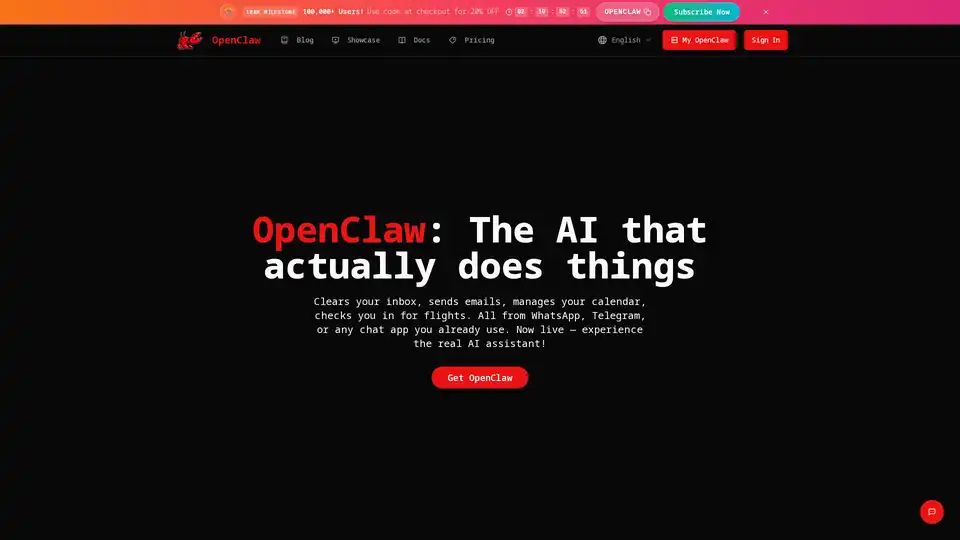
Overview of OpenClaw
What is OpenClaw?
OpenClaw is an innovative, open-source personal AI assistant and autonomous agent designed to streamline your digital life. Unlike cloud-based AI services, OpenClaw operates directly on your local machine—whether it’s Mac, Windows, or Linux—giving you complete control over your data and AI infrastructure. It integrates seamlessly with popular chat applications like WhatsApp, Telegram, Discord, Slack, Signal, and iMessage, transforming your everyday communication channels into powerful command centers for your AI.
At its core, OpenClaw acts as a proactive, 24/7 teammate that not only responds to your commands but also anticipates your needs, manages tasks, automates workflows, and even writes code. It represents a significant step towards true local sovereignty in AI, ensuring that your sensitive information—from emails and calendars to local files—remains private and secure on your hardware.
Key Features and Capabilities of OpenClaw
OpenClaw stands out with a robust set of features designed to offer unparalleled autonomy and personalization:
1. True Local Sovereignty & Privacy by Default
How does OpenClaw ensure privacy? Running entirely on your local machine, OpenClaw keeps your context, personal preferences, and conversation history securely on your hardware. This architecture bypasses the need for your sensitive data to reside on external servers or "walled gardens" of tech giants. You maintain full ownership and control over the intelligence you build and the data it processes, making it an ideal choice for privacy-conscious users and professionals dealing with confidential information.
2. Ubiquitous AGI Interface via Any Chat App
How to use OpenClaw? OpenClaw seamlessly integrates with the chat applications you already use daily. By messaging your assistant through WhatsApp, Telegram, Discord, Slack, Signal, or iMessage, you can command it to perform a vast array of tasks. This eliminates the need for learning new interfaces, making interaction as natural as messaging a coworker. Whether you're on the go or at your desk, your personal AI assistant is always accessible.
3. Proactive AF: The 24/7 Autonomous Teammate
OpenClaw isn't just a reactive tool; it's a proactive autonomous agent. It can run background tasks, schedule cron jobs, and execute heartbeats to remain active around the clock. Imagine an AI that autonomously assesses how to help you, monitoring your applications, capturing errors via webhooks, and even opening pull requests to resolve issues while you're away. This constant vigilance and ability to connect disparate information into actionable insights or documentation provide a significant boost to productivity.
4. Persistent Memory & Contextual Understanding
Why choose OpenClaw for personalization? OpenClaw "remembers" you. It can integrate with and learn from your personal data sources, such as Obsidian notes, WHOOP metrics, and biomarker goals. This deep contextual understanding allows it to provide highly personalized insights and long-term assistance that generic commercial bots simply cannot match, evolving to become uniquely yours over time.
5. Full System & Terminal Access
Equipped with the ability to read and write files, execute shell commands, and run code within a secure sandbox, OpenClaw functions much like a smart coworker with full access to your machine. This capability enables it to automate virtually anything you can do on your own computer, from managing files to executing complex scripts.
6. Advanced Browser Control
OpenClaw can browse the web autonomously, fill out forms (e.g., health reimbursements), find appointments, and extract data from any website. It can even interact with cloud consoles like Google Cloud Console to provision API tokens and configure OAuth, demonstrating a high level of operational autonomy.
7. Hackable & Self-Building Skills
Can I build my own skills for OpenClaw? Yes, OpenClaw is designed to be highly hackable. Users can build their own skills or leverage a growing community of plugins. More remarkably, OpenClaw possesses the unique ability to write its own skills based on inputs like YouTube videos or your personal notes. This self-building capability allows the AI to continuously expand its functionalities and adapt to new challenges simply by conversing with it.
8. Multi-Model Flexibility
OpenClaw supports a range of flagship large language models (LLMs) including Opus 4.6, GLM-5, KIMI K2.5, GPT-5.2 Codex, and Gemini 3 Pro. Furthermore, it offers the flexibility to configure custom API endpoints or run local models via Ollama, giving users the power to choose the best AI model for their specific needs and control data residency.
Who is OpenClaw For?
OpenClaw is designed for a diverse audience seeking an advanced, private, and highly customizable AI assistant:
- Tech-Savvy Individuals and Developers: Those who value local data sovereignty, open-source solutions, and the ability to "hack" and customize their AI infrastructure. Developers can leverage its code-writing, system access, and skill-building capabilities for enhanced productivity.
- Professionals and Executives: Individuals looking to automate repetitive tasks, manage complex schedules, clear inboxes, and streamline workflows across various communication platforms. Its proactive nature is perfect for those needing a constant digital assistant.
- Privacy Advocates: Users concerned about data privacy with commercial cloud services will appreciate OpenClaw's local execution and control over sensitive personal and professional data.
- Content Creators and Marketers: For managing content pipelines, researching information, and even generating initial drafts or ideas, especially when integrated with personal knowledge bases.
- Researchers and Academics: Leveraging its ability to browse the web, extract data, and organize information can significantly accelerate research efforts.
How Does OpenClaw Work?
OpenClaw operates as a local operating system (OS) for your AI. Once installed on your Mac, Windows, or Linux machine, it acts as a gateway, connecting your local computing power and data with your chosen chat applications. When you send a message to your OpenClaw assistant through WhatsApp or Telegram, the command is securely processed locally.
The AI utilizes its integrated LLM capabilities (either built-in API access or your own API key for various models like GPT-5.2 Codex or Gemini 3 Pro) to understand your intent. It then leverages its full system access, browser control, and custom skills to execute the requested task. For instance, if you ask it to "clear my inbox," OpenClaw will access your email client (e.g., Gmail), identify unimportant emails, and take action based on its understanding of your preferences and prior instructions. Its persistent memory ensures that it learns from every interaction, becoming more efficient and personalized over time.
Practical Value and Benefits of OpenClaw
Why should you choose OpenClaw?
- Enhanced Productivity: Automate mundane tasks like email management, calendar scheduling, flight check-ins, and data entry, freeing up valuable time for more critical work.
- Unmatched Privacy & Security: Keep your most sensitive data entirely on your own hardware, eliminating concerns about cloud-based data breaches or privacy policy changes from third-party providers.
- Complete Customization & Control: Tailor your AI assistant to your exact needs by building custom skills, integrating with personal knowledge bases, and selecting preferred LLMs. This level of customization is unparalleled in commercial AI offerings.
- Proactive Assistance: Benefit from an AI that works 24/7 in the background, proactively identifying and resolving issues, monitoring data, and automating complex workflows without constant prompting.
- Seamless Integration: Interact with your powerful AI through the chat apps you already use, making it incredibly convenient and accessible from anywhere, anytime.
- Cost-Effective in the Long Run: While there are subscription plans, the open-source nature and local execution model can offer significant long-term savings by reducing reliance on expensive cloud services and allowing for greater efficiency.
OpenClaw Pricing and Plans
OpenClaw offers flexible subscription plans tailored for different user needs, from personal enthusiasts to professional power users.
| Plan | Built-in LLM API | Monthly Price | Annual Price (Avg/Month) | Key Benefit |
|---|---|---|---|---|
| API Bundle Annual | ✅ Yes | $89.9 | $53.94 | Includes $60 monthly API credit, all flagship models (Opus 4.6, GLM-5, KIMI K2.5, GPT-5.2 Codex, Gemini 3 Pro), no external API key needed. Saves $431.16/year. |
| Annual Plan | ❌ No | $39.9 | $23.94 | Best value for long-term users, requires your own API key. Supports mainstream AI models (self-configured). Saves $191.52/year. |
Both plans include a dedicated OpenClaw Gateway instance, support for all chat platforms, persistent conversation history & memory, and priority customer support. The API Bundle Annual is ideal for professionals needing built-in LLM access, while the Annual Plan is suited for users who prefer to manage their own API keys.
Frequently Asked Questions (FAQ) about OpenClaw
What exactly is OpenClaw and why is it different? OpenClaw is an open-source, personal AI assistant that runs locally on your computer. It differentiates itself by prioritizing privacy ("Local Sovereignty"), offering extensive automation capabilities, and integrating directly with your existing chat applications, acting as a proactive, intelligent agent rather than just a chatbot.
How does the privacy and 'Local Sovereignty' work? By running on your local Mac, Windows, or Linux machine, OpenClaw ensures that all your data, conversations, and personal preferences remain on your hardware. It never gets uploaded to third-party cloud servers, giving you complete control and privacy.
Which models and platforms does OpenClaw support? OpenClaw supports flagship models like Opus 4.6, GLM-5, KIMI K2.5, GPT-5.2 Codex, and Gemini 3 Pro. It also allows configuration of custom API endpoints and local models via Ollama. For chat platforms, it integrates with WhatsApp, Telegram, Discord, Slack, Signal, and iMessage.
What are 'Skills' and can I build my own? Skills are specialized functions or capabilities that OpenClaw can perform. Yes, you can build your own skills using the platform's hackable framework or utilize community-contributed plugins. OpenClaw can even autonomously generate new skills based on your provided information.
How does the 'Proactive' background worker system function? The proactive system allows OpenClaw to run background tasks, cron jobs, and heartbeats 24/7. It can autonomously monitor your applications, capture errors, and initiate actions like opening pull requests, continuously working to assist you without direct commands.
Can I use OpenClaw for professional software development? Absolutely. With full system and terminal access, the ability to write code, manage repositories, and automate development workflows (like opening PRs), OpenClaw is a powerful tool for professional software developers seeking to enhance their productivity and automate repetitive coding tasks.
Is OpenClaw suitable for non-technical beginners? While OpenClaw offers deep customization for technical users, its chat-based interface makes it accessible for non-technical beginners. It simplifies complex automations into natural language commands within familiar chat environments, making it user-friendly despite its advanced capabilities.
What is the long-term vision for the project? The long-term vision for OpenClaw is to empower individuals with an autonomous AI that acts as a true personal operating system. It aims to bridge the gap between imagination and actionable reality by intelligently connecting all parts of a user's digital life, constantly learning and self-improving to provide highly personalized and proactive assistance.
Tags Related to OpenClaw
