![[OFFICIAL]Tenorshare PDNob - PDF Editor free Download for Win&Mac](/assets/logo/tenorshare-com-df05b.png)
PDNob PDF Editor
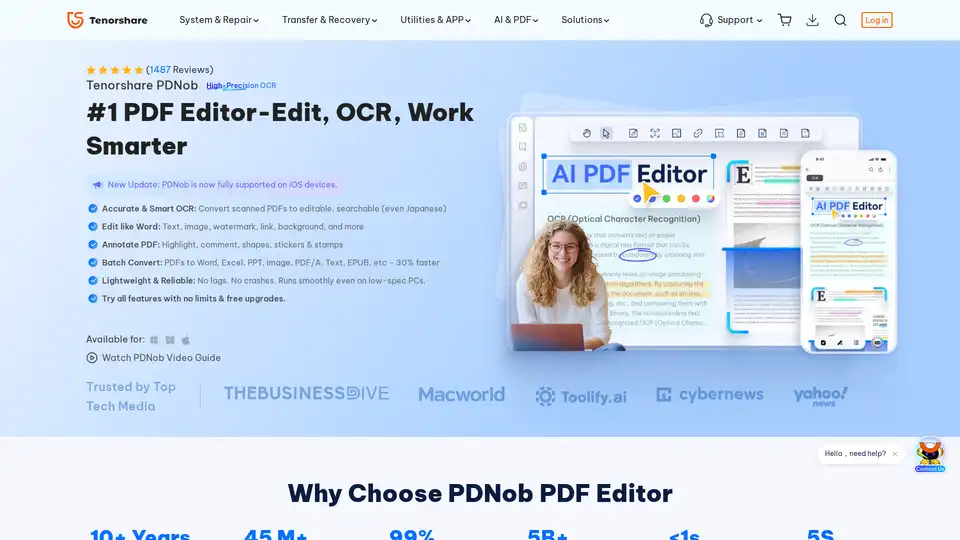
Overview of PDNob PDF Editor
PDNob PDF Editor: The Ultimate AI-Powered PDF Solution
What is PDNob PDF Editor? PDNob PDF Editor is a comprehensive desktop application designed for both Windows and Mac users, offering a wide array of tools to edit, convert, and manage PDF documents efficiently. Unlike basic PDF readers, PDNob integrates advanced AI features, such as summarization, translation, and rewriting, making it a versatile solution for students, professionals, and businesses alike. It stands out as a cost-effective alternative to Adobe Acrobat, providing powerful capabilities without the steep learning curve or high subscription fees.
Key Features of PDNob PDF Editor
- High-Precision OCR: Convert scanned PDFs and images into editable and searchable documents with over 99% accuracy. PDNob supports 16+ languages and preserves the original layout, fonts, and formatting.
- AI-Powered PDF Tools:
- Summarize PDF: Quickly generate summaries of entire PDFs or specific sections.
- Chat with PDF: Ask questions about your PDF and get instant, context-aware answers.
- Translate PDF: Translate PDFs into 100+ languages while preserving the original formatting (feature coming soon).
- Rewrite PDF: Improve the tone, grammar, and clarity of selected sentences or paragraphs.
- Explain PDF Content: Simplify complex text and get detailed explanations of any section.
- Easy PDF Editing: Add, remove, or modify text, images, and links. Customize fonts, sizes, colors, and formatting to suit your needs.
- Annotation Tools: Highlight text, add comments, shapes, stickers, and stamps to collaborate effectively on PDF documents.
- PDF Organization: Easily delete, insert, rotate, reorder, or extract pages. Merge multiple PDFs into one or split large files into smaller documents.
- PDF Form Creation and Editing: Create fillable PDFs with text fields, checkboxes, and signature fields. Sign and submit forms with ease.
- PDF Conversion: Convert PDFs to various formats, including Word, Excel, PPT, Image, PDF/A, Text, and EPUB, while retaining the original formatting.
- PDF Protection: Secure your documents with password protection, redaction, and watermarking. PDNob supports GDPR and AES 256-bit encryption standards.
- High-Performance PDF Compression: Reduce file size significantly while preserving text and image quality. Batch compression is also supported.
- Screen Recording & Screenshot: Create tutorials, review feedback, and record meetings or PDF presentations.
How Does PDNob PDF Editor Work?
PDNob PDF Editor leverages Optical Character Recognition (OCR) technology to convert scanned documents and images into editable PDFs. The AI-powered features work by analyzing the content of the PDF and providing tools for summarization, translation, and rewriting. The editing and annotation tools allow users to modify and collaborate on PDF documents, while the organization features enable efficient management of PDF files. The software ensures that the original formatting and layout are retained during conversion and editing processes.
Why Choose PDNob PDF Editor?
- Cost-Effective: Offers a comprehensive set of features at a fraction of the cost of Adobe Acrobat.
- User-Friendly Interface: Designed to be straightforward and easy to navigate, making it accessible for users of all skill levels.
- AI-Powered Features: Integrates advanced AI tools to enhance productivity and efficiency.
- Versatile Functionality: Suitable for a wide range of tasks, including editing, converting, annotating, and organizing PDF documents.
- Secure and Reliable: Ensures data protection with password protection, redaction, and encryption standards.
Who is PDNob PDF Editor For?
PDNob PDF Editor is ideal for:
- Students and Educators: For summarizing textbooks, reviewing assignments, and converting scanned documents.
- IT Services & Tech Teams: For redacting sensitive data, batch processing files, and securing documents with permissions.
- Lawyers: For highlighting evidence, merging files, summarizing legal documents, and organizing contracts.
- Doctors & Nurses: For merging reports, digitizing prescriptions, and organizing patient records.
- Accountants & Auditors: For editing financial reports, processing invoices, and auditing reports.
- Administrative Staff & Officers: For editing official documents, digitizing archives, and protecting sensitive data.
- Editors, Authors & Designers: For annotating manuscripts, creating e-books, and enhancing visual elements.
- Writers, Designers & Consultants: For editing proposals, managing feedback, and protecting intellectual property.
Common Use Cases and Applications
- Academic Research: Summarize research papers, translate articles, and rewrite complex text.
- Legal Documentation: Highlight key points, redact sensitive information, and organize case-related documents.
- Financial Reporting: Edit financial reports, process invoices, and audit reports.
- Healthcare Records: Merge medical reports, digitize prescriptions, and organize patient records.
- Business Proposals: Edit proposals, manage feedback, and protect intellectual property.
What are the key features of PDNob PDF Editor?
PDNob PDF Editor offers a range of features designed to enhance productivity and efficiency in managing PDF documents. The key features include OCR (Optical Character Recognition) for converting scanned documents into editable text, AI summarization for quickly extracting key information, and versatile editing tools for modifying text, images, and annotations.
How to use PDNob PDF Editor?
To use PDNob PDF Editor, simply download and install the application on your Windows or Mac device. Open the PDF document you want to work with and use the various tools available to edit, convert, annotate, or organize the file. The user-friendly interface makes it easy to navigate and utilize the features.
Best way to edit PDFs without losing formatting and quality?
The best way to edit PDFs without losing formatting and quality is to use a dedicated PDF editor like PDNob PDF Editor. Ensure that the software supports high-precision OCR for scanned documents and preserves the original layout, fonts, and formatting during conversion and editing processes.
Customer Reviews and Testimonials
- James Carter, Lead Architect and co-founder: "Adding comments, highlighting specs, and merging large blueprint PDFs is incredibly fast. The pen tools feels natural for sketching quick notes."
- Piotr, Finance Manager: "I've really enjoyed using PDNob PDF Editor. It’s simple to navigate, powerful enough for all my editing and conversion needs."
Conclusion
PDNob PDF Editor is a versatile and cost-effective solution for managing PDF documents. With its AI-powered features, user-friendly interface, and comprehensive set of tools, it is an excellent alternative to more expensive options like Adobe Acrobat. Whether you are a student, professional, or business owner, PDNob PDF Editor can help you streamline your PDF workflows and enhance your productivity.
Tags Related to PDNob PDF Editor
