
Pixlio AI
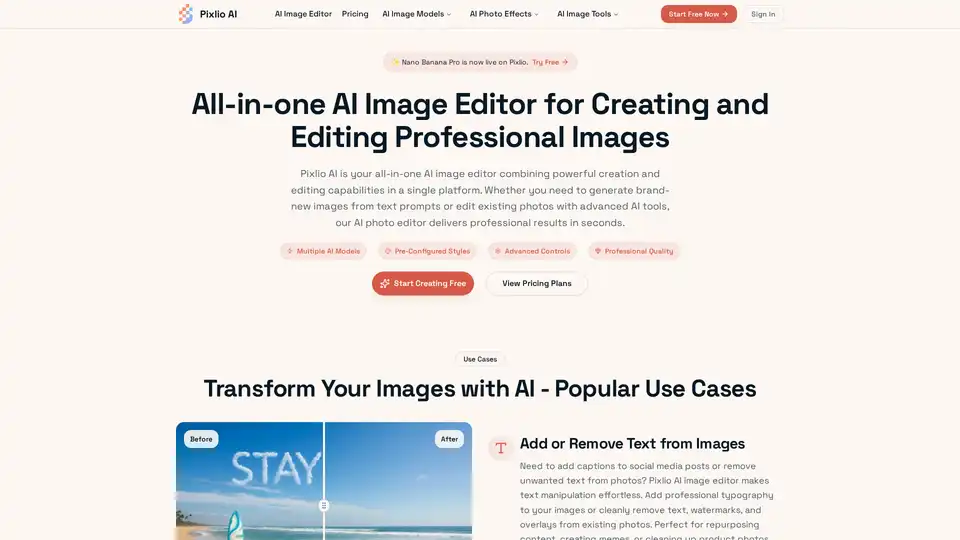
Overview of Pixlio AI
What is Pixlio AI?
Pixlio AI is an all-in-one AI image editor that combines powerful creation and editing capabilities in a single, browser-based platform. Designed for creators, marketers, and businesses, it leverages advanced models like Nano Banana Pro, Nano Banana, Seedream 4.5, Flux, and Qwen Image to generate professional-quality visuals or enhance existing photos in seconds. Unlike fragmented tools, Pixlio AI streamlines the entire visual content workflow, from generation to post-editing.
Core Functionality & Key Features
Pixlio AI's platform is built around two primary pillars: AI Image Generation and Intelligent Photo Editing. Here’s a breakdown of its core capabilities:
1. AI Image Generation from Text
Users can create original, high-quality images from simple text descriptions (text-to-image). The AI photo editor supports:
- Multiple Cutting-Edge Models: Access to Flux, Qwen Image, and Seedream v4 ensures a variety of styles and rendering qualities.
- Pre-Configured Professional Styles: Instantly apply styles like Studio Ghibli anime, Pixar 3D animation, pixel art, photorealism, fine art, and cartoons.
- Advanced Customization: Control aspect ratios (square, portrait, landscape, custom), use negative prompts, adjust guidance scales, and set seed values for reproducible results.
2. Intelligent Photo Editing Tools
Pixlio AI isn’t just a generator; it’s a robust editor. Key editing features include:
- Background Removal & Replacement: Remove backgrounds with pixel-perfect precision (ideal for product photography) or replace them with new scenes. The AI handles complex edges like hair and fur.
- Text Manipulation: Add professional typography, captions, or promotional text to images. Seamlessly remove unwanted text, watermarks, or overlays from existing photos, with the AI intelligently filling the gaps.
- Object Manipulation: Add or remove objects from photos to clean up or enhance compositions.
- Quality Enhancement: Upscale resolution, improve clarity, and adjust lighting or colors to achieve commercial-grade results.
- Style Transformation: Apply artistic filters or transform existing photos into different visual styles (e.g., anime, cartoon, cyberpunk).
3. Use Cases & Target Audience
Pixlio AI caters to a diverse range of users with specific needs:
- E-commerce Sellers: Create professional product images and lifestyle shots without expensive photoshoots. Use the background changer to create clean, white backgrounds for listings and generate multiple product angle variations to boost conversions.
- Marketing & Advertising Teams: Scale visual content creation for campaigns. Generate hero images, ad creatives, social media graphics, and blog illustrations. Edit stock photos to match brand guidelines and create seasonal variations quickly.
- Content Creators & Social Media Managers: Produce eye-catching thumbnails, memes, and posts. Add captions, remove watermarks, and repurpose content efficiently.
- Designers & Artists: Use Pixlio as a brainstorming tool to generate concepts, create assets for projects, or quickly edit images for client work.
- General Users: Anyone needing to edit personal photos, create unique images for presentations, or simply explore AI creativity.
How It Works: A Simple Workflow
Using Pixlio AI is straightforward, even for beginners:
- Sign Up & Get Free Credits: Create an account in seconds to receive complimentary credits, allowing you to test both generation and editing features without a credit card.
- Choose Your Workflow:
- Create: Enter a text prompt, select a model (like Nano Banana Pro), choose a style, and adjust settings (aspect ratio, etc.).
- Edit: Upload an existing photo. Use the editing tools to remove backgrounds, add text, apply filters, or enhance the image.
- Download & Use: Export your final image in high-resolution PNG or JPG format. Images generated with paid credits come with full commercial usage rights, making them safe for use in products, marketing, and client projects.
Pricing & Plans
Pixlio AI offers flexible pricing to suit different usage levels:
- Basic Plan ($13.50/month): Ideal for individuals. Includes 750 credits/month, access to all AI styles, no watermark, and commercial use.
- Pro Plan ($23.90/month): Popular with professionals. Offers 2,000 credits/month, unlimited image-to-prompt/describer tools, and pro-tier AI models.
- Max Plan ($41.90/month): For heavy users. Provides 5,500 credits/month with top priority support.
- Credit Packs: Purchase specific credit amounts for one-off projects.
Why Choose Pixlio AI?
- All-in-One Platform: Eliminates the need for separate generation and editing tools.
- Browser-Based Convenience: No software installation required; works on any device with a web browser.
- Continuous Innovation: The platform regularly integrates the newest AI models and editing algorithms.
- Commercial Rights: Full usage rights for created/edited images with paid plans.
- Ease of Use: Intuitive interface with plain-language prompts and pre-configured styles lowers the learning curve significantly.
Pixlio AI stands out as a comprehensive solution for anyone looking to leverage AI for visual content creation, offering power, flexibility, and ease of use in one package.
Tags Related to Pixlio AI
