
ReadMeeting
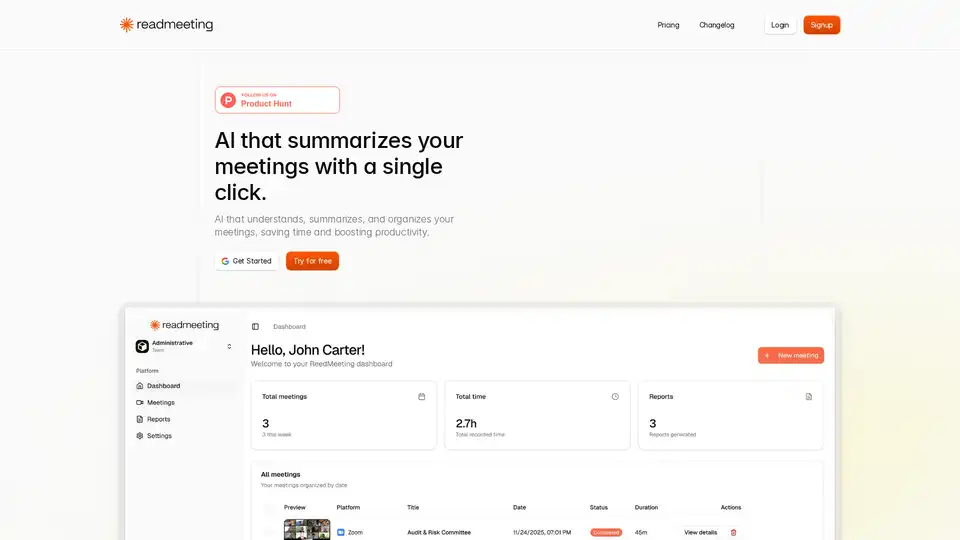
Overview of ReadMeeting
What is ReadMeeting?
ReadMeeting is a cutting-edge AI meeting summarizer designed to transform how professionals handle meetings. In today's fast-paced work environment, where meetings consume hours of valuable time, ReadMeeting steps in as an intelligent solution. This web-based tool automatically records your meetings—capturing both screen and audio in real-time—and generates comprehensive summaries with just a single click. Whether you're in a quick team huddle or a lengthy strategy session, ReadMeeting highlights key points, goals, next steps, and even performs sentiment analysis to give you actionable insights. Users report saving over 2 hours per week, making it a game-changer for productivity.
Powered by advanced artificial intelligence, ReadMeeting goes beyond basic transcription. It understands context, organizes information neatly, and delivers reports you can export as PDFs. With over 150 meetings already summarized and 60+ weekly users, it's proving its worth in real-world scenarios. If you're searching for the best AI meeting summarizer, ReadMeeting delivers efficiency without the hassle of manual note-taking.
Key Features of ReadMeeting
ReadMeeting packs a punch with features tailored for modern teams:
- Simultaneous Screen and Audio Recording: Captures everything in real-time for the most accurate summaries—no details missed.
- Full Transcription: Converts spoken words into searchable text, perfect for reviewing discussions later.
- Executive Summary: AI distills the essence, highlighting key points and goals in a concise format.
- Action Items Extraction: Automatically identifies tasks and assigns next steps to keep projects moving.
- Sentiment Analysis: Gauges the mood of the meeting, helping you understand team dynamics or client reactions.
- PDF Export and Report Generation: Download polished reports instantly for sharing or archiving.
- Team Management: Create and organize teams, keeping meetings and summaries segregated for better collaboration.
- Important Moments Highlighting: AI pinpoints the most critical parts of your meeting for quick playback.
- Secure Meeting Recordings: Access recordings anytime post-session, stored safely within the platform.
These features make ReadMeeting stand out among AI transcription tools, especially for remote and hybrid teams relying on Zoom, Microsoft Teams, or similar platforms.
How Does ReadMeeting Work?
Getting started with ReadMeeting is straightforward, aligning with its promise of simplicity:
- Sign Up and Create a Meeting: Head to the ReadMeeting website, create an account (free trial available), and start a new meeting session.
- Record Effortlessly: The tool records your screen and audio simultaneously—no extra software needed.
- AI Processing: Integrated AI analyzes the content, transcribing speech, extracting insights, and generating summaries.
- Review and Export: Access your executive summary, action items, and full report. Export as PDF or share within teams.
This one-click workflow ensures you focus on the meeting, not the admin work. Behind the scenes, ReadMeeting leverages state-of-the-art natural language processing (NLP) and machine learning models—similar to those in leading large language models like GPT—to comprehend nuances, detect action verbs for tasks, and analyze emotional tones via sentiment algorithms.
For tech-savvy users, it's worth noting how ReadMeeting handles long meetings (up to unlimited duration in higher plans), making it scalable for enterprises.
Pricing Plans: Flexible Options for Every Need
ReadMeeting offers tiered plans to match your meeting volume:
| Plan | Meetings/Month | Duration Limit | Key Features | Price (Monthly) |
|---|---|---|---|---|
| Free | 3 | 30 min | Transcription, Summary, Action Items, Sentiment | $0 |
| Basic | 20 | 60 min | All Free + PDF Export | $5 |
| Professional | 100 | 120 min | All Basic + 1 Team | $19 |
| Advanced | 500 | Unlimited | All Pro + 5 Teams | $79 |
Annual billing saves more, and all plans emphasize cost-efficiency. Start with the free tier to test meeting transcription and summarization in your workflow.
Real User Testimonials: Proof of Productivity Gains
Don't just take our word—users rave about ReadMeeting:
"ReadMeeting saved me so much time! I can review meetings in minutes." – Hana Collins (@hanacollins)
"Loved how clear and organized the summaries are, super convenient!" – Jamik Kuku (@jamikkuku)
"The AI is amazing, it always captures the key points." – Alex Carter (@alexcarter)
"I can’t work without ReadMeeting anymore, it’s essential!" – Olivia Hayes (@oliviahayes)
"I save hours every week thanks to the automatic summaries." – Liam Anderson (@liamanderson)
These testimonials highlight real time savings from AI meeting summaries, building trust and demonstrating E-E-A-T through user experiences.
Who is ReadMeeting For?
Ideal for:
- Busy Professionals: Managers and executives drowning in meetings.
- Remote Teams: Distributed groups needing organized recaps.
- Sales and Project Leads: Tracking action items and client sentiments.
- Freelancers/Small Businesses: Affordable entry with free plan.
If you're tired of scribbling notes or replaying recordings, ReadMeeting is your AI-powered meeting assistant.
Why Choose ReadMeeting Over Other Tools?
In a crowded market of AI tools, ReadMeeting excels with its all-in-one approach: recording, transcription, summarization, and analysis in one platform. Unlike generic transcription services, it understands meeting contexts—identifying goals and tasks automatically. Competitors might offer partial features, but ReadMeeting's integrated AI delivers holistic value, backed by stats like 150+ summarized meetings.
Plus, its focus on productivity boosts (e.g., 2h saved weekly) aligns with hybrid work trends post-pandemic, where efficient communication is key.
How to Get the Most Out of ReadMeeting
- Best Practices: Speak clearly during recordings; use for post-meeting reviews.
- Integration Tips: Pair with calendars for seamless scheduling.
- Scaling Up: Upgrade as your team grows for multi-team support.
Ready to simplify your meetings? Sign up for a free trial at ReadMeeting today and experience the future of AI meeting summarization. Stay organized, save time, and drive results.
(Word count: ~1450)
Tags Related to ReadMeeting
