
Remover.video
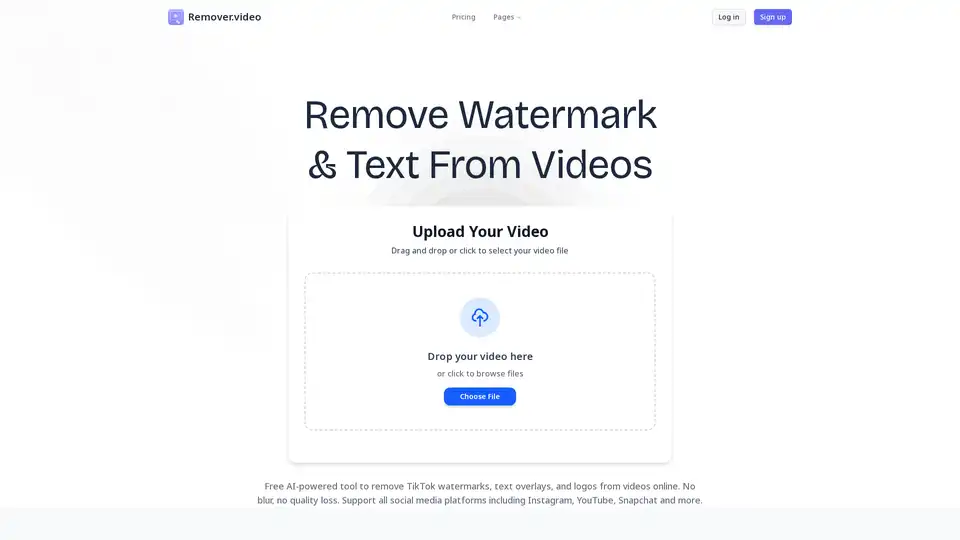
Overview of Remover.video
Remover.video: The AI-Powered Solution for Removing Watermarks and Text from Videos
What is Remover.video?
Remover.video is an innovative, AI-driven online tool designed to effortlessly remove watermarks, text overlays, and logos from videos. This tool is perfect for content creators, social media managers, video editors, and anyone looking to repurpose video content across various platforms without quality loss. With its user-friendly interface and advanced AI technology, Remover.video simplifies the often complex process of video editing.
How does Remover.video work?
Remover.video harnesses the power of artificial intelligence to intelligently identify and remove unwanted elements from videos. Here's a step-by-step breakdown:
- Upload Your Video: Simply drag and drop your video file onto the Remover.video website, or click to browse files from your device. The tool supports multiple video formats, ensuring compatibility with content from various sources like TikTok, Instagram, Facebook, and Snapchat.
- AI Processing: Once the video is uploaded, click 'continue' to initiate the AI processing. Remover.video's advanced AI algorithms analyze the video, identify watermarks, text, and logos, and then seamlessly remove them without blurring or compromising the original video quality.
- Download Blurless Video Result: After processing, you can download your watermark-free video. The AI ensures the highest quality output, preserving the original video's integrity.
Key Features and Benefits
- AI-Powered Precision: Remover.video uses advanced AI algorithms to accurately detect and remove watermarks, text, and logos from videos, ensuring clean and professional results.
- Blurless Removal: Unlike traditional video editing methods that often result in blurred or distorted areas, Remover.video maintains the original video quality, providing a seamless viewing experience.
- Support for Multiple Platforms: Whether you're working with TikTok watermarks, Instagram text overlays, or Snapchat captions, Remover.video supports all major social media platforms.
- User-Friendly Interface: The tool is designed with simplicity in mind, making it accessible to users of all skill levels. No complex settings or technical expertise required.
- Fast Processing: Remover.video offers fast processing times, allowing you to quickly remove watermarks and repurpose your content without delays.
- Batch Processing: For users with high-volume video editing needs, Remover.video offers batch processing capabilities, allowing you to remove watermarks from multiple videos simultaneously.
Who is Remover.video for?
- Content Creators: Ideal for creators who want to repurpose their videos across different platforms without watermarks or text overlays.
- Social Media Managers: Streamlines the workflow for managing content across multiple social media platforms by removing unwanted watermarks.
- Video Editors: Saves hours of manual work by automating the process of watermark and text removal.
- Marketing Agencies: Increases productivity by enabling batch processing and AI precision for large volumes of video content.
- E-commerce Managers: Simplifies the process of cleaning up product videos sourced from suppliers by removing supplier watermarks.
Pricing
Remover.video offers a range of pricing plans to suit different needs:
- Standard: $2.69/month - Suitable for basic video processing needs, offering 300 credits per month.
- Pro: $19.99/month - Designed for users requiring more credits and faster processing, providing 1000 credits per month.
Both plans offer priority processing, support video lengths up to 15 minutes, and provide 480P/720P/1080P resolution options.
What is the best way to remove watermarks from video online for free?
Remover.video provides a free and efficient method to remove watermarks from videos online. Its AI-powered technology ensures high-quality results without blurring. Simply upload your video, let the AI process it, and download the watermark-free result at no cost.
User Testimonials
- Michael Thompson, Creative Director: "Remover.video's AI text removal tool has been game-changing for batch editing. It's allowed us to remove text and watermarks from videos without blur, creating gorgeous content for social promotion and ad units with ease."
- Sarah Chen, Content Creator: "I love using Remover.video for TikTok watermark removal. Their online video watermark remover is the most effective I've seen on the market, and it works perfectly for Instagram and YouTube videos too. It's helped take my content to the next level."
- David Rodriguez, Video Editor: "As a professional video editor, I need tools that deliver clean results fast. Remover.video's AI technology removes watermarks and text overlays flawlessly, saving me hours of manual work on every project."
Remover.video stands out as a powerful, user-friendly solution for removing watermarks and text from videos. Its AI-driven technology ensures high-quality results, making it an indispensable tool for content creators, social media managers, and video professionals alike. Whether you're looking to repurpose content, streamline your workflow, or simply remove unwanted elements from your videos, Remover.video offers the precision and efficiency you need.
Tags Related to Remover.video
