
Seedance AI
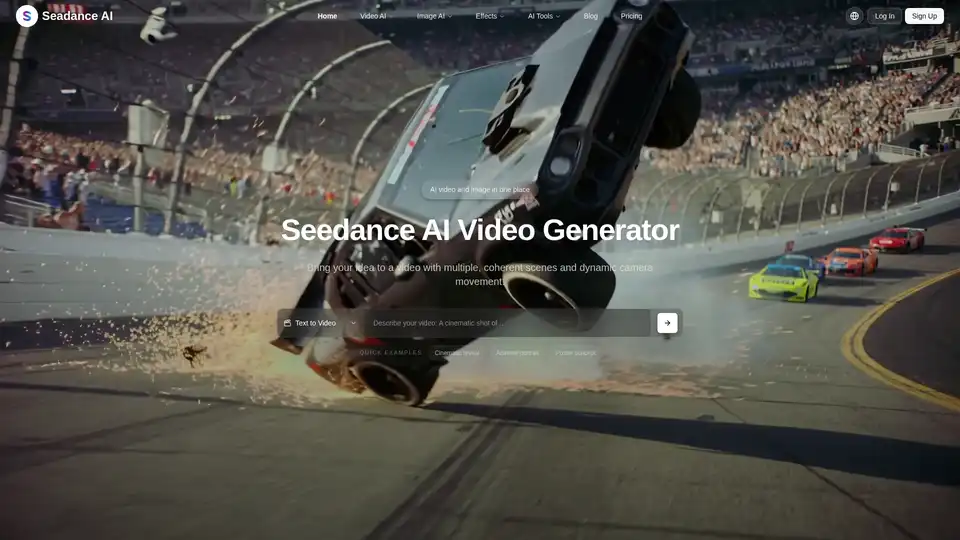
Overview of Seedance AI
What is Seedance AI? Your All-in-One Free AI Video & Image Generator Online
Seedance AI emerges as a cutting-edge, free online platform designed to revolutionize how individuals and professionals create visual content. Positioned as an all-in-one creative suite, Seedance AI unifies various advanced AI models to offer seamless video and image generation capabilities. It's powered by a robust ecosystem of leading AI video and image models, including Seedance 2.0, Seedance 1.5 Pro, Seedance 1.0 Pro, Seedream 4.5, and Seedream 5.0, alongside specialized AI tools for photo manipulation. Whether you're looking to transform text into dynamic videos, animate still images, generate high-resolution art from prompts, or enhance existing photos, Seedance AI provides an intuitive and powerful solution.
Why Choose Seedance AI? Unlocking Efficiency and Creativity in Digital Media Production
In the rapidly evolving landscape of digital content, speed, quality, and versatility are paramount. Seedance AI addresses these needs by offering a comprehensive, production-ready workflow that simplifies complex visual content creation. It's not just a tool; it's a creative partner that empowers users to produce professional-grade videos and images without requiring extensive technical skills or manual editing. The platform's emphasis on coherent multi-shot videos and story-consistent assets makes it invaluable for content creators striving for narrative depth and visual impact.
Key Features of Seedance AI: A Deep Dive into Its Creative Capabilities
Seedance AI's strength lies in its diverse array of features, each meticulously designed to harness the power of artificial intelligence for visual content generation and editing.
1. Advanced AI Video Generation
What are the key features of Seedance AI's video generation? The platform offers two primary modes for video creation, catering to different starting points and creative visions:
Text to Video AI: This innovative feature allows users to describe scenes, characters, and camera movements using natural language prompts. Seedance AI's Text to Video engine, leveraging models like Sora 2, Veo 3.1, Wan 2.5, Hailuo 2.3, and Seadance Pro, translates these descriptions into coherent, multi-shot videos. A built-in AI model selector enables users to fine-tune outputs, balancing realism, speed, and cinematic style without the need for manual editing. This is perfect for generating quick storyboards, dynamic concept previews, or even full short narratives directly from a script.
- How does Text to Video work? Simply input your desired video description, specifying elements like environment, character actions, emotions, and camera angles. The AI processes this prompt, draws upon its trained models, and renders a sequence of scenes that flow together logically, complete with transitions and motion.
Image to Video AI: How to use Seedance AI for animating photos? Users can upload a single reference photo, and Seedance AI will animate it into a short, AI-generated video. Utilizing the same advanced video AI models (Sora 2, Veo 3.1, Wan 2.5, Hailuo 2.3), the tool analyzes the depth, lighting, and texture of the image to animate subjects while meticulously preserving their identity and original style. This functionality is ideal for:
- Product hero shots that come to life.
- Animating portraits for a striking effect.
- Creating looping 5–10 second social clips that capture attention.
2. Powerful AI Image Generation
Beyond video, Seedance AI is a robust AI image generator, offering comprehensive tools for static visual content:
Text to Image AI: How does Seedance AI turn text into images? Describe your desired image style, lighting, and composition using text prompts, and Seedance AI, powered by Seedream 4.0 and Nano Banana models, will generate high-resolution images. The intuitive AI image tool allows for the creation of multiple variations from a single prompt, making it perfect for:
- Designing eye-catching thumbnails.
- Developing key art for projects.
- Generating detailed storyboards or reference frames for future video production.
Image to Image AI: This feature enables users to upload reference images and leverage Seedream 4.0 and Nano Banana AI models to restyle, enhance, or transform them. Crucially, it preserves the original structure and subject identity, making it an indispensable AI image editing tool for:
- Maintaining brand-style matching across different visuals.
- Effortlessly changing backgrounds.
- Transforming rough drafts into polished artwork ready for reuse across various video and design projects.
3. Comprehensive AI Effects & Tools for Enhancement
Seedance AI extends its capabilities with a suite of one-click AI effects and specialized tools for image and video enhancement:
AI Image Effects & Tools: This section includes powerful utilities like Photo Face Swap, AI Background Changer, Qwen Image Edit, and Seededit. These tools allow users to:
- Clean up or relight photos instantly.
- Swap faces seamlessly.
- Remove backgrounds with precision.
- Batch-process assets while maintaining high resolution, preparing images for e-commerce, social posts, or video thumbnails in minutes.
AI Video Effects & Tools: To quickly create stylized video clips, users can upload one or two photos and select from a range of AI video effect templates. Each template is driven by a pre-tuned text-to-video AI prompt, meaning the system automatically handles motion, style, and transitions. This simplifies the creation of engaging short-form video content dramatically.
Who is Seedance AI For? Target Audience and Practical Applications
What are the main uses of Seedance AI? Seedance AI is built for anyone who needs to create compelling visual content efficiently and effectively. Its user-friendly interface and powerful AI capabilities make it suitable for a diverse audience:
- Content Creators & Social Media Managers: Generate engaging videos and images for social platforms, blogs, and marketing campaigns rapidly.
- Digital Marketers: Create captivating ad creatives, product demos, and brand stories without extensive design resources.
- Graphic Designers & Artists: Accelerate ideation, prototype designs, experiment with new styles, and refine artwork with AI assistance.
- Small Business Owners & E-commerce Entrepreneurs: Produce high-quality product visuals, promotional videos, and consistent branding assets to enhance online presence.
- Educators & Students: Create visual aids and presentations that stand out, or explore the capabilities of generative AI in a practical context.
- Anyone with an Idea: Bring creative concepts to life, from personal projects to professional endeavors, easily and accessibly.
Best Way to Create AI-Generated Visual Content? Consider Seedance AI's Advantages
Choosing Seedance AI means opting for a platform that prioritizes accessibility, versatility, and high-quality output. The ability to switch between various cutting-edge AI models like Sora 2, Veo 3.1, Seedream, and Nano Banana ensures users have the flexibility to achieve their desired aesthetic and performance. With a focus on coherent narratives for video and meticulous preservation of identity for images, Seedance AI offers a sophisticated yet simple solution for visual content needs. Its continuous development, as evidenced by models like Seedance 2.0 and Seedream 5.0, guarantees users access to the latest advancements in generative AI.
Frequently Asked Questions (FAQs) About Seedance AI
What AI models does Seedance AI utilize? Seedance AI integrates a variety of leading AI models, including Seedance 2.0, Seedance 1.5 Pro, Seedance 1.0 Pro for video, and Seedream 4.5, Seedream 5.0, Seedream 4.0, Nano Banana, Qwen Image Edit, GPT Image 1.5, FLUX.2, and Z-Image for image generation and editing. For text-to-video, it incorporates Sora 2, Veo 3.1, Wan 2.5, Hailuo 2.3, and Seadance Pro.
Is Seedance AI truly free to use? Yes, as indicated, Seedance AI is advertised as a "Free AI Video & Image Generator Online." While specific pricing tiers or premium features are not detailed, the core offering is accessible for free.
Can Seedance AI edit existing images and videos? Yes, through its Image to Image AI and AI Image Effects & Tools, users can restyle, enhance, transform, clean up, relight, swap faces, and remove backgrounds from existing images. For videos, it offers AI Video Effects to stylize clips from uploaded photos, effectively editing their appearance and motion.
What kind of videos can I create with Seedance AI? You can create coherent multi-shot videos from text descriptions, animate still photos into short video clips, and generate stylized video clips using templates from existing photos. This includes cinematic reveals, animated portraits, product hero shots, and looping social media content.
How does Seedance AI ensure consistency across multi-shot videos? Seedance AI is designed with a production-ready workflow that focuses on creating story-consistent, multi-shot AI videos. Its underlying AI models are engineered to maintain coherence across scenes, ensuring a natural flow and visual continuity from prompt to final output.
Tags Related to Seedance AI
