
Smart Keys
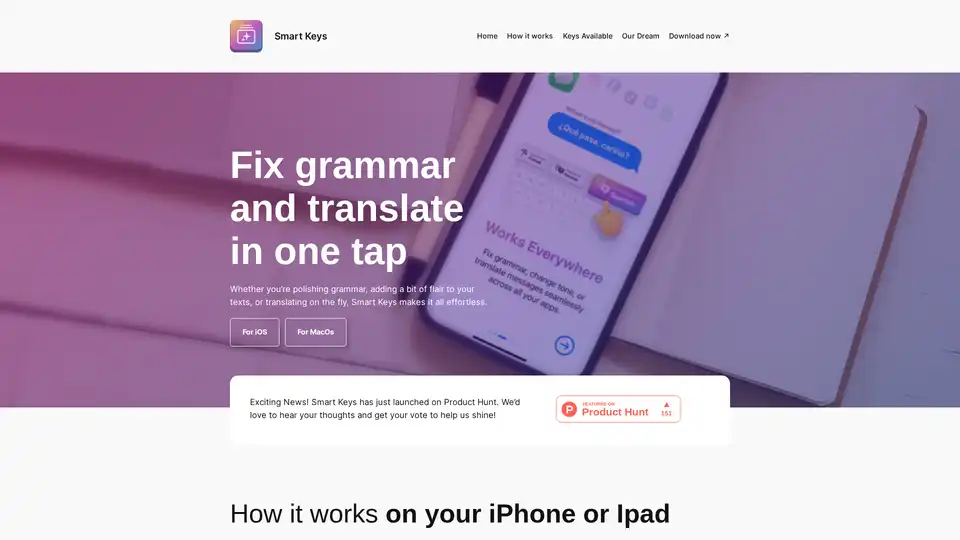
Overview of Smart Keys
What is Smart Keys?
Smart Keys is an innovative AI-powered keyboard app designed for iOS devices (iPhone and iPad) and macOS. It transforms everyday typing into a seamless experience by providing customizable, one-tap "keys" that handle complex tasks like grammar correction, instant translation, code optimization, and text enhancement. Unlike traditional keyboards or tools like Grammarly, Smart Keys integrates directly into your workflow, making it accessible across all apps without switching contexts. Launched recently on Product Hunt, it's gaining traction for its simplicity and power, helping users communicate more effectively in a multilingual, fast-paced world.
Whether you're a content creator refining prose, a developer cleaning up code, or someone bridging language barriers, Smart Keys eliminates the hassle of writing. Users rave about its speed—faster and less cumbersome than competitors—though some note minor tweaks needed for AI accuracy and occasional lag.
Key Features of Smart Keys
Smart Keys stands out with its library of specialized AI keys, each tackling specific writing challenges. Here's a breakdown of the core functionalities:
- Fix Grammar (FG): Polishes your text for perfect grammar, punctuation, and style in one tap. Ideal for non-native speakers or quick edits.
- Translate to English/Spanish/Screen Translator: Instant translations to major languages, including screen-based capture for on-the-fly needs.
- Add/Remove Comments (AC/RC): For coders, adds meaningful comments to code for clarity or strips them out for a clean view.
- Just Summarize (JS): Condenses long texts into precise summaries, stripping fluff while retaining essence.
- Optimize Code (OC): Trims inefficiencies, boosts performance, and refines code structure automatically.
- Solve TODOs (ST): Converts code placeholders into actionable solutions.
- Explain Code (EC): Breaks down complex code into simple, understandable explanations.
- Change Tone & Add Flair: Adjusts text mood, adds creativity, or enhances professionalism.
These keys are discoverable via an intuitive selection interface, and once chosen, they appear right on your keyboard for universal use.
| Feature | Platforms | Use Case |
|---|---|---|
| Grammar Fix | iOS, macOS | Emails, social posts |
| Translation | iOS, macOS | Multilingual chats |
| Code Optimization | macOS primarily | Development workflows |
| Summarization | All | Reports, articles |
How Does Smart Keys Work?
Getting started is straightforward:
- Install the App: Download Smart Keys from the App Store for iPhone/iPad or Mac App Store.
- Select Your Keys: Browse the available AI shortcuts and pick ones that match your needs—work, play, or translation.
- Integrate Seamlessly: The keyboard overlays on your device, working in any app like Messages, Notes, Xcode, or browsers.
On iPhone/iPad, it delivers full smart keyboard power at your fingertips. For Mac, it embeds AI shortcuts into your typing flow. No subscriptions mentioned, suggesting a straightforward download-and-use model.
The underlying AI leverages advanced language models for context-aware suggestions, ensuring outputs feel natural. For instance, code tools understand programming syntax, while translation handles nuances across languages like English, Spanish, Portuguese, and more.
Who is Smart Keys For?
This tool caters to diverse users:
- Language Learners & Multilingual Teams: Effortless translation and grammar help non-natives sound fluent.
- Content Creators & Writers: Add flair, change tone, summarize—perfect for blogs, social media, or marketing copy.
- Developers & Coders: Code-specific keys save hours on reviews, TODOs, and explanations.
- Organizations & Professionals: From international jobs to mental health initiatives (as per partners), it fosters clear communication.
User testimonials highlight its value: "Faster, better than Grammarly!" says Hamilton, a Portuguese speaker. Ali Eld calls it "easy to use and worth it," while others note productivity boosts despite room for AI tweaks.
Why Choose Smart Keys Over Alternatives?
Compared to Grammarly or standalone translators, Smart Keys wins on integration—no copy-pasting required. It's lightweight, app-native, and mission-driven: creators aim to "break walls" through better communication, partnering with language learning and inclusion orgs.
Pros:
- One-tap efficiency
- Cross-app compatibility
- Code + text tools in one
- Positive early reviews
Cons (from feedback):
- Occasional AI inaccuracies
- Minor lag on some devices
Best Ways to Use Smart Keys
- Daily Writing: Enable grammar and tone keys for emails/social.
- Coding Sessions: Use OC, ST, EC in IDEs.
- Travel/Meetings: Screen translator for real-time convos.
Future updates promise more keys, aligning with their dream of barrier-free communication. Download now via App Store links and join the movement.
In a world of misunderstandings, Smart Keys empowers authentic expression. Ready to make your words shine? Install today and experience the difference.
Tags Related to Smart Keys
