
Snapwear
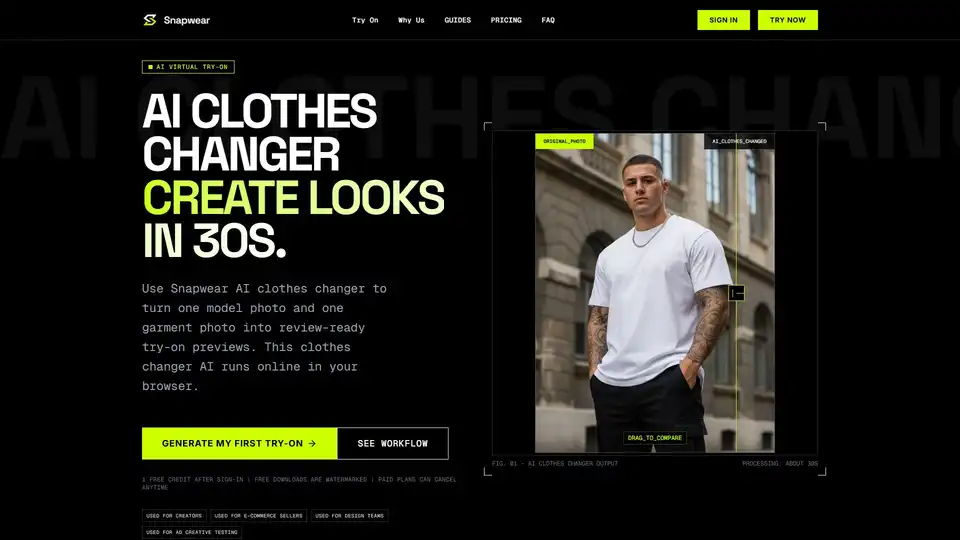
Overview of Snapwear
What is Snapwear?
Snapwear is an advanced AI clothes changer designed to streamline the virtual try-on process for creators, e-commerce sellers, and design teams. By leveraging generative artificial intelligence, Snapwear allows users to upload a model photo and a garment photo to produce realistic try-on previews in approximately 30 seconds. This tool eliminates the need for costly and time-consuming photoshoots for every clothing variation, enabling fast iteration and consistent visual output.
In the rapidly evolving landscape of digital fashion and online retail, virtual try-on technology has become essential. Snapwear addresses the core need for speed and quality, providing a browser-based solution that requires no software installation. Whether you are testing catalog visuals, creating social media content, or validating design concepts, Snapwear offers a practical workflow to visualize outfit ideas instantly.
Key Features of Snapwear AI Clothes Changer
Realistic Virtual Try-On
The core functionality of Snapwear lies in its ability to generate high-quality, realistic images. The AI analyzes the structure of the model and the garment, ensuring that body proportions, neckline logic, fabric drape, and lighting consistency are preserved. The output looks like a genuine outfit choice rather than a pasted layer, maintaining physical plausibility.
Fast Generation Speed
Time is critical in content creation and e-commerce. Snapwear processes images in about 20 to 40 seconds. This speed allows teams to test multiple garments and body poses quickly, validating creative ideas before moving to production. The fast queue ensures that momentum is kept during brainstorming sessions.
Consistent Output
Maintaining visual consistency is crucial for brand identity. Snapwear enables users to keep the same model photo while trying different garments. This feature allows for direct comparison of styles in a consistent visual format, making it easier to evaluate color variants, sleeve lengths, and styling combinations without the noise of different backgrounds or poses.
Flexible Usage Plans
Snapwear offers a tiered pricing structure to accommodate different needs:
- Free Trial: New accounts receive 1 free credit to test output quality and workflow fit. Downloads are watermarked.
- Standard Plan: Ideal for solo creators and lean teams, offering 200 credits/month, no watermark, and faster queue speed.
- Pro Plan: Designed for commercial production workflows, providing 600 credits/month, 4K ultra HD output, priority queue, and commercial usage license.
How Does Snapwear Work?
Using Snapwear is straightforward and requires just three steps:
Step 1: Upload Model Photo
Users begin by uploading a clear half-body or full-body photo of the model. For best alignment and lighting, the image should be sharp with clear subject edges. Avoid heavy blur, extreme motion, or cropped body areas that hide key garment zones like shoulders and waist. A neutral stance often works better than dramatic poses.
Step 2: Upload Garment Photo
Next, upload a product or flat-lay image of the clothing item you want to test. The garment photo should show shape clearly with enough resolution to preserve texture details such as stitching and folds. Strong contrast between garment and background can improve edge detection.
Step 3: Generate Try-On
Once both images are uploaded, run the generation process. The AI combines the inputs to create a virtual try-on result. Paid plans include higher limits and additional features like 4K output and commercial licenses.
Who is Snapwear For?
Snapwear supports practical virtual try-on workflows across various industries:
- Online Shoppers: Preview outfit ideas before buying and compare options faster.
- Creators: Create fashion visual drafts without reshooting every look. This helps with editorial planning and A/B testing for thumbnails and reels.
- E-commerce Teams: Test catalog visuals quickly before full production pipelines. This reduces back-and-forth edits and shortens launch timelines.
- Design Teams: Validate style concepts and garment combinations in early stages. Merchandising and marketing can align earlier because each stakeholder sees the same visual options.
Why Choose Snapwear?
Lower Content Cost
Generate multiple outfit previews quickly without arranging a new photoshoot for every clothing variation. This significantly reduces production overhead.
Fast Iteration
Test many garments and body poses quickly so teams can validate creative ideas before production. This agility is key in fast-paced markets.
Trust and Privacy
Adoption depends on trust. Snapwear provides clear account controls, transparent billing, and understandable policies. Data handling is secure, ensuring that uploaded personal images are treated with care. Response time is fast and stable, allowing users to keep creative momentum.
Pricing and Value
Snapwear offers significant savings with annual billing:
- Standard Annual: Saves $84/year versus monthly billing.
- Pro Annual: Saves $120/year and unlocks priority generation.
Plans renew automatically until canceled, and users can manage or cancel anytime from the dashboard billing portal. This flexibility makes it easy to scale usage based on project needs.
FAQ
Is Snapwear Free? You can start with 1 free credit after sign-in. Paid plans are available for higher volume and commercial use.
Do I Need to Sign In to Generate Images? Yes, sign-in is required to access the generation tools and manage credits.
Can I Cancel My Subscription Anytime? Yes, plans can be canceled anytime from the billing portal.
Can I Use Generated Images Commercially? Commercial usage is available on the Pro plan. The Free and Standard plans are for personal or non-commercial use.
How Long Does Generation Take? Processing typically takes about 30 seconds per image.
Conclusion
Snapwear stands out as a reliable AI clothes changer for anyone looking to optimize their visual content workflow. By combining speed, consistency, and ease of use, it empowers users to make better decisions faster. Whether you are a solo creator testing outfit ideas or an e-commerce team validating product visuals, Snapwear provides the tools needed to succeed in a digital-first world. Start with the free trial today and experience the power of AI-driven virtual try-on.
Tags Related to Snapwear
