
Sora 2 AI Video Generator
Overview of Sora 2 AI Video Generator
What is Sora 2 AI Video Generator?
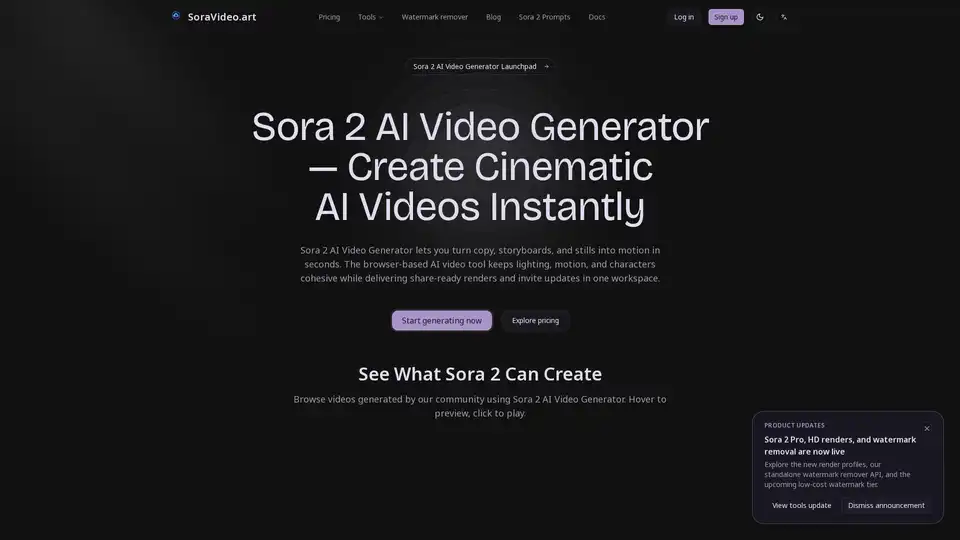
The Sora 2 AI Video Generator is a browser-based, production-ready platform designed to transform simple inputs—such as text prompts, storyboards, or still images—into high-fidelity, cinematic video content. Hosted on SoraVideo.art, this tool leverages advanced AI inference to maintain consistency in lighting, motion, and character integrity across scenes. Unlike basic AI video tools, it focuses on delivering "share-ready" renders that mimic professional animation and live-action aesthetics, making it a powerful asset for both individual creators and enterprise marketing teams.
How Does Sora 2 AI Video Generator Work?
The tool operates on a streamlined, three-step workflow that removes technical friction:
- Provide Prompt or Input Media: Users can drag and drop assets (JPGs, PNGs, MP4s) or simply type a detailed script. The system validates aspect ratios and pacing to ensure the source material is ready for production.
- AI Model Generates Full Video: Through cloud-based inference, the AI orchestrates complex elements like camera moves, depth, and lighting. It uses diffusion models and motion interpolation to create seamless transitions and fill in missing angles, resulting in a coherent sequence.
- Download Cinematic Output: Once rendering is complete, users can export their video in standard formats (MP4 or MOV) at resolutions up to 4K. Metadata is preserved for easy integration into downstream editing suites like Adobe Premiere or DaVinci Resolve.
Key Features of Sora 2 AI Video Generator
To support a professional workflow, SoraVideo.art offers a suite of features optimized for the Sora 2 model:
- Cinematic Fidelity: The engine is tuned to handle long takes and complex choreography without the "jitter" often associated with AI generation. It retains smooth motion and consistent lighting, crucial for brand trust.
- Style Presets: Users can apply specific templates for anime, futuristic looks, or photorealism. This ensures that multiple contributors can maintain a consistent visual style without manual color grading.
- High-Resolution Rendering: Capable of producing 1080p and 4K content, the tool allows for professional delivery suitable for broadcast or social media platforms.
- Invite Code Management: Sora 2 is currently access-restricted via invite codes. SoraVideo.art centralizes this process, allowing users to monitor distribution windows and queue status directly within the dashboard.
- Adaptive Motion & Transitions: The AI automatically blends camera movements and depth of field, reducing the need for manual fixes in post-production.
Why Choose SoraVideo.art for Sora 2?
While Sora 2 technology is revolutionary, accessing it efficiently requires a robust interface. SoraVideo.art acts as a central hub that eliminates the need to juggle multiple services:
- Zero Friction: As a web-based application, there is no installation required. Distributed teams can access the tool from anywhere, utilizing regional compute pools for faster speeds.
- Compliance & Governance: For commercial use, detailed logging and audit trails are essential. The platform provides metadata and versioning for every render, ensuring compliance with creative sign-offs and licensing requirements.
- Ecosystem Integration: The platform extends functionality with related utilities such as a Sora 2 Invite Tracker, Subtitle Remover, and an AI Video Enhancer for upscaling and denoising.
Who is Sora 2 AI Video Generator For?
This tool is built for a diverse range of users:
- Content Creators & YouTubers: Quickly generate B-roll, animations, or storytelling sequences without a film crew.
- Marketing Agencies: Produce high-volume commercial clips, product showcases (e.g., the "burgundy coat" example), and branded content rapidly.
- Game Developers & Storyboard Artists: Visualize game cutscenes or narrative beats using AI-generated animatics.
- Educators & Trainers: Create realistic simulation videos (e.g., safety demonstrations, classroom scenarios) instantly.
How to Get the Best Results (Tips)
To maximize the potential of the Sora 2 AI Video Generator, users should follow these best practices:
- Specific Prompts: Vague descriptions yield vague results. Describe the camera angle, lighting mood, and specific actions clearly.
- High-Quality References: If using image inputs, ensure they are high resolution. The AI uses these as "keyframes" to maintain character and style consistency.
- Iterative Refinement: Use the versioning feature to compare iterations. Adjust timing or dialogue prompts based on the preview before final export.
Frequently Asked Questions
How do I get a Sora 2 invite code through this tool? SoraVideo.art monitors open windows for Sora 2 access. By using their platform, you can join the queue and receive notifications immediately when codes become available.
Are generated videos licensed for commercial use? Yes, the platform emphasizes compliance tools and audit logs, making the generated assets suitable for commercial deployment.
Does it support 3D generation? While it specializes in 2D video generation, the tool can produce 3D-style animations (e.g., Pixar-style 3D) and renders, though true volumetric 3D video is a distinct category.
Conclusion
Sora 2 AI Video Generator on SoraVideo.art is more than just a prompt-to-video tool; it is a comprehensive production environment. By combining the raw power of Sora 2 with professional-grade workflow tools like invite tracking, style presets, and high-definition exports, it bridges the gap between experimental AI and commercial-grade content creation. Whether you are looking to generate surreal art or polished commercial spots, this platform provides the infrastructure to do so efficiently.
Best Alternative Tools to "Sora 2 AI Video Generator"

Tags Related to Sora 2 AI Video Generator