![[OFFICIAL] Tenorshare 4DDiG: Windows & Mac Data Recovery Solutions](/assets/logo/4ddig-tenorshare-com-f6470.png)
Tenorshare 4DDiG
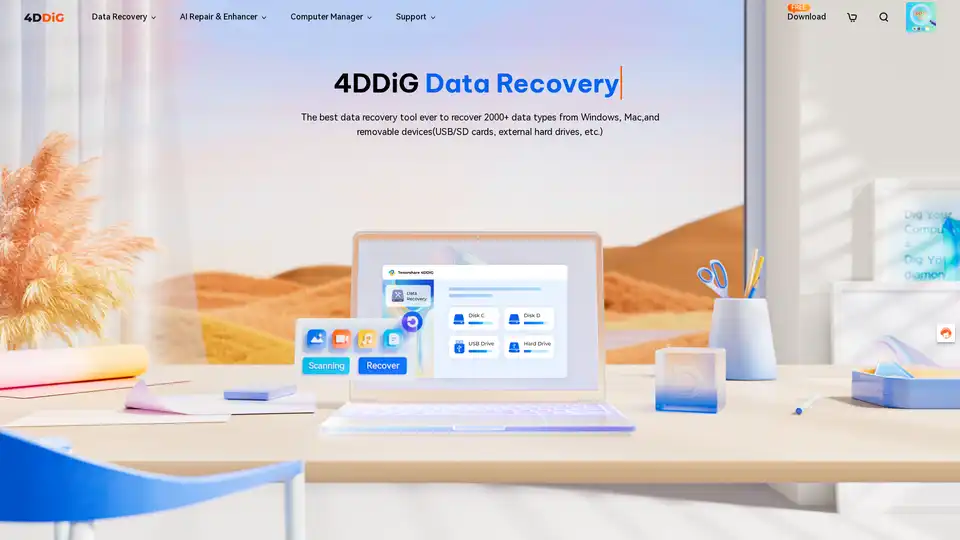
Overview of Tenorshare 4DDiG
Tenorshare 4DDiG: Your Ultimate Computer Solution
Tenorshare 4DDiG is a comprehensive suite of tools designed to recover, repair, and manage computers effectively. With over 10 years of experience and trusted by millions of users, 4DDiG offers a range of solutions for both Windows and Mac users. It leverages AI technology to enhance performance and provide faster, more reliable results.
What is Tenorshare 4DDiG?
Tenorshare 4DDiG is a suite of computer utilities that provides solutions for data recovery, file repair, disk management, and system optimization. It's designed to be user-friendly while offering advanced features to meet various user needs.
How does Tenorshare 4DDiG work?
Tenorshare 4DDiG employs a range of advanced technologies, including AI, to deliver its functionalities:
- Data Recovery: 4DDiG Data Recovery scans storage devices to identify and recover lost or deleted files, supporting 2000+ data types from various devices like Windows, Mac, USB drives, and SD cards.
- File Repair: 4DDiG File Repair uses AI to fix corrupted photos, videos, audio files, and documents, enhancing the quality and restoring them to their original state.
- Disk Management: 4DDiG Partition Manager helps manage disk partitions, clone disks, and perform other disk-related tasks to optimize storage.
- System Optimization: Tools like Duplicate File Deleter and DLL Fixer identify and remove duplicate files and fix DLL errors to improve system performance.
Key Features of Tenorshare 4DDiG
- Data Recovery:
- Windows Data Recovery: Recover deleted files from Windows devices.
- Mac Data Recovery: Restore lost data on macOS.
- Removable Devices: Supports data recovery from USB drives, SD cards, and external hard drives.
- File Repair:
- AI-Powered File Repair: Uses AI to repair and enhance photos, videos, documents, and audio files.
- Online Repair: Offers free online repair tools for quick fixes.
- Computer Management:
- Partition Manager: Manage and optimize disk partitions.
- Duplicate File Deleter: Find and remove duplicate files to free up disk space.
- DLL Fixer: Fix DLL errors on Windows to resolve program malfunctions.
- System Repair:
- Windows Boot Genius: Repair Windows issues in minutes.
- Mac Boot Genius: Repair Mac issues for free.
Why choose Tenorshare 4DDiG?
Tenorshare 4DDiG stands out due to its:
- High Success Rate: Achieves a 99% success rate in data recovery.
- AI Technology: Employs AI to enhance data recovery and file repair processes.
- User-Friendly Interface: Designed to be easy to use, even for beginners.
- Comprehensive Solutions: Offers a wide range of tools for data recovery, file repair, and system management.
- Trusted by Users: Recognized and trusted by renowned media and satisfied customers.
Who is Tenorshare 4DDiG for?
Tenorshare 4DDiG is ideal for:
- Individuals: Who need to recover lost or deleted files, repair corrupted files, or manage their computer's performance.
- Professionals: Who require reliable data recovery and file repair solutions for their work.
- Businesses: That need to maintain data integrity and optimize their computer systems.
User Testimonials
Here’s what users are saying about Tenorshare 4DDiG:
- Elsa: "Thanks 4DDiG successfully get all my data back from crash Windows...Totally worth it!"
- Simon: "My son formatted the SD card in my Canon camera. Thanks to 4DDiG Windows data recovery software, I have restored all my photos and videos."
- Tessie: "My working doc are gone because of sudden power off without saving it. After many attempts, I can restore my unsaved word document with 4DDiG."
How to use Tenorshare 4DDiG?
Using Tenorshare 4DDiG is straightforward:
- Download and Install: Download the appropriate version of 4DDiG for your operating system (Windows or Mac) and install it.
- Select a Location: Launch the software and select the location where you lost your data.
- Scan for Lost Files: Allow 4DDiG to scan the selected location for lost files.
- Preview and Recover: Preview the recoverable files and select the ones you want to restore. Then, click "Recover" and choose a safe location to save the recovered files.
Pricing
Tenorshare 4DDiG offers both free and paid versions. The free version provides limited functionality, while the Pro version offers full access to all features with subscription plans.
Conclusion
Tenorshare 4DDiG provides a comprehensive suite of tools for data recovery, file repair, and computer management. With its AI-powered features, user-friendly interface, and high success rate, it's an excellent choice for anyone looking to recover lost data, repair corrupted files, or optimize their computer's performance. Whether you're an individual, professional, or business, 4DDiG offers solutions to meet your needs. It's worth exploring Tenorshare 4DDiG to ensure your data is safe and your computer runs smoothly.
Tags Related to Tenorshare 4DDiG
