
PhoText
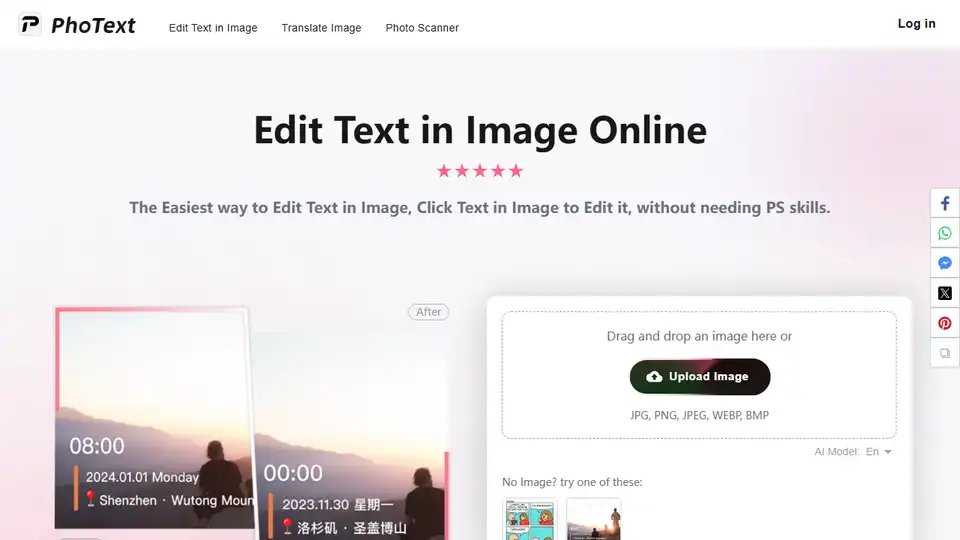
Overview of PhoText
What is PhoText?
PhoText is an innovative AI-powered online tool designed to simplify the process of editing text within images. Whether you need to correct a typo, update outdated information, or completely replace text in a screenshot or photo, PhoText provides an intuitive and efficient solution. Unlike traditional image editing software that requires advanced skills, PhoText allows users to edit text directly by clicking on it, making it accessible to everyone.
Key Features of PhoText
1. AI-Powered Text Recognition and Editing
PhoText leverages advanced AI algorithms to recognize and structure text within images. This allows users to:
- Click and Edit: Simply click on any text within the image to start editing.
- Adjust Fonts: Choose from a variety of fonts or use the built-in font identifier to match the original font.
- Customize Text: Modify text color, size, and position to seamlessly blend with the image.
2. User-Friendly Interface
The platform is designed with simplicity in mind:
- Drag and Drop: Easily upload images by dragging and dropping them into the editor.
- Real-Time Preview: See changes instantly as you edit.
- One-Click Download: Save your edited image with just one click.
3. Support for Multiple Image Formats
PhoText supports a wide range of image formats, including:
- JPG
- PNG
- JPEG
- WEBP
- BMP
4. Privacy and Security
PhoText prioritizes user privacy:
- Temporary Storage: Images are retained for 30 days for logged-in users and 1 day for non-logged-in users.
- Automatic Deletion: Overdue images are permanently deleted to ensure privacy.
5. Cross-Platform Accessibility
Access PhoText from any device:
- Web and Mobile: Use the tool on your desktop or mobile browser without needing to download an app.
How Does PhoText Work?
Step-by-Step Guide
Upload Your Image:
- Drag and drop your image into the PhoText editor or click to upload.
- Supported formats include JPG, PNG, JPEG, WEBP, BMP, and PDF.
Edit Text:
- Click on the text within the image that you want to edit.
- Replace the text with your desired content.
- Adjust the font, color, size, and position as needed.
Download Your Edited Image:
- Once you are satisfied with the changes, click the "Download" button to save your edited image.
Why Choose PhoText?
1. No Advanced Skills Required
Unlike Photoshop or other complex image editing tools, PhoText does not require any prior design or editing experience. Its intuitive interface makes it accessible to beginners and professionals alike.
2. Time-Saving
PhoText eliminates the need for manual text removal and re-adding, which can be time-consuming. With AI-powered text recognition, editing text in images becomes a matter of seconds.
3. High-Quality Results
The AI algorithms ensure that the edited text blends seamlessly with the original image, maintaining high quality and professional appearance.
4. Free to Use
PhoText offers its core features for free, making it an affordable solution for individuals and businesses.
Who is PhoText For?
1. Content Creators
Bloggers, social media managers, and digital marketers can quickly edit text in images for their content without needing advanced editing skills.
2. Business Professionals
Professionals can update text in presentations, reports, and marketing materials efficiently.
3. Students and Educators
Students can correct text in images for their projects, and educators can update educational materials with ease.
4. General Users
Anyone who needs to make quick edits to images, such as correcting typos in screenshots or updating information in photos, will find PhoText incredibly useful.
Common Use Cases
1. Correcting Typos
Easily fix spelling mistakes in images without needing to recreate the entire image.
2. Updating Information
Quickly update outdated information in screenshots, such as prices, dates, or names.
3. Localization
Translate text within images to different languages for global audiences.
4. Branding
Add or modify watermarks and logos in images to maintain brand consistency.
FAQ
How do I match the same font?
After selecting the text, click "Identify Font" in the font section of the editing panel to recognize and match similar fonts.
Why are there speckles or shadows behind the text?
The default original-text removal effect may have imperfections. In the editing panel, under the "Original Text" section, try different removal algorithms to achieve the best result.
How do I fix just one word in a line?
By default, adjacent words are treated as a single text box for editing. If you only want to fix one word, you can manually erase the word using the Removal feature, then add a new text box. Adjust its size, color, font, position, etc., and place it over the original word.
What is the maximum image size supported?
Currently, PhoText supports processing images with a maximum size of 2560x2560 pixels. Images exceeding this limit will be compressed. The maximum size supported on mobile devices is relatively smaller.
Is there an app version?
Not currently. PhoText is accessible via web browsers on both desktop and mobile devices.
Conclusion
PhoText is a revolutionary tool that democratizes image text editing, making it accessible to everyone regardless of their technical skills. With its AI-powered features, user-friendly interface, and commitment to privacy, PhoText is the go-to solution for anyone looking to edit text in images quickly and efficiently. Whether you're a content creator, business professional, student, or general user, PhoText provides the tools you need to achieve professional-quality results with ease.
Tags Related to PhoText
