
AI Image Combiner
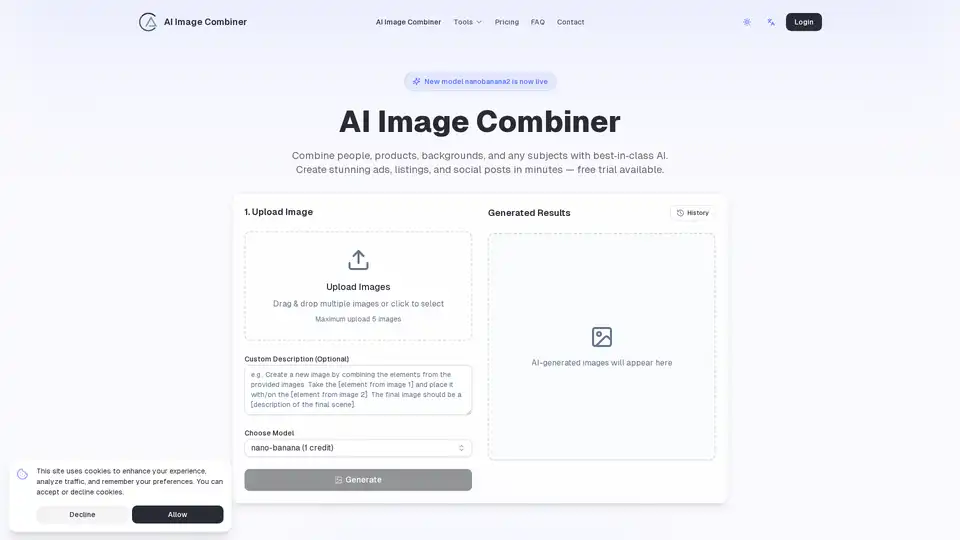
Overview of AI Image Combiner
What is AI Image Combiner?
AI Image Combiner is a powerful web-based generative AI tool designed to blend multiple images into a single, cohesive, and visually stunning visual. It leverages advanced artificial intelligence to automatically handle complex tasks like subject cutout, light matching, and edge blending. This eliminates the need for manual, time-consuming photo editing in traditional software like Photoshop. The tool is built for speed and quality, enabling users to create professional-grade visuals for commercial and creative purposes in just minutes. It operates on a freemium model, offering a free trial to get started, with paid plans for higher volume generation.
Core Features and How It Works
The fundamental workflow of AI Image Combiner is designed to be intuitive and user-friendly:
- Upload Multiple Images: Users can drag and drop up to five different images at once. These can include subjects (people, products), backgrounds, or other visual elements.
- Guided Combination with Prompts: After uploading, the user provides a text prompt to guide the AI. For example, you might instruct it to "replace the astronaut on the right with the woman and remove the helmet on the astronaut on the left to show the man's face."
- Choose a Model: The tool uses a sophisticated model called "nano-banana" (and a pro version) to process the request. This model is responsible for the high-quality, realistic blending.
- Generate and Download: Upon clicking "Generate," the AI processes the images and prompt, producing a final composite image. The result appears in the history tab for review and download.
Key technical capabilities that make it stand out include:
- Automatic Light Matching: The AI analyzes the lighting in all source images and adjusts them to match, ensuring the final composite looks natural and not "photoshopped."
- Seamless Edge Blending: It intelligently handles the edges of the blended objects to avoid hard lines or awkward transitions, creating a smooth integration.
- Transparent Background Support: Users can export the final images as transparent PNGs, which is ideal for overlaying on different backgrounds, especially in e-commerce and design workflows.
- Mobile-Friendly Interface: The entire process, from upload to preview with pinch-to-zoom, is optimized for mobile devices, allowing for on-the-go creation.
Use Cases and Target Audience
AI Image Combiner is exceptionally versatile, catering to a wide range of users and industries:
- E-commerce & Retail: Create compelling product listings by placing items on lifestyle backgrounds or combining products with models (e.g., clothing on a mannequin or person). Generate mockups for ads and storefronts.
- Marketing & Advertising Agencies: Quickly produce ad creatives, social media posts, and brand key visuals. For instance, blend a product with a celebrity or a desirable scene to create eye-catching promotional material.
- Content Creators & Social Media Managers: Design unique graphics for Instagram, Facebook, TikTok, and other platforms. Generate memes, story highlights, and engaging posts by merging various elements.
- Designers & Art Directors: Use it for rapid prototyping, visual brainstorming, and creating concept art. It's great for quickly visualizing scene replacements or character composites without deep technical skills.
- General Users: Anyone looking to enhance personal photos, create fun compositions, or experiment with digital art can benefit from the tool's simplicity and powerful output.
Pricing and Accessibility
The tool is accessible to everyone with a free trial that provides initial credits (1 free credit upon sign-up). For sustained use, it offers three paid tiers:
- Basic Plan: $99/year ($8.25/month avg). Includes 100 credits/month, suitable for small businesses or individuals with moderate needs.
- Standard Plan (Recommended): $150/year ($12.50/month avg). Offers 300 credits/month with priority processing, ideal for freelancers and growing teams.
- Pro Plan: $200/year ($16.67/month avg). Provides 500 credits/month with premium support, catering to heavy users and agencies.
All paid plans include access to the advanced Nanobanana models, no watermarks, ad-free experience, and private generation. The cost per image drops significantly with higher plans, offering great value for frequent use.
Why Choose AI Image Combiner?
In a crowded market of AI image tools, AI Image Combiner distinguishes itself with its specific focus on intelligent blending and composition. While many tools generate images from scratch or edit single photos, this tool specializes in the complex task of seamlessly merging multiple existing assets. This solves a specific and common pain point for marketers, designers, and e-commerce sellers. Its strength lies in its ability to understand complex prompts and apply realistic lighting and perspective adjustments, making the results look professional and ready for commercial use. The strong focus on privacy (images are not stored for training) and commercial rights also adds significant value for professional users. If your primary need is to combine subjects, products, and backgrounds into natural-looking scenes for ads, social media, or product listings, AI Image Combiner offers a streamlined, powerful, and cost-effective solution.
Tags Related to AI Image Combiner
