
AI Timeline Maker
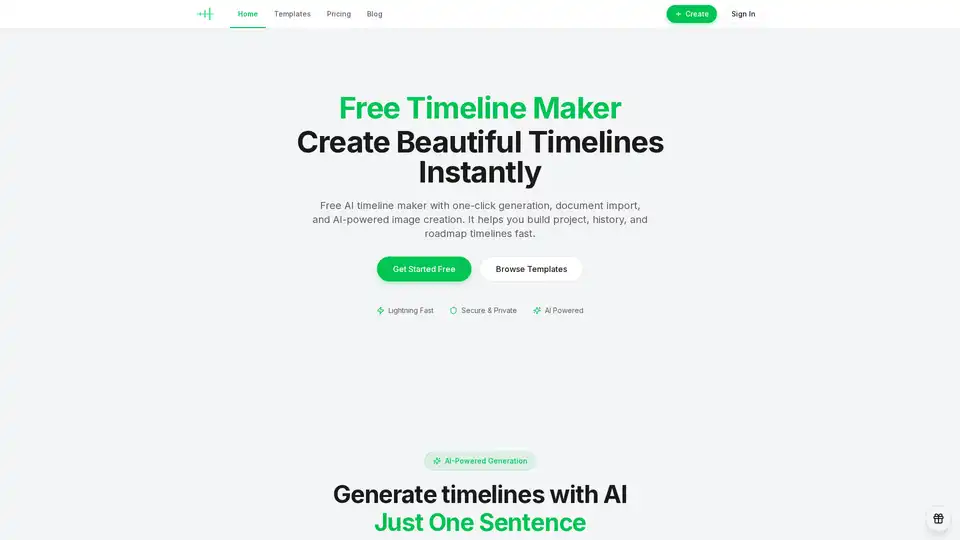
Overview of AI Timeline Maker
What is AI Timeline Maker?
AI Timeline Maker is an innovative, free, and AI-powered online tool designed to simplify the creation, editing, and sharing of visual timelines. This sophisticated platform enables users to transform complex information—whether a simple prompt, detailed documents, or historical data—into clear, engaging, and customizable timelines in a matter of minutes. By leveraging advanced artificial intelligence, AI Timeline Maker streamlines the entire process, from event generation to visual presentation, making it an indispensable resource for professionals, educators, students, and anyone needing to present chronological information effectively.
What are the key features of AI Timeline Maker?
AI Timeline Maker is packed with a suite of powerful features that enhance productivity and creative expression:
AI-Powered Generation: Create Timelines with Just One Sentence
One of the core strengths of AI Timeline Maker is its AI-powered generation capability. Users can describe their desired timeline in a single sentence, and the AI instantly transforms that prompt into a structured, visually appealing timeline complete with relevant events and dates. For example, simply typing "Show me the history of artificial intelligence from 1950 to 2024" can instantly generate a detailed chronological overview. This feature significantly reduces the time and effort traditionally required for manual data entry and organization, making the creation of historical timelines or project roadmaps remarkably efficient.
Document Import & Event Extraction: Turn Documents into Timelines Automatically
Beyond prompt-based generation, AI Timeline Maker offers a robust document import function. Users can upload various file formats, including PDFs, Word documents, or plain text notes. The built-in AI then intelligently scans these documents to extract key dates and events, automatically structuring them into a coherent timeline. This feature is particularly useful for researchers, project managers, and content creators dealing with extensive research notes, meeting minutes, project logs, or any text-heavy documents containing chronological data. It eliminates the tedious task of manually sifting through content, allowing users to quickly convert raw information into actionable visual insights.
Real-time Collaboration: Build Timelines Together
Collaboration is at the heart of modern workflows, and AI Timeline Maker facilitates seamless teamwork. The platform supports real-time collaboration, allowing multiple users to edit, comment, and contribute to a timeline simultaneously. Users can invite teammates via a link or email, assign specific roles and permissions (edit, comment, view), and see who is editing in real time. This feature is invaluable for teams working on shared projects, academic research, or collaborative content creation, ensuring everyone is aligned and contributing to a unified visual representation.
Versatile Export Options: Export in Multiple Formats
Once a timeline is complete, AI Timeline Maker offers diverse export formats to suit various presentation and reporting needs. Users can download their timelines as:
- PNG: High-quality images ideal for presentations, social media, or print.
- PDF: Portrait or landscape A4, perfect for sharing and printing.
- PowerPoint: 16:9 slides, ready to be dropped into existing decks or presented independently.
- Word: Editable A4 documents for further text and layout adjustments.
- Excel: A spreadsheet of events and dates, useful for data analysis or reuse in other applications. This flexibility ensures that the visual timelines created can be easily integrated into any workflow or communication channel.
AI Image Generation: Enhance Your Visuals
To make timelines even more engaging, AI Timeline Maker includes AI image generation capabilities. Powered by FLUX.2 Klein 4B, this feature allows users to generate high-quality visuals from simple text prompts with just one click. This means users can add relevant and compelling imagery directly within their timeline, bringing each event or milestone to life and captivating their audience.
Flexible Layouts & Customization: Tailor Your Visual Story
AI Timeline Maker understands that different stories require different visual approaches. It provides flexible layout options, allowing users to switch between horizontal, vertical, or grid displays to best fit their content and audience. Furthermore, extensive theme customization options are available, including multiple theme palettes and the ability to use custom brand colors, ensuring that each timeline aligns with personal or corporate branding. The platform also boasts a responsive design, enabling users to edit and view timelines seamlessly across desktop, tablet, and phone devices.
How does AI Timeline Maker work?
The operational core of AI Timeline Maker relies heavily on sophisticated artificial intelligence models, particularly for natural language processing (NLP) and image generation. Here’s a breakdown of its working principle:
Prompt-Based Generation: When a user inputs a text prompt (e.g., "history of AI"), the AI system parses this natural language query. It then accesses a vast knowledge base or is pre-trained on extensive chronological data to identify key entities, events, and their associated dates. The AI then structures this information into a logical sequence, assigning visual elements and arranging them into a coherent timeline layout.
Document Analysis and Extraction: For document imports, the AI employs advanced NLP techniques to read through uploaded PDFs, Word files, or plain text. It uses pattern recognition and entity extraction algorithms to pinpoint dates, named entities (people, places, organizations), and significant events within the text. These extracted data points are then automatically organized chronologically and presented in the timeline editor. The "no manual data entry" claim highlights the efficiency of this AI-driven process.
AI Assistant Functionality: The built-in AI assistant goes beyond initial generation. It actively aids users in organizing content, generating concise summaries for timeline events, and polishing the wording to ensure clarity and impact. This acts as a smart editor, enhancing the quality of the narrative without requiring extensive manual revisions.
Visual Rendering: The platform then applies various display modes, layouts (horizontal, vertical, grid), and customizable themes to render the structured data into an intuitive and appealing visual timeline. The "Visual timeline" feature ensures that complex information is easy to follow and understand.
AI Image Generation (FLUX.2 Klein 4B): When users request image generation, the platform integrates with a powerful image generation model, specifically FLUX.2 Klein 4B. This model interprets the text prompt provided by the user (or inferred from a timeline event) and generates unique, high-quality images that visually represent the content, enriching the overall user experience.
Who is AI Timeline Maker for?
AI Timeline Maker serves a broad audience due to its versatility and ease of use. It is an ideal tool for:
- Project Managers: To plan milestones, track progress, create product roadmaps, and present project timelines to stakeholders.
- Educators and Students: History teachers can use it to map historical events, show how events unfold, and create engaging learning paths. Students can organize research notes and visualize academic concepts.
- Content Creators & Bloggers: To map out content strategies, visualize complex topics, or create engaging infographics for their audience.
- Researchers: For organizing research notes, visualizing data from studies, and presenting findings in a chronological format.
- Marketers: To track campaign progress, map customer journeys, or present company history.
- Individuals: For personal use cases like documenting life stories, family histories, or personal learning paths.
- Teams Requiring Collaboration: Any team that needs to collectively build, review, and finalize visual schedules or historical records.
Why choose AI Timeline Maker?
Choosing AI Timeline Maker brings a multitude of benefits, solidifying its position as a leading timeline creation tool:
- Unparalleled Speed and Efficiency: The AI-powered generation and document import features drastically cut down creation time, allowing users to build comprehensive timelines in minutes, not hours.
- Enhanced Clarity and Engagement: Visual timelines make complex information more accessible and engaging. With flexible layouts, AI-generated images, and customization options, your stories become easier to follow and more impactful.
- Seamless Collaboration: Real-time co-editing and comment functionalities ensure that teams can work together effortlessly, reducing version control issues and fostering productivity.
- Versatility for Every Need: From project management and educational aids to personal histories and product roadmaps, the tool adapts to a wide array of use cases, supported by various export formats.
- User-Friendly Experience: With a clean interface and intuitive controls, AI Timeline Maker is designed for users of all skill levels, minimizing the learning curve.
- Reliability: Boasting 99.9% uptime and a 4.9/5 user rating from over 10,000 active users, it's a dependable platform trusted by creators worldwide.
User Reviews
Loved by Creators:
- "This platform completely changed how I track project progress. The visual timeline made team communication clearer than ever." – Alex Chen, Product Manager
- "The AI assistant is powerful! It pulled key events from my notes automatically and saved me hours of organizing." – Sam Lee, Content Creator
- "I use it to document my kids' milestones. Every time I look back it moves me. Clean interface and super intuitive." – Jordan Taylor, Freelancer
- "As a history teacher, I use it to show students how events unfold. They love this way of seeing the past." – Morgan Kim, High School History Teacher
The platform proudly reports:
- 4.9/5 Average rating
- 10,000+ Active users
- 50,000+ Timelines created
- 98% Satisfaction
Frequently Asked Questions (FAQ)
Is the AI timeline maker free?
Yes, AI Timeline Maker offers a free tier, allowing users to get started and create their first timelines without cost. Pricing information is also available on their website for premium features.
How do I create my first timeline?
You can create your first timeline by either providing a simple text prompt to the AI or by uploading a document (PDF, Word, plain text) from which the AI will extract events and dates.
What types of timelines are supported?
The tool supports a wide range of timeline types including project management timelines, learning paths, life stories, company histories, product roadmaps, and historical timelines, among others.
What can the AI assistant do?
The AI assistant can help organize content, generate summaries for events, and polish the wording within your timeline, ensuring clarity and conciseness.
Can I collaborate with my team?
Absolutely. AI Timeline Maker supports real-time collaboration, allowing you to invite teammates, set roles and permissions, and work together on timelines simultaneously.
Is my data secure?
The platform emphasizes its commitment to security and privacy, though specific details would be outlined in their privacy policy and terms of service.
Ready to Start Your Timeline Journey?
With AI Timeline Maker, transforming ideas, data, and stories into compelling visual timelines has never been easier. Experience the power of AI to streamline your creative and organizational processes. Get started for free today and revolutionize how you visualize and present chronological information.
Tags Related to AI Timeline Maker
