
Archivist
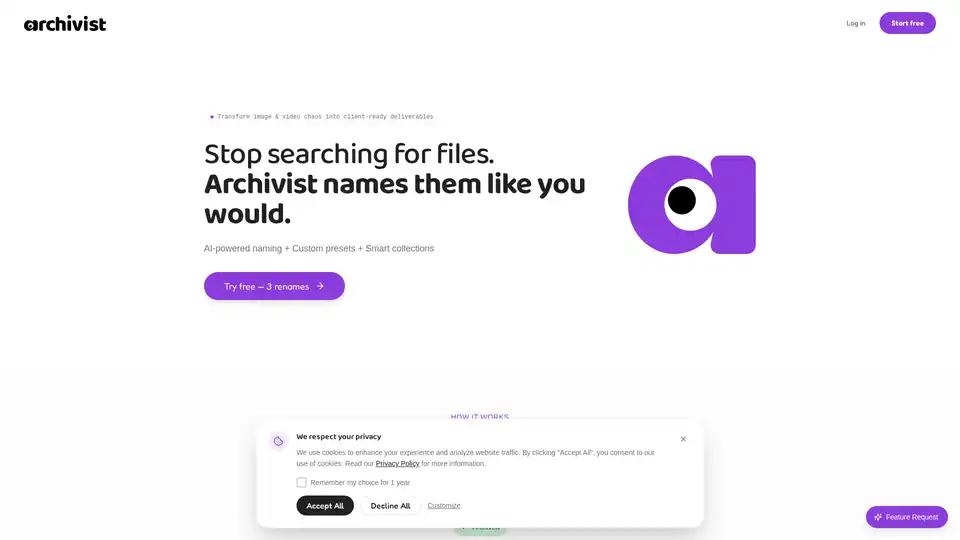
Overview of Archivist
What is Archivist? Revolutionizing AI Image & Video Organization
In today's fast-paced digital world, creators, designers, photographers, and agencies often find themselves drowning in a sea of unorganized digital assets, especially those generated by powerful AI tools like Midjourney, DALL-E, Sora, or Runway. Cryptic filenames such as "DALL-E_2024-03-15_xyz789.png" or "image (47).png" make it nearly impossible to locate specific files when needed, wasting valuable time and hindering productivity.
Archivist is an innovative, AI-powered digital asset management (DAM) solution designed to bring order to this chaos. It's a smart tool that automates the naming, organizing, and delivery of your AI-generated images and videos, transforming them into client-ready deliverables. Far beyond simple renaming, Archivist integrates seamlessly into your creative workflow, ensuring consistency and making your files effortlessly findable.
What are the Key Features of Archivist?
Archivist stands out with a powerful combination of features tailored to meet the demands of modern creative professionals:
- AI-Powered Naming: At its core, Archivist leverages advanced AI to analyze the content of your images and videos. Instead of random strings, the AI intelligently extracts context, content, and other relevant metadata, proposing short, readable, and meaningful filenames. This means "DALL-E_2024-03-15_xyz789.png" can become something like "2024-03-15_product_sneaker_dalle.jpg" in seconds.
- Custom Presets: Archivist understands that every creative workflow has unique requirements. With custom presets, you can define your own naming rules and patterns once, and apply them automatically across all your files. For example, you can set a pattern like
website_{client}_{context}_{date}_v{version}.jpg. This ensures brand consistency and adherence to internal standards without manual effort. - Smart Collections: Beyond individual files, Archivist allows you to organize your assets into "Collections." These are project-based groupings, enabling you to sort files by client, campaign, or specific deliverable. This feature is crucial for maintaining project integrity and simplifying client handovers.
- Clean ZIP Exports: Once your collections are perfectly organized and named, Archivist facilitates one-click exports as clean ZIP files. This streamlines the delivery process, presenting a professional and well-structured package to your clients, reflecting a high standard of work.
- Video Renaming (NEW & FREE for Creators): Recognizing the growing use of AI in video generation (Runway, Sora, TikToks), Archivist now offers video renaming capabilities. This feature is free forever for creators, making video clips, exports, and drafts finally findable.
How Does Archivist Work? Intelligence Meets System
The magic of Archivist lies in its intelligent integration of AI analysis with your predefined system. Here's a breakdown of its workflow:
- Upload & AI Analysis: You upload your cryptic image or video files. Archivist's AI immediately goes to work, analyzing the visual content to understand its context and subject matter. For instance, it might identify "Mountain landscape, sunset, professional photo."
- Pattern System Application: Concurrently, your custom naming preset (e.g.,
client_context_content_date) is applied. This pattern acts as a template for the new filename. - Perfect Result: The AI's analysis is then intelligently combined with your pattern. This results in filenames that are not only accurate and descriptive but also perfectly consistent with your organizational standards, like "website_acme_hero_2026-01-04_v1.jpg."
- Collection & Export: Files can then be grouped into collections, further enhancing project organization. Finally, you can export these collections as professionally named ZIP files.
This automated process means you can transform "scattered exports to organized deliverables—in seconds, not hours." The tool ensures that files are sorted by when they actually matter (the moment they enter your system), rather than misleading "last modified" timestamps.
Why Choose Archivist? Unlocking Efficiency and Professionalism
Choosing Archivist means investing in a smoother, more efficient, and professional creative workflow.
- Eliminate Chaos: Say goodbye to endless searching for misplaced or cryptically named files. Archivist gives your images "memory" and makes them instantly retrievable.
- Ensure Consistency: Establish team-wide naming standards effortlessly with custom presets. This is invaluable for agencies and studios where multiple contributors might handle assets.
- Save Time & Money: The time saved from manual renaming and searching quickly adds up. As one testimonial suggests, "Break-even in week 1" for agencies, highlighting the immediate return on investment.
- Client-Ready Deliverables: Impress clients with meticulously organized and professionally packaged asset deliveries, enhancing your brand's reputation for precision and quality.
- Adaptable to Your Workflow: Whether you're a freelance web designer like Julia Meier, a solo creator handling Midjourney exports, or an agency managing complex client projects, Archivist adapts to how you work.
Who is Archivist For?
Archivist is specifically built for:
- Designers: Who need to keep their visual assets, including logos, UI elements, and marketing graphics, perfectly organized.
- Creators: Handling large volumes of AI-generated content from tools like DALL-E, Midjourney, Runway, and Sora, who struggle to find specific iterations.
- Photographers: Managing vast libraries of images and needing a systematic way to name and categorize them.
- Studios & Agencies: Requiring team-wide naming standards, efficient client delivery, and professional asset management across multiple projects and team members.
If you often find yourself saying, "I know I have that image – I just can't find it," Archivist is designed for you.
Pricing: Flexible Plans for Every Need
Archivist offers flexible pricing to suit individual creators and growing agencies:
- Free Plan: Get started with 3 AI renames, access to system presets, and single downloads. A great way to try out the core functionality.
- Pro Monthly: For €3.99/month (originally €7.99), you receive 1,000 AI renames/month, custom presets, bulk renaming, and access to collections & ZIP exports. Cancel anytime.
- Pro Annual: The best value at €36/year (originally €72), effectively €3/month. Includes everything in Pro Monthly plus priority support.
Meet the Creator: Conny's Vision
Archivist was founded by Conny (Cornelia Süß), a designer who intimately understood the frustration of AI-generated image chaos. She built Archivist out of a personal need for a simple yet powerful tool that could give meaningful names to hundreds of cryptic files and make finding them effortless. This origin story highlights the tool's user-centric design and its effectiveness in solving a real-world problem faced by creative professionals.
Frequently Asked Questions (FAQ)
Q: What is Archivist? A: Archivist is an AI-powered tool designed to automate the naming, organization, and delivery of AI-generated images and videos, helping creators and agencies manage their digital assets efficiently.
Q: How does Archivist work? A: Archivist uses AI to analyze image and video content, combining this analysis with your custom naming patterns (presets) to generate consistent, descriptive filenames. It then allows you to organize these files into collections for easy management and client delivery.
Q: Is Archivist free to use? A: Yes, Archivist offers a free plan that includes 3 AI renames, system presets, and single downloads, allowing users to try the service before committing to a paid plan.
Q: What file formats does Archivist support?
A: Archivist supports various image and video file formats, as it deals with "AI-generated image and video files" and mentions jpg, png, webp implicitly in the examples, and Runway clips, Midjourney exports, Sora drafts, TikToks for videos.
Q: Can I create custom naming patterns? A: Absolutely. One of Archivist's core features is the ability to create and apply custom naming presets, ensuring your files adhere to your specific organizational rules.
Q: How do I share files with clients? A: Archivist simplifies client sharing by allowing you to group files into collections and export them as clean, organized ZIP files in one click, ready for professional delivery.
Q: How does video renaming work? A: Similar to images, Archivist's AI analyzes video content to provide intelligent renaming suggestions, which are then combined with your custom presets for consistent video file organization. This feature is currently free forever for creators.
Archivist empowers you to regain control over your digital assets, transforming chaos into a perfectly organized and efficient creative workflow. Start your free trial today and experience the difference.
Tags Related to Archivist
