
ArchRender
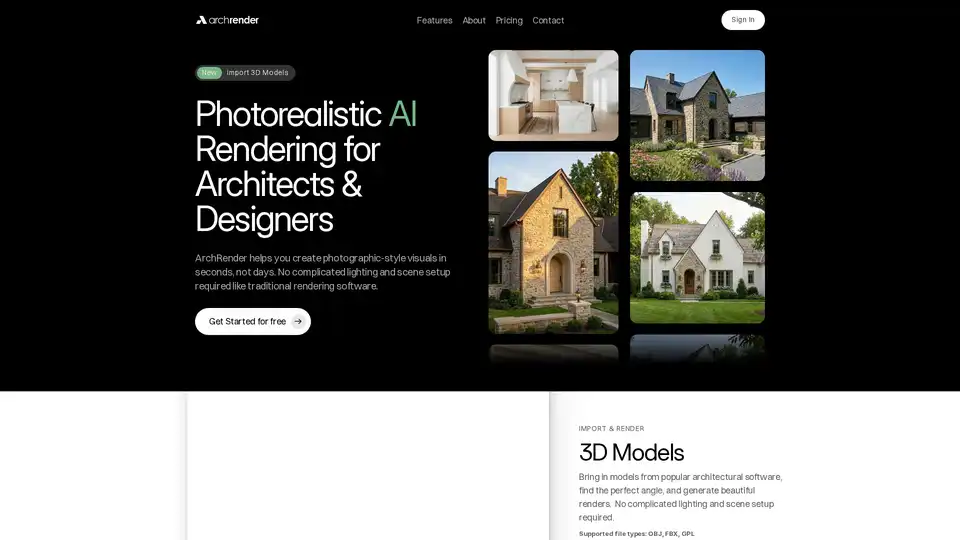
Overview of ArchRender
What is ArchRender?
ArchRender is a cutting-edge, web-based platform that leverages artificial intelligence to revolutionize the architectural visualization process. It is designed specifically for architects, interior designers, and real estate professionals who need to create photorealistic renders quickly and without the steep learning curve of traditional 3D rendering software. The core promise of ArchRender is to transform your 3D models and sketches into stunning, photographic-quality visuals in a matter of seconds, rather than days or weeks.
How Does ArchRender Work?
ArchRender simplifies the traditionally complex rendering pipeline into a few intuitive steps, powered by advanced AI models:
- Import Your 3D Model: Upload your architectural models in supported formats like OBJ or FBX. You can also work directly with sketches or drawings.
- Define Your Vision: Use natural language prompts to describe the desired materials, style, and mood. Alternatively, upload an inspiration mood board, and the AI will interpret the colors and finishes for you.
- Control the Environment: Adjust key variables like the time of day, season (spring, summer, fall, winter), and surrounding environment to see how your design looks in different conditions.
- Generate & Iterate: The AI generates photorealistic results instantly. You can create multiple versions, refine details, and compare options without overwriting previous work.
Key Features and Capabilities
ArchRender is packed with features that cater to the specific needs of the design industry:
Core Rendering Features
- Prompt-Driven Control: Go beyond basic settings. Use detailed text descriptions (e.g., "golden hour lighting on a modern interior with oak flooring") to guide the AI's output.
- Mood Board Integration: Drop in an inspiration board, and the AI will translate the specified colors, textures, and styles into your final render.
- Season & Time Control: Visualize your project in different seasons and times of day to help clients understand its year-round appeal and lighting conditions.
- 4K Upscaling: Enhance any render to crisp, high-resolution 4K, perfect for client presentations, marketing materials, and print-ready outputs.
Workflow & Organization
- Project-Based Workflow: Keep all renders, source files, and iterations organized within a single project, making it easy to manage ongoing work and return to projects weeks later.
- Version-Friendly Iteration: Explore alternate styles and variations systematically without losing track of previous versions.
- Exterior & Interior Mood Boards: Specialized boards for both interior and exterior designs help maintain stylistic consistency across different project phases.
Who is ArchRender For?
ArchRender is tailored for professionals and businesses in the architectural and design sectors:
- Architects & Architectural Firms: For quick design validation, client presentations, and marketing visualizations.
- Interior Designers: To preview furniture arrangements, lighting schemes, and material finishes in realistic settings.
- Real Estate Developers & Agents: For creating compelling, photorealistic images of properties for sale or rent, even before construction is complete.
- 3D Artists & Visualization Specialists: As a fast alternative or complement to traditional rendering engines like V-Ray, Corona, or Lumion for rapid prototyping.
Why Choose ArchRender?
Traditional architectural rendering is notorious for requiring specialized expertise, expensive software licenses, and lengthy processing times. ArchRender disrupts this by:
- Drastically Reducing Time: Generate professional renders in seconds, not days, accelerating the decision-making and approval process.
- Lowering the Barrier to Entry: No need for deep expertise in complex rendering software or hardware. The intuitive interface and AI guidance make it accessible to all skill levels.
- Cost-Effective Solution: With flexible pricing plans (starting with a free tier), it offers a more affordable alternative to maintaining expensive rendering workstations and software subscriptions.
Pricing and Plans
ArchRender offers a scalable pricing model to suit different needs:
- Basic ($39/month, $29 annually): Ideal for exploration and light use. Includes 150 monthly credits, 5 projects, 5GB storage, and basic 3D model import/4K upscaling.
- Pro ($59/month, $49 annually): Suited for daily use and active projects. Offers 300 monthly credits, 20 projects, 25GB storage, and priority support.
- Studio ($139/month, $119 annually): Designed for high-volume rendering and professional production. Provides 1000 monthly credits, unlimited projects, 100GB storage, and priority support.
Note: Credits are used to generate renders and apply features like 4K upscaling. The free plan allows users to try the service before committing to a paid tier.
Tags Related to ArchRender
