
AutoCut
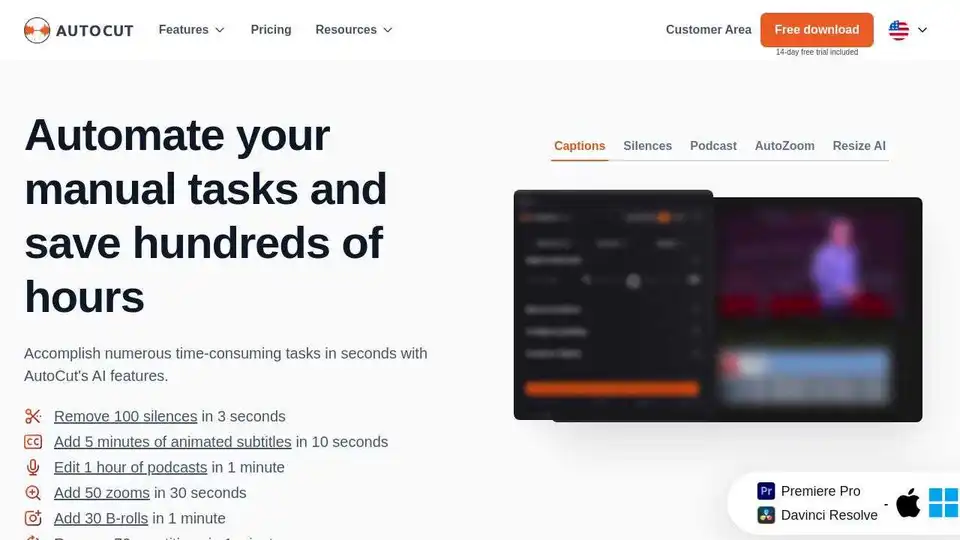
Overview of AutoCut
What is AutoCut?
AutoCut is an AI-powered plugin designed for video editors using Adobe Premiere Pro and DaVinci Resolve. It automates repetitive and time-consuming tasks, allowing creators to focus on the creative aspects of video editing. AutoCut offers a range of features that enhance the editing process, making it faster and more efficient.
Key Features of AutoCut
AutoCut Silences
AutoCut Silences instantly removes pauses and silences from your videos, enhancing the dynamics and making the content more engaging.
AutoCaptions
AutoCaptions generates animated captions and translates them instantly, boosting accessibility and engagement for your videos.
AutoCut Podcast
AutoCut Podcast automates speaker recognition and camera switching, making multicam podcast editing fast and efficient.
AutoZoom
AutoZoom applies smart and perfectly timed zooms to boost engagement and storytelling in your videos.
AutoCut Repeat
AutoCut Repeat identifies content repetitions and preserves only the best takes, ensuring high-quality output.
AutoResize
AutoResize adapts sequences to social formats, smartly keeping subjects centered for optimal viewing.
AutoProfanity Filter
AutoProfanity masks profanities with sound effects, ensuring content integrity and appropriateness.
AutoB-Rolls
AutoB-Rolls uses AI to enrich your edits with perfectly integrated stock footage, enhancing the visual appeal of your videos.
AutoViral
AutoViral identifies key segments in long videos for creating short-form content, making it easier to produce viral shorts.
AutoChapters
AutoChapters segments your videos, providing export-ready YouTube chapters for better navigation and viewer experience.
How Does AutoCut Work?
AutoCut leverages advanced AI algorithms to analyze video content and perform various editing tasks automatically. By integrating seamlessly with Premiere Pro and DaVinci Resolve, AutoCut allows editors to apply these features directly within their preferred editing software. The plugin is designed to be user-friendly, with intuitive controls and real-time previews to ensure optimal results.
How to Use AutoCut?
Installation: Download and install the AutoCut plugin from the official website. Follow the installation instructions to integrate it with your video editing software.
Activation: Activate the plugin using the provided license key. AutoCut offers a 14-day free trial, allowing users to explore its features before committing to a subscription.
Feature Selection: Choose the desired features from the AutoCut menu within your editing software. Apply features like AutoCut Silences, AutoCaptions, or AutoZoom to your video timeline.
Customization: Customize the settings for each feature to match your specific needs. Adjust parameters such as silence detection sensitivity, caption styles, and zoom intensity.
Preview and Export: Preview the changes in real-time and make any necessary adjustments. Once satisfied, export your video with the enhanced edits.
Why Choose AutoCut?
AutoCut is trusted by top video editors worldwide for its ability to save time and enhance the quality of video content. The plugin's AI-driven features streamline the editing process, making it a must-have tool for both beginners and professionals. With positive reviews and high ratings on platforms like Senja and Trustpilot, AutoCut has proven its effectiveness and reliability.
Who is AutoCut For?
AutoCut is ideal for:
- Content Creators: YouTubers, podcasters, and social media influencers who need to produce high-quality videos efficiently.
- Professional Editors: Video editors working in studios or freelance environments who want to optimize their workflow.
- Beginners: Newcomers to video editing who can benefit from automated tools to simplify the learning curve.
Best Way to Enhance Video Editing
AutoCut provides a comprehensive solution for automating repetitive tasks, allowing editors to focus on creativity and storytelling. By integrating advanced AI technology with popular video editing software, AutoCut offers a powerful and efficient way to enhance video content.
Pricing Plans
AutoCut offers flexible pricing plans to suit different needs:
- Basic Plan: $9.9/month (billed monthly) or $6.6/month (billed yearly). Includes essential features like AutoCut Silences, AutoCaptions, and AutoZoom.
- AI Plan: $19.8/month (billed monthly) or $14.9/month (billed yearly). Includes all features of the Basic Plan plus advanced AI-driven tools.
- Enterprise Plan: $19.9/month (billed yearly). Includes all features of the AI Plan, priority support, and team licensing options.
Customer Reviews
AutoCut has received overwhelmingly positive feedback from users:
- Boston Evans: "This tool is amazing for Premiere Pro! It makes editing so much faster and easier—I can't imagine working without it!"
- Huy Nguyen: "What I like most about AutoCut is how intuitive and time-saving it is, it helps me focus on creativity instead of spending hours on repetitive tasks."
- Diego Alves: "AutoCut has completely changed the way I edit my videos! It saves me so much time, making my workflow faster and smoother."
Conclusion
AutoCut is a revolutionary AI plugin for video editors, offering a wide range of features to automate and enhance the editing process. With its user-friendly interface, advanced AI technology, and positive user reviews, AutoCut is a valuable tool for anyone looking to improve their video editing workflow.
Tags Related to AutoCut
