
Camtasia
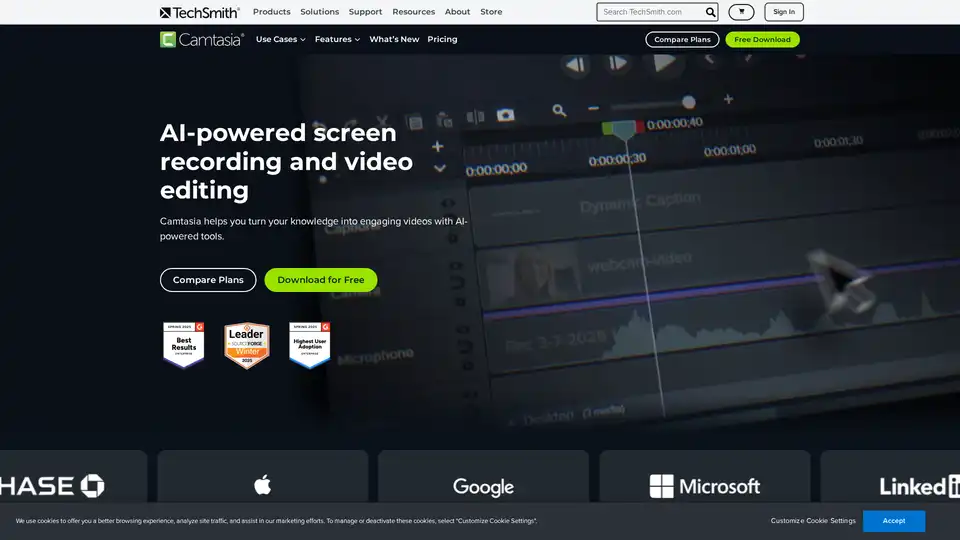
Overview of Camtasia
What is Camtasia?
Camtasia is an all-in-one screen recording and video editing software designed to help users create professional-quality tutorials, training videos, and software demonstrations. With AI-powered tools, Camtasia simplifies the video creation process, making it accessible to both beginners and experienced creators.
Key Features of Camtasia
Professional Recording
- Capture audio and video from your computer and external devices, including professional cameras, webcams, system audio, and microphones.
- Record each source as an independent track for easy editing and adjustments.
Audio & Video Editing
- Upload and edit audio and video files with ease.
- Cut recordings, add transitions, animations, and effects.
- Auto-delete filler words and long pauses from audio.
- Sync changes with video in one click.
AI Tools
- Translate and transcribe audio with AI.
- Edit transcriptions and automatically sync changes with your video.
- Remove video backgrounds with one click.
- Generate voiceovers, AI avatars, video scripts, titles, descriptions, and timestamps.
Royalty-Free Assets
- Access over 100 million royalty-free assets, including high-quality photos, videos, themes, backgrounds, illustrations, and backing music.
- Customize illustrations or generate your own with a short description.
Publishing & Collaboration
- Upload directly to YouTube, Vimeo, and Google Drive.
- Share in-progress projects with collaborators for comments and timestamped feedback.
- Generate brand packets from video assets and send them to teams.
How Does Camtasia Work?
Camtasia offers a quick and easy workflow for video creation:
- Record: Capture your screen, camera, system audio, and microphone on separate tracks.
- Edit: Add images, music, transitions, filters, and more. Auto-remove filler words and hesitations. Generate transcripts and captions.
- Publish & Share: Export polished videos in one click. Save to desktop or upload directly to platforms like YouTube and Google Drive. Share with team members for collaboration.
Why Choose Camtasia?
- AI-Powered Tools: Leverage AI for voiceovers, avatars, translations, and more.
- Ease of Use: No professional skills required. Fast, smooth, and built for anyone.
- Customization: Use customizable themes and templates to stay on brand.
- Accessibility: Instantly create captions and translations to connect with more people.
- Collaboration: Share project files, templates, and themes across teams for consistency and speed.
Who is Camtasia For?
Camtasia is ideal for:
- Corporate Training: Create videos that onboard and upskill your team.
- Software Marketing: Showcase your product with engaging videos.
- Customer Education: Help users succeed with informative videos.
- Educators: Support learning with video content.
- Technology Training: Teach systems, software, and workflows effectively.
Best Way to Create Professional Videos
Camtasia provides everything you need to create polished, professional videos from screen recordings. Whether you're a beginner or an experienced creator, Camtasia's AI-powered tools and user-friendly interface make video creation fast and efficient.
Customer Reviews
Camtasia consistently ranks as a top choice for ease of use, support, and video creation power on platforms like G2. Users appreciate its comprehensive features and the ability to create high-quality videos without extensive technical knowledge.
System Requirements
Windows
- Microsoft Windows 10 (64-bit) 20H2 version or later (Recommended: Microsoft Windows 11 (64-bit) 23H2 version or later)
- Intel® 8th Gen or newer CPU – or AMD Ryzen™ 2000 Series or newer CPU (Recommended: Intel® 12th Gen or newer CPU – or AMD Ryzen™ 4000 Series or newer CPU)
- 8GB RAM minimum (Recommended: 16GB RAM or more)
- 2GB GPU memory (4GB or more recommended)
- 4GB of available disk space (Recommended: SSD with 4GB of available disk space)
macOS
- macOS 14.0 (Recommended: macOS 26.0 or later)
- Intel® 7th Generation Processor or newer CPU (Recommended: Apple silicon M1 Pro, M1 Max or newer)
- 8GB of RAM (Recommended: 16GB of RAM or greater)
- 4GB of available disk space (Recommended: SSD with 4GB of available disk space)
FAQs
Does Camtasia have a free version?
Yes, you can download and use the full Camtasia editor for free. The only limitation is that exported videos will include a watermark until you upgrade to a paid plan.
Is Camtasia available on Mac and Windows?
Yes, Camtasia is available for both Windows and macOS, with nearly identical features on both platforms.
Can Camtasia edit videos from other sources?
Yes, you can import and edit video files from other cameras or sources directly into Camtasia.
Can Camtasia record audio and video separately?
Yes, Camtasia records screen, microphone, system audio, and webcam on separate tracks, giving you full control in post-production.
Does Camtasia support green screen editing?
Yes, Camtasia includes a "Remove a Color" (chroma key) effect, allowing you to replace green screen backgrounds in your videos.
Does Camtasia work offline?
Yes, Camtasia is a desktop application that works without an internet connection. Some cloud-sharing and AI features may require online access.
Does Camtasia include stock music and assets?
Yes, Camtasia includes access to a library of royalty-free music, video clips, icons, and more to enhance your videos.
Conclusion
Camtasia is a powerful and versatile tool for creating professional videos. With its AI-powered features, ease of use, and comprehensive editing capabilities, it is an excellent choice for anyone looking to create high-quality tutorials, training videos, and software demonstrations.
Tags Related to Camtasia
