
ChatGPT Add-in for Outlook
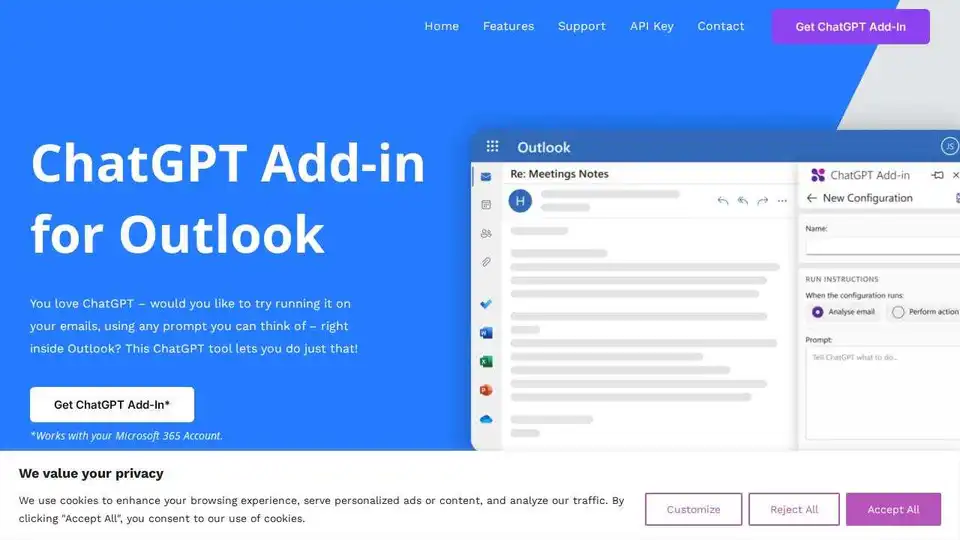
Overview of ChatGPT Add-in for Outlook
ChatGPT Add-in for Outlook: Supercharge Your Email Workflow with AI
What is the ChatGPT Add-in for Outlook? It's a browser extension that brings the power of ChatGPT directly into your Outlook email client, allowing you to leverage AI for various email-related tasks.
Key Features
- Custom Prompts: Create tailored prompts to guide ChatGPT in generating summaries, highlights, or other relevant information based on your specific needs.
- Selective Processing: Choose to process the entire email or focus on specific parts like the body, subject, or attachments to extract the most important information.
- Output Display: Display the ChatGPT output in a separate window for easy comparison and even replace the original email body with the AI-generated content.
- Intelligent Automation: Automate tasks such as identifying important information and updating email priority based on the ChatGPT output.
- Configuration Management: Manage multiple configurations for different email scenarios, with custom conditions, prompts, and display preferences.
How does ChatGPT Add-in for Outlook work?
The add-in works by sending your email content to the ChatGPT API, based on the prompts you've configured. The AI processes the information and generates a response, which is then displayed within Outlook.
- Provide your ChatGPT API key: The add-in requires you to provide your own ChatGPT API key, ensuring secure and personalized access to the AI model.
- Customize Prompts: Create specific prompts based on your needs.
- Choose Processing Options: Decide what the add-in should process.
- Display Results: See the output, compare, and update.
Who is it for?
This add-in is ideal for:
- Professionals: Improve email efficiency by quickly summarizing long threads, identifying key action items, and drafting responses.
- Businesses: Streamline communication workflows by automating email triage and content creation.
- Anyone who wants to: Save time and effort managing their inbox.
Benefits of Using the ChatGPT Add-in for Outlook
- Increased Efficiency: Quickly process and understand email content, saving valuable time.
- Improved Accuracy: Leverage AI to identify important information and avoid overlooking critical details.
- Enhanced Productivity: Automate repetitive tasks and focus on more strategic work.
How to Get Started
- Get your own ChatGPT API Key.
- Get the ChatGPT Add-In from Blueberry Consultants.
Custom Solutions
Blueberry Consultants also offers custom versions of the ChatGPT Outlook Add-in tailored to specific business needs. This includes creating add-ins with unique prompts that can be resold to unlimited users.
- Contact Us: If you're interested in a custom solution, reach out to Blueberry Consultants to discuss your requirements.
What is the price of the custom Add-in? Blueberry Consultants delivers the custom Add-in for a fixed price of £4k – or less.
Disclaimer: ChatGPT is a registered trademark of OpenAI. Blueberry’s email plugin uses ChatGPT technology but we are not affiliated with OpenAI or Microsoft. Outlook is a registered trademark of Microsoft. Blueberry is a Microsoft Partner.
Best Alternative Tools to "ChatGPT Add-in for Outlook"

Tags Related to ChatGPT Add-in for Outlook