
Cursive Reader
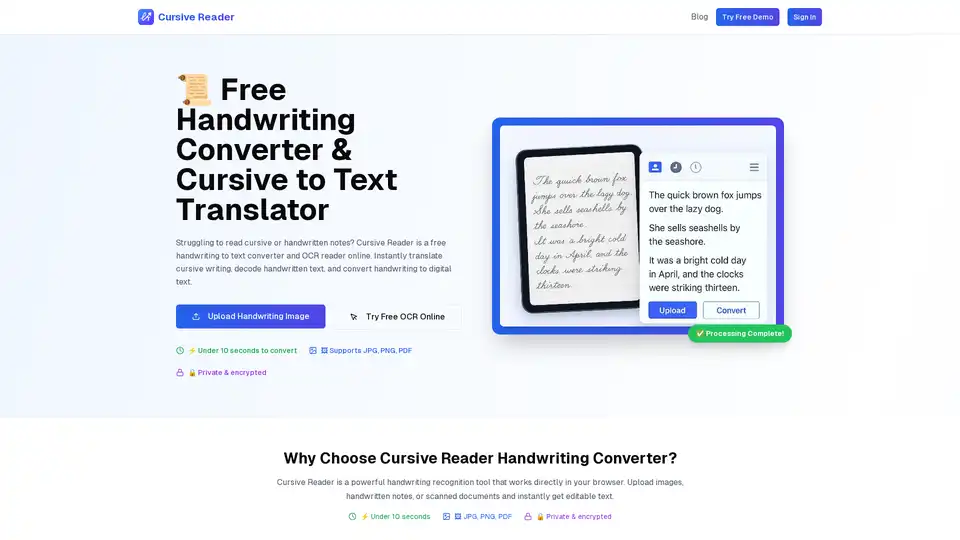
Overview of Cursive Reader
Cursive Reader: Convert Handwriting to Text Instantly
Tired of struggling to decipher cursive handwriting? Cursive Reader is a free, AI-powered online tool that instantly converts cursive and handwritten notes into digital text. It's designed to be accurate, fast, and secure, making it ideal for students, professionals, researchers, and anyone who needs to digitize handwritten content.
What is Cursive Reader?
Cursive Reader is a web-based application that uses Optical Character Recognition (OCR) technology and advanced machine learning algorithms to analyze and translate handwritten images into editable text. It supports various file formats, including JPG, PNG, and PDF, and delivers results in under 10 seconds.
How does Cursive Reader work?
- Upload Your Image: Start by uploading a clear image of the cursive writing or handwritten text. The tool supports JPG, PNG, and PDF files up to 10MB.
- AI Processing: Cursive Reader's OCR engine processes the image automatically, identifying and interpreting the characters.
- Get Digital Text: The converted text is displayed, allowing you to copy, save, or export it to Word, PDF, or TXT formats.
Key Features:
- Handwriting to Text Converter: Converts handwritten notes, cursive text, or scanned letters into digital documents.
- Cursive to Text Translator: Automatically translates cursive writing into clear, typed text with high accuracy.
- Free OCR Online: Works with images, scans, and PDFs.
- Export Options: Save results to Word, PDF, or TXT.
- Free & Secure: No signup is required, and documents are encrypted and deleted after processing.
- Mobile Access: Available on desktop and mobile devices.
Why Choose Cursive Reader?
- Lightning Fast: Converts handwriting in under 10 seconds.
- 100% Private: Documents are encrypted and deleted after processing.
- AI-Powered: Uses advanced machine learning for superior accuracy.
Who is Cursive Reader for?
- Students: Convert lecture notes from pen to print.
- Professionals: Digitize meeting notes quickly.
- Researchers: Decode old manuscripts and historical documents.
- Everyday Users: Easily read cursive handwriting from photos or scans.
Use Cases:
- Digitizing historical documents: Converting old letters, diaries, and manuscripts into digital formats for preservation and research.
- Transcribing meeting notes: Quickly converting handwritten notes from meetings into digital text for easy sharing and archiving.
- Converting classroom assignments: Helping teachers and students digitize handwritten assignments for grading and submission.
- Creating accessible content: Making handwritten content accessible to individuals with visual impairments or learning disabilities.
What is OCR Technology?
Optical Character Recognition (OCR) is a technology that enables computers to recognize text within digital images. Cursive Reader utilizes advanced OCR algorithms to accurately identify and convert handwritten characters into editable text. This technology is constantly evolving, with AI and machine learning techniques improving accuracy and speed.
How to use Cursive Reader?
- Go to the Cursive Reader website.
- Upload an image of the handwriting you want to convert.
- Wait for the tool to process the image.
- Review and edit the converted text.
- Download the text in your preferred format.
User Testimonials:
- "This tool helped me transcribe 200+ pages of my grandfather's notes!" – Sarah, Family Historian
- "I use Cursive Reader every week to digitize classroom assignments." – Ms. Thompson, 6th Grade Teacher
FAQ:
- Can I translate cursive writing to text for free? Yes, Cursive Reader is a free handwriting to text converter and OCR reader online.
- Does it work with scanned documents or images? Absolutely. Use our handwriting scanner online to convert images, PDFs, or handwritten text into digital text.
- Can I export handwriting to Word or PDF? Yes, our handwriting recognition tool supports export to Word, PDF, or TXT.
- Is Cursive Reader a handwriting OCR app? Yes, it's a free handwriting recognition app that lets you read cursive and decode handwritten text.
- Can I use it on mobile? Yes, Cursive Reader works on desktop and mobile as an online handwriting to digital text app.
- Does it support images of cursive writing? Yes, upload a cursive translator picture or scanned handwriting and our OCR reader online will decode it.
Conclusion:
Cursive Reader is a valuable tool for anyone needing to convert handwriting to digital text. Its speed, accuracy, and security make it a top choice for students, professionals, and researchers alike. Whether you're digitizing historical documents, transcribing meeting notes, or converting classroom assignments, Cursive Reader provides a seamless and efficient solution.
Tags Related to Cursive Reader
