Figma Autoname: AI-Powered Layer Renaming for Figma

Figma Autoname

3.5 | 409 | 0
Type:
Extension Plugin
Last Updated:
2025/10/07
Description:
Rename Figma layers automatically with AI using Figma Autoname. This free, open-source plugin saves designers time by automatically renaming layers in one click.
Share:
Figma plugin
layer renaming
AI design
design automation
UI design

Overview of Figma Autoname

Figma Autoname: AI-Powered Layer Renaming for Figma

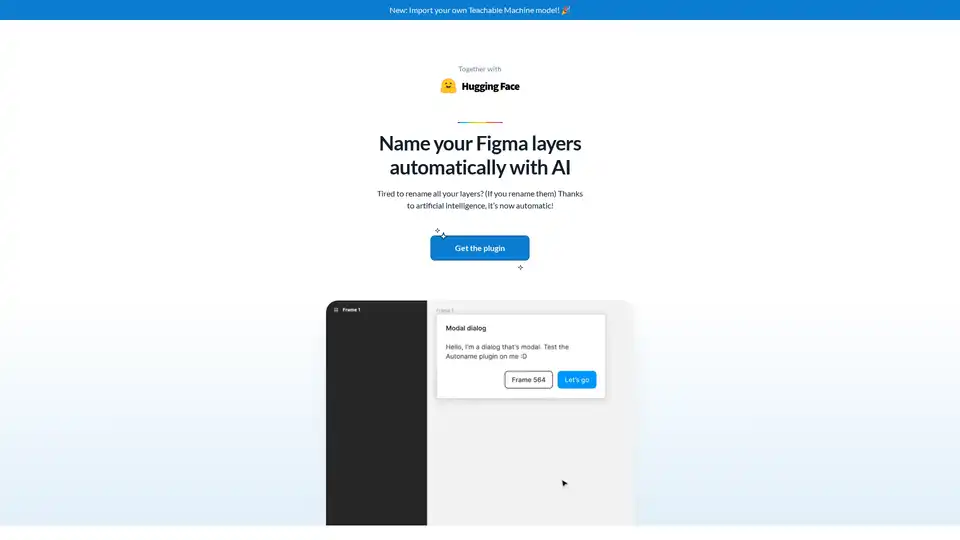
Tired of manually renaming Figma layers? Figma Autoname is a free, open-source Figma plugin that leverages AI to automatically rename your Figma design layers with just one click. Say goodbye to tedious renaming tasks and hello to a more efficient design workflow.

What is Figma Autoname?

Figma Autoname is a browser extension specifically designed for Figma. It uses artificial intelligence to analyze and automatically rename layers within your Figma projects. This simplifies the design process, saves time, and helps maintain a well-organized design file.

How does Figma Autoname work?

Figma Autoname uses AI to intelligently analyze the contents of each layer and then automatically assigns a relevant name. It prevents renaming of your components & instances layers. All it takes is a single click to rename all the layers in your Figma design.

Key Features:

  • One-Click Renaming: Rename all layers in your Figma design with a single click.
  • AI-Powered: Uses artificial intelligence to intelligently name layers.
  • Component Detection: Detects and prevents renaming of component and instance layers.
  • Free & Open Source: Completely free to use and the code is released under the MIT license, encouraging community contributions.
  • Blazing Fast: Renames layers quickly and efficiently.
  • Teachable Machine Model Import: You can now import your own Teachable Machine model to improve the renaming accuracy.

How to use Figma Autoname:

  1. Install the Figma Autoname plugin from the Figma community.
  2. Open your Figma design file.
  3. Run the Figma Autoname plugin.
  4. Click the "Rename All Layers" button.

Why choose Figma Autoname?

  • Save Time: Automate the tedious task of renaming layers.
  • Improve Workflow: Streamline your design process and maintain organized files.
  • Community Driven: Benefit from a free and open-source plugin with community support.
  • Easy to Use: Simple and intuitive interface for quick and easy renaming.

Who is Figma Autoname for?

Figma Autoname is ideal for:

  • UI/UX Designers: Streamline your workflow and maintain organized design files.
  • Web Designers: Quickly rename layers in your web design projects.
  • Graphic Designers: Automate the renaming process in your graphic design projects.
  • Anyone who uses Figma: Save time and effort renaming layers in any Figma project.

User Feedback:

Designers are loving Figma Autoname. Edgar Navarro, Design, Innovation & Strategy at Yomexiro, praises the plugin. Charles Patterson, Senior staff Product Designer, calls it "pretty cool." Vitaly Friedman, Co-founder of Smashing Magazine, found it "very helpful." Omah, Product Designer, was amazed by the plugin.

Best way to improve your Figma workflow?

Figma Autoname significantly improves Figma workflows by automating layer renaming. It's free, easy to use, and open-source, making it a valuable asset for any designer looking to save time and maintain organized files. Give Figma Autoname a try and experience the benefits of AI-powered layer renaming!

Released under the MIT License. Copyright © 2022 - Present Hugo Duprez.

Best Alternative Tools to "Figma Autoname"

LoremGenie
No Image Available
393 0

LoremGenie is a Figma plugin that generates meaningful and relevant content for your designs, replacing boring Lorem Ipsum with diverse data options and easy population methods.

Figma plugin
content generation
FigCopy
No Image Available
284 0

FigCopy is a Figma plugin that turns dummy text into real, personalized copy using AI, enhancing your design presentations with compelling content. Try it free!

Figma plugin
AI copywriting
Feedback Wizard AI
No Image Available
156 0

Feedback Wizard is a Figma plugin that provides instant AI-powered design feedback to improve UX/UI. Get actionable suggestions and streamline your design workflow effortlessly.

Figma plugin
AI design
Frontender
No Image Available
437 0

Frontender is a Figma plugin that converts designs into front-end code like JSX with Tailwind. Speed up your workflow with this free plugin.

Figma to code
front-end generation
Chordio
No Image Available
128 0

Chordio is an AI-powered design review tool for Figma and web pages. It provides instant feedback on accessibility, usability, and brand consistency, helping design teams ship faster with better quality.

Figma plugin
AI design review
UIQuill
No Image Available
217 0

UIQuill is an AI-powered text tool for Figma that provides context-aware text suggestions, optimizing design content with the latest AI technology. It streamlines manual text adjustments, saving time and enhancing designs with SEO-optimized text.

Figma plugin
AI text generator
Simple ChatGPT Plugin
No Image Available
690 0

Discover the Simple ChatGPT Plugin for Figma, an AI-powered tool that lets you edit text directly by generating translations, fake reviews, or custom content using ChatGPT—streamline your design workflow effortlessly.

ChatGPT integration
Atomica
No Image Available
444 0

Atomica is an AI-powered Figma plugin that helps you create, manage, and document color systems efficiently across multiple projects. Streamline your design workflow with AI palette creation and design-ready exports.

Figma plugin
color palette
AI design
Buzzy
No Image Available
397 0

Buzzy is an AI-powered no-code platform that transforms ideas into high-quality Figma designs and full-stack web or mobile apps in minutes. Start from scratch or integrate with Figma without coding for rapid app development.

no-code app builder
Lunacy
No Image Available
419 0

Lunacy by Icons8 is free graphic design software for Windows, macOS, Linux. Open, edit sketch files with ease. Built-in vector, photos, UI kits, and more.

auto layout
background remover
Leiga
No Image Available
423 0

Leiga is an AI-powered project management tool that automates updates, enhances team collaboration, and ensures projects stay on track. Ideal for product teams, it offers chat-based reports, sprint tracking, and workflow automation. Start with 50 free AI credits.

project management
AI assistant
Typper
No Image Available
463 0

Typper is a Figma AI plugin that accelerates your design workflow by generating images, texts, and codes with AI. Try it free for 15 days!

Figma plugin
AI design
Text to Design - AI Assistant
No Image Available
470 0

Text to Design AI Assistant is a revolutionary Figma plugin that transforms text prompts and images into professional designs using advanced AI technology for faster design workflows.

Figma plugin
AI design generation
TextWise
No Image Available
335 0

TextWise is an AI-powered Figma plugin that helps designers translate frames, rephrase text, and access quick AI assistance for design projects.

Figma plugin
AI translation
