
Glotera AI
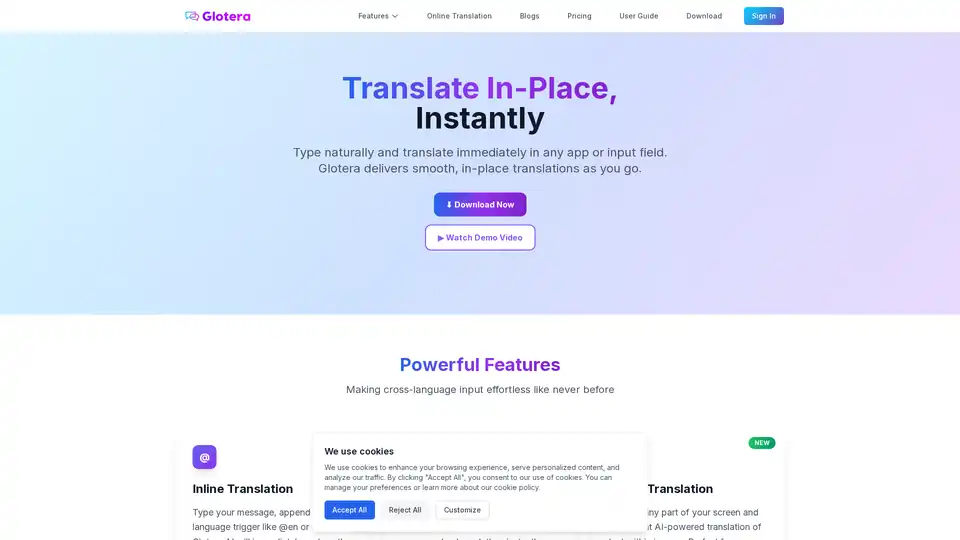
Overview of Glotera AI
Glotera AI: Your AI-Powered Mac Translator for Seamless Communication
What is Glotera AI? Glotera AI is a revolutionary AI translator designed specifically for macOS, enabling instant, in-place translations across all your applications. Say goodbye to the cumbersome process of copying and pasting text into separate translation apps. Glotera AI seamlessly integrates into your workflow, providing real-time translations as you type, read, and interact with content in any language.
How does Glotera AI work?
Glotera AI leverages advanced AI translation technology to deliver highly accurate and natural-sounding translations. It operates in the background, intelligently detecting language triggers and providing translations without disrupting your workflow. Glotera AI offers several powerful features to cater to different translation needs:
- Inline Translation: Simply type your message and append a language trigger (e.g., @en for English, #ja for Japanese). Glotera AI will instantly replace the original text with the translated version.
- Selection Translation: Select any text on your screen—whether in a desktop application or web page—and Glotera AI will instantly translate it into your preferred language in a floating window.
- Image Translation: Capture a screenshot of any part of your screen, and Glotera AI will use AI-powered text recognition to translate the text within the image.
- Translation Copilot: Automatically translates incoming and outgoing messages in WhatsApp, eliminating the need for manual translation.
Key Features and Benefits
- Instant, In-Place Translation: Translate text as you type, read, or interact with content, without interrupting your workflow.
- Support for 100+ Languages: Communicate effortlessly in over 100 languages with accurate and natural-sounding translations.
- Seamless Integration: Works seamlessly across all macOS applications, including native apps and web browsers.
- Lightweight and Fast: Ultra-compact installation package (under 5MB) with instant launch and smooth performance.
- User-Friendly Interface: Simple and intuitive interface for easy access to all features.
Why Choose Glotera AI?
Glotera AI stands out from traditional translation tools by offering a seamless and integrated translation experience. Unlike copy-paste translation apps, Glotera AI works in the background, providing real-time translations without disrupting your flow. Its advanced AI technology ensures highly accurate and natural-sounding translations, while its lightweight design ensures smooth performance.
Who is Glotera AI for?
Glotera AI is perfect for:
- Professionals: Communicate with international clients and colleagues effortlessly.
- Students: Translate research papers, articles, and other academic materials quickly and easily.
- Travelers: Communicate with locals in their native language while traveling abroad.
- Anyone who needs to communicate in multiple languages: Break down language barriers and connect with people from all over the world.
What are users saying about Glotera AI?
Users have praised Glotera AI for its seamless integration, accuracy, and user-friendly interface.
- u/pramodinfos (r/ProductivityApps): "Thts how productive apps should be. Even pricing is decent"
- u/Clipbeam (r/ProductivityApps): "Very cool, well done!"
- u/Weekly_Cut_3268 (r/macapps): "That sounds like a neat way for translation to work without triggering via modifier keys/shortcuts."
How to use Glotera AI?
- Download and install Glotera AI from the official website.
- Launch Glotera AI and grant it the necessary permissions.
- Start typing in any application.
- Append a language trigger (e.g., @en, #ja) to your message for inline translation.
- Select any text on your screen for selection translation.
- Capture a screenshot for image translation.
FAQ
- Which platforms does Glotera AI support? Currently, Glotera AI supports all applications on macOS, including native apps and browsers like Chrome and Safari. Versions for other platforms are under development.
- How accurate is the translation? Glotera AI uses cutting-edge AI translation technology with over 95% accuracy.
- Does it require an internet connection? Yes, Glotera AI requires internet access to provide translation services.
- How is data security ensured? All translation data is encrypted during transmission, and Glotera AI does not store users' personal information or translation content. All content is stored locally on your device.
Conclusion
Glotera AI is a game-changing AI translator that simplifies cross-language communication for macOS users. With its seamless integration, powerful features, and accurate translations, Glotera AI empowers you to communicate effortlessly in any language. Download Glotera AI today and experience the future of translation!
Tags Related to Glotera AI
