
GPT Image 2
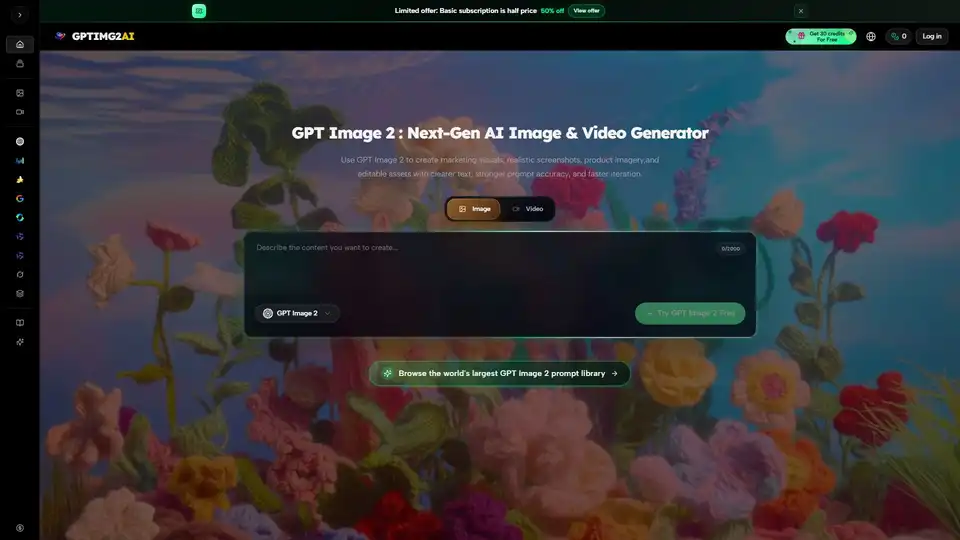
Overview of GPT Image 2
What is GPT Image 2?
GPT Image 2 is a cutting-edge AI image and video generation platform designed to empower creators, marketers, and designers with high-quality visual assets. Hosted on the GPTIMG2 AI platform, this tool leverages advanced machine learning models to produce marketing visuals, realistic screenshots, product imagery, and editable assets with unprecedented clarity in text rendering. Unlike traditional generative AI tools that often struggle with legible typography, GPT Image 2 focuses on delivering stronger prompt accuracy and faster iteration speeds, making it a reliable choice for professional workflows.
Key Features of GPT Image 2
Clearer Text Rendering
One of the standout capabilities of GPT Image 2 is its ability to generate images with clearer, more accurate text. This is a critical feature for creating posters, advertisements, and UI mockups where typography plays a vital role. The model minimizes gibberish text, ensuring that brand names, slogans, and interface elements appear professional and readable.
Multi-Model Support
GPTIMG2 AI integrates a variety of leading generation models to suit different creative needs. Users can access:
- Image Models: GPT Image 2, GPT Image 1.5, Nano Banana系列.
- Video Models: Veo 3.1, Kling 3.0, Happy Horse 1.0, Wan 2.7, and more. This diversity allows users to switch between models based on specific requirements for realism, motion, or style.
Prompt Accuracy and Iteration
The platform is built for efficiency. With stronger prompt accuracy, users spend less time refining inputs and more time creating. The fast iteration capability enables rapid experimentation, allowing designers to test multiple visual directions without significant delays.
Reusable Prompt Library
Users can browse the world's largest GPT Image 2 prompt library. This resource provides reusable directions for character motion, stylized edits, commerce mockups, and fast visual experiments, significantly reducing the learning curve for new users.
How Does GPT Image 2 Work?
GPT Image 2 operates on a prompt-first image workflow. Users input text descriptions or select from existing prompts in the library. The AI models process these inputs to generate visual content. The system supports both static image generation and dynamic video creation, providing a comprehensive suite for multimedia production. The integration of multiple models means that the backend selects the most appropriate algorithm for the requested task, whether it is a still image generation, realism enhancement, text rendering, or dynamic shot creation.
Use Cases for GPT Image 2
Marketing Visuals
Marketers can create high-quality ads and promotional materials quickly. The ability to render clear text means that call-to-action buttons and brand logos are displayed correctly, increasing the effectiveness of ad campaigns.
Product Imagery
E-commerce businesses can generate realistic product shots without the need for expensive photography sessions. This is particularly useful for prototypes or variations of products that do not yet exist physically.
UI Mockups
Designers can use the tool to create interface mockups with readable text elements. This accelerates the prototyping phase, allowing teams to visualize app or website layouts before development begins.
Reference-Based Images
The tool supports reference-based generation, allowing users to upload existing images to guide the AI. This ensures consistency in style and character across different assets.
Why Choose GPTIMG2 AI?
Choosing GPTIMG2 AI means accessing a consolidated hub for top-tier AI models. Instead of subscribing to multiple services, users can leverage Veo, Kling, Grok Imagine, and GPT Image models under one roof. The platform offers a free trial with credits, allowing users to test capabilities before committing to a subscription. Additionally, the limited offer of 50% off on basic subscriptions makes it a cost-effective solution for freelancers and small businesses.
Who is GPT Image 2 For?
- Digital Marketers: Looking to create ad creatives and social media content.
- Graphic Designers: Needing quick mockups and visual assets.
- E-commerce Sellers: Requiring product images without photoshoots.
- Content Creators: Seeking engaging visuals for videos and blogs.
- Developers: Needing UI references and asset generation.
Best Way to Use GPT Image 2
To get the best results, start by exploring the prompt library to understand effective structures. Use specific descriptors for lighting, style, and text content. Take advantage of the free credits to experiment with different models like Kling 3.0 for video or GPT Image 2 for static visuals. Regularly check the "What's New" section for model updates and feature enhancements.
Conclusion
GPT Image 2 represents a significant step forward in AI-generated visuals, particularly in the realm of text accuracy and multi-modal support. By combining powerful image and video models with a user-friendly interface and extensive prompt resources, GPTIMG2 AI provides a robust solution for modern content creation. Whether you are designing a campaign, prototyping an app, or generating product images, GPT Image 2 offers the speed and quality needed to stay competitive in a visual-first digital landscape.
Tags Related to GPT Image 2
