
HitPaw Online Video Enhancer
3.5
812
0
Type:
Website
Last Updated:
2025/10/13
Description:
Free AI video enhancer to upscale video quality to 4K online. Unblur, upscale, and enhance old or blurry videos for free without signup using HitPaw Online Video Enhancer!
video enhancement
AI upscaling
video quality
online video editor
4K video
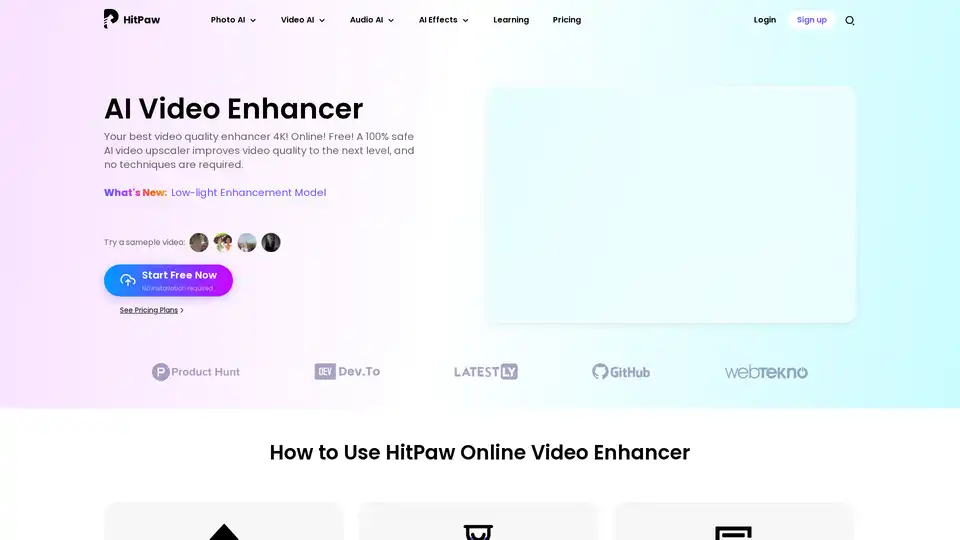
Overview of HitPaw Online Video Enhancer
HitPaw Online Video Enhancer: Enhance Your Videos to 4K for Free
What is HitPaw Online Video Enhancer?
HitPaw Online Video Enhancer is an AI-powered tool designed to improve video quality up to 4K resolution. It's a user-friendly solution for anyone looking to enhance old, blurry, or low-resolution videos without needing advanced technical skills or software installations.
How does HitPaw Online Video Enhancer work?
HitPaw Online Video Enhancer uses advanced AI algorithms to analyze and enhance video quality. Here’s a breakdown of how it works:
- Upload Video: Users upload their video to the HitPaw Online platform.
- AI Enhancement: The AI analyzes the video and offers various enhancement models tailored to different video types (e.g., face enhancement, noise reduction, animation enhancement).
- Preview and Adjust: Users can preview the enhanced video and make adjustments as needed.
- Download: Once satisfied, users can download the high-quality video in various formats such as MP4, MOV, MKV, and AVI.
Key Features and Benefits
- AI Video Upscaling: Converts low-resolution videos to 4K, enhancing details and clarity.
- Face Enhancement: Removes blur and enhances facial features in videos.
- Noise Reduction: Reduces background noise for clearer audio.
- Animation Enhancement: Upscales anime videos to 1080P/4K resolution.
- Colorization: Accurately colorizes black and white videos or vintage films.
- Low-Light Enhancement: Brightens videos filmed in dim environments.
- User-Friendly Interface: No technical skills required.
- Online Access: No need for software installation.
- Multiple Format Support: Supports various video formats, including MP4, MOV, MKV, and AVI.
Why Choose HitPaw Online Video Enhancer?
- Accessibility: Accessible to anyone with an internet connection, without the need for expensive software or hardware.
- Efficiency: Provides quick and effective video enhancement, saving time and effort.
- Versatility: Suitable for various video types, including old films, anime, e-commerce product videos, and social media content.
- Cost-Effective: Offers a free trial and affordable pricing plans for enhanced features.
Who is HitPaw Online Video Enhancer for?
- Film Lovers: Enhance the quality of old movies and documentaries.
- Video Creators: Improve the visual appeal of content for social media and online platforms.
- Anime Fans: Enjoy anime videos in stunning 4K resolution.
- E-commerce Businesses: Enhance product demonstration videos to boost customer engagement.
- Educators: Upgrade the quality of teaching videos for better learning experiences.
Use Cases
- Reviving Old Films: Restore classic movies and TV shows to their former glory.
- Enhancing Social Media Content: Make videos stand out on platforms like YouTube, Instagram, and TikTok.
- Improving E-commerce Product Videos: Showcase products in the best possible quality to attract more customers.
- Upgrading Teaching Materials: Provide students with clearer and more engaging educational videos.
- Personal Use: Upscale family videos, wedding recordings, and other precious memories.
How to Use HitPaw Online Video Enhancer
- Upload a Video:
- Go to the HitPaw Online Video Enhancer website.
- Upload the video you want to enhance.
- Intelligent Video Enhancement:
- Choose the most suitable AI enhancement model for your video (e.g., AI Face Model, Denoise Model, Animation Model).
- Preview the effect of the AI upscaling and make adjustments if needed.
- Check Upscaled Video:
- Once satisfied with the enhancement, click the download button.
- Save the high-quality video to your computer in your preferred format.
Enhance Different Types of Videos
- AI Face Model:
- Removes blur from faces in videos.
- Enhances facial features for better clarity.
- Improves face detection in blurred videos.
- Denoise Model:
- Reduces background noise from videos.
- Provides clearer audio.
- Ideal for videos with distracting background sounds.
- Animation Model:
- Upscales anime videos to stunning 1080P/4K resolution.
- Enhances characters and details.
- Perfect for anime enthusiasts.
- Colorize Model:
- Accurately colorizes black and white videos or vintage films.
- Brings historic footage back to vibrant life.
- Great for preserving and sharing old memories.
- AI Lightener:
- Effortlessly brightens up content with our Color Enhancement model.
- No more worries about challenging color conditions.
- Low-light Enhancement Model
- Lighten videos by our latest low-light enhancement model.
- Adjust the brightess of videos that film in dim environment to get rid of poor-light conditions and reveal hidden details for clearer watching.
HitPaw Online Video Enhancer simplifies the process of improving video quality, making it accessible to a wide range of users. Whether you’re a film lover, content creator, or business owner, this tool offers a practical and efficient way to enhance your videos.
Best Alternative Tools to "HitPaw Online Video Enhancer"

Tags Related to HitPaw Online Video Enhancer