
Image to Excel
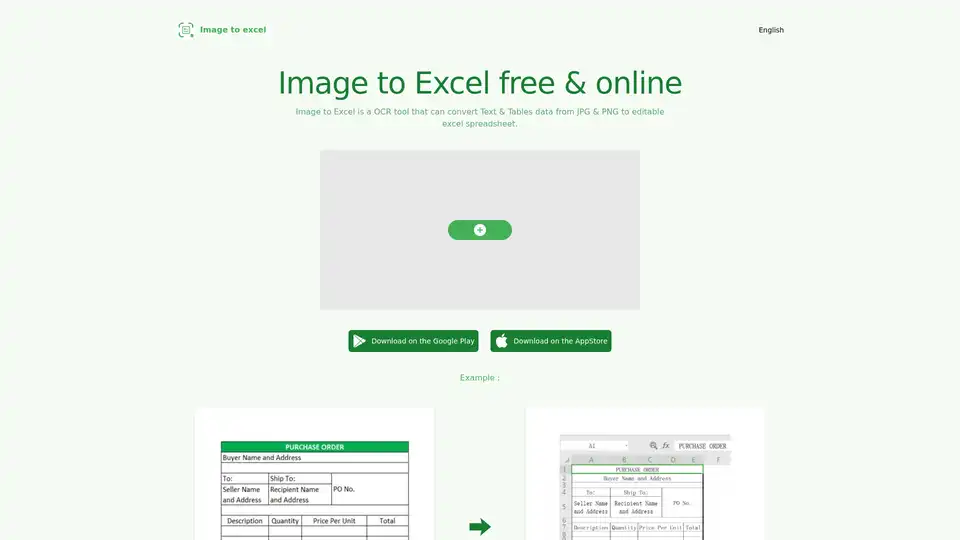
Overview of Image to Excel
Image to Excel: Free Online Image to Excel Converter
What is Image to Excel?
Image to Excel is a free online OCR (Optical Character Recognition) tool designed to convert image-based data, specifically text and tables, from JPG and PNG files into editable Excel spreadsheets. This service aims to streamline data extraction and manipulation processes, saving users time and effort.
How does Image to Excel work?
Image to Excel utilizes AI-powered OCR technology to analyze images and identify text and table structures. It then converts this data into a format that can be opened and edited in Microsoft Excel or other compatible spreadsheet software. The process is designed to be user-friendly, requiring only a few simple steps:
- Upload an image file (JPG or PNG).
- Click the 'Add' button to initiate the conversion.
- Wait for the tool to process the image and convert the data.
- Download the resulting Excel file containing the extracted tables and text.
Why choose Image to Excel?
- Free and Accessible: Image to Excel is a free service, making it accessible to a wide range of users without any subscription fees or hidden costs.
- AI-Powered Accuracy: The tool leverages AI technology to ensure higher precision and accuracy in data extraction.
- Multi-Platform Support: Image to Excel is available as a web application, as well as iOS and Android apps, providing flexibility for users on different devices.
- Saves Time and Effort: By automating the process of converting images to editable Excel data, Image to Excel saves users valuable time and effort.
Key Features
- Image to Table Conversion: Accurately recognizes tables within images and converts them into editable Excel tables.
- Multiple Image Format Support: Supports both JPG and PNG image formats.
- Broad Platform Availability: Offers web, iOS, and Android app access.
- AI-Driven Precision: Delivers high precision and accuracy powered by AI algorithms.
Who is Image to Excel for?
Image to Excel is ideal for a variety of users, including:
- Data Entry Professionals: Simplifies the process of entering data from scanned documents or images.
- Researchers and Analysts: Enables quick extraction of data from images for analysis and reporting.
- Students: Facilitates the conversion of tables and text from images for academic projects.
- Business Professionals: Streamlines data management and reporting tasks.
Best way to convert image to excel?
For optimal results, consider the following guidelines when using Image to Excel:
- Ensure the image is clear, flat, and properly oriented.
- Crop the image to focus on the table or text area, avoiding excessive surrounding space.
- Verify that the text size is adequate (preferably not less than 40 pixels).
- Remove any non-table areas from the image.
Supported Languages
Image to Excel currently supports the recognition of text in the following languages:
- English
- Simplified Chinese
- Traditional Chinese
FAQ
How do I convert an image into a data table to Excel?
You can just pick a jpg & png file, click 'add' and wait a few seconds. then you will get a excel file that contain tables & text data in image. very easy to use.
What are the requirements for images before conversion?
- To achieve the best results, please ensure that the table in the picture is clear, flat, and correct.
- The image cannot be too large. It is recommended to crop them before conversion.
- The text should not be too small, preferably not less than 40 pixels.
- Try to cut off non table areas in the image as much as possible.
Which languages can be recognized?
English, Simplified Chinese, Traditional Chinese.
How to contact us if you has any other questions ?
You can contact us by chmarquis02@gmail.com.
Tags Related to Image to Excel
