
Kling Motion Control
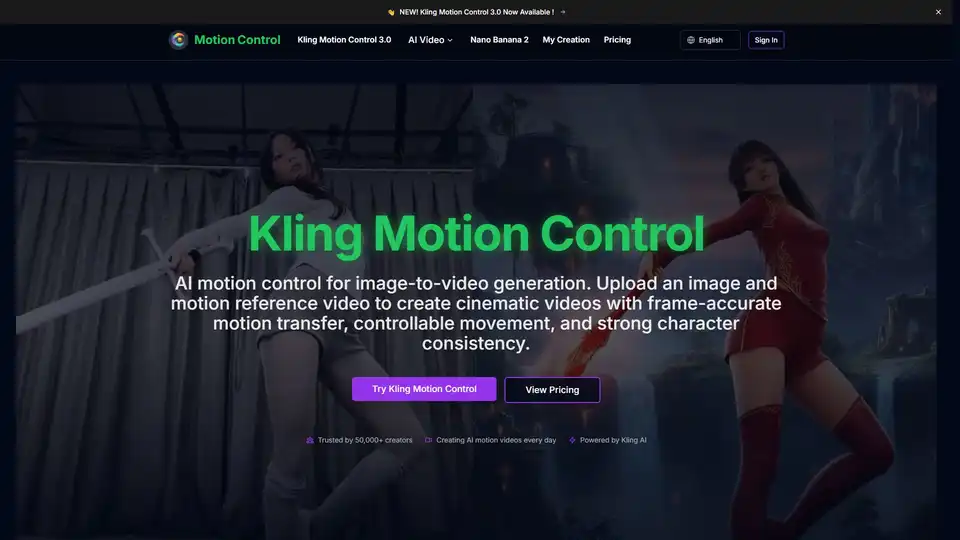
Overview of Kling Motion Control
What is Kling Motion Control?
Kling Motion Control is a cutting-edge AI video generation tool designed to transform static images into dynamic, cinematic videos with unprecedented precision. Powered by advanced Kling AI technology, this platform allows creators to upload a still image and a motion reference video to generate frame-accurate motion transfer. Unlike traditional image-to-video AI tools that rely on random animation, Kling Motion Control gives you full command over subject movement, camera angles, and character consistency.
Whether you are a filmmaker, content creator, or marketing professional, Kling Motion Control bridges the gap between static visuals and dynamic storytelling. It enables AI motion control that preserves facial features, clothing details, and visual identity throughout the video generation process, ensuring your characters remain recognizable from start to finish.
Key Features of Kling Motion Control
Precise AI Motion Control
Go beyond random animation. Kling Motion Control guides subject movement with precise motion trajectories, ensuring the final video follows your intended action, direction, and timing with frame-level accuracy. This level of control is essential for professional AI video generation.
Stable Character Consistency
One of the biggest challenges in AI animation is maintaining character identity. Kling Motion Control is specifically designed to preserve facial features, clothing, and visual identity during image-to-video generation. This makes it ideal for creating consistent character videos for social media or storytelling.
Image-to-Video Motion Transfer
Turn a still image into a dynamic AI video by transferring motion from a reference clip. This workflow makes image-to-video generation more controllable and predictable, allowing you to replicate specific dance moves, gestures, or actions.
Complex Action Control
Handle subtle gestures, full-body movement, and demanding actions with better control. Kling interprets motion references to create believable, fluid action sequences, making it suitable for complex scenarios like dance motion transfer or action scenes.
Cinematic Camera Movement
Create more cinematic AI videos with better control over movement and shot feel. Kling Motion Control helps you produce pans, tilts, zoom-like motion, and dynamic visual flow alongside subject action, enhancing the professional quality of your output.
Fast AI Video Generation
Generate motion-controlled AI videos in minutes. This speed allows you to test ideas faster, iterate on results, and move from concept to final output without a slow production workflow, significantly boosting productivity for content creators.
How Does Kling Motion Control Work?
The workflow is designed to be intuitive yet powerful:
- Upload a Reference Image: Start by uploading a character image, portrait, product photo, or any still image you want to animate. A clear subject helps Kling Motion Control preserve identity and improve image-to-video results.
- Add a Motion Reference Video: Upload a motion reference video that shows the body movement, gesture, or action you want to transfer. This gives the AI motion control system a clear movement path to follow.
- Refine the Scene with Prompts: Add optional text prompts to control scene details, background elements, camera feel, or styling. This helps you guide the final AI video beyond basic motion transfer.
- Choose a Model and Generate: Choose between Kling Motion Control 2.6 or the latest Kling 3.0, then generate your video. The model applies motion transfer to your image and outputs a cinematic AI video with controllable movement in minutes.
Use Cases for Kling Motion Control
- Character Animation: Transfer energetic dance movement from a reference clip into a stylized character with precise AI motion control.
- Full-Body Motion: Generate natural full-body movement while keeping facial expression and timing better aligned across the output video.
- Scene Styling: Use prompts to control outfit details, scene elements, and visual styling while preserving motion transfer from the reference video.
- Product Videos: Create cinematic AI videos for products with controllable motion, ideal for ads and marketing concepts.
- Pre-visualization: Filmmakers can use it for camera planning and testing scene ideas before production to save time and budget.
Pricing Plans
Kling Motion Control offers flexible pricing to suit different needs:
- Starter: Perfect for exploring AI image generation. Includes 18,000 credits/year, up to 25 videos/month, and access to Kling Motion Control 2.6 & 3.0.
- Pro: Ideal for content creators and small businesses. Includes 45,600 credits/year, up to 63 videos/month, premium quality, and no watermarks.
- Ultra: Built for professionals and high-volume users. Includes 138,000 credits/year, up to 191 videos/month, priority support, and all premium features.
Why Choose Kling Motion Control?
Kling Motion Control stands out in the AI video tool market due to its focus on precision and consistency. While many tools generate random movements, Kling allows you to dictate exactly how your subject moves. This makes it a superior choice for AI motion transfer and professional video production. With support for high-resolution outputs (up to 1080P in Professional mode) and fast generation times, it empowers creators to produce high-quality content efficiently.
Frequently Asked Questions
What is Kling Motion Control?
It is an AI tool that turns images into videos using a reference motion video for precise control.
How does AI motion control work in Kling Motion Control?
It analyzes the motion reference video and applies the movement trajectory to the static image while maintaining character consistency.
Can I control camera movement in AI video generation?
Yes, you can use prompts and settings to control pans, tilts, and zoom-like motion.
What makes Kling Motion Control different from other AI video tools?
Its ability to maintain stable character consistency and precise motion transfer sets it apart from generators that produce random animations.
Start creating cinematic AI motion videos today with Kling Motion Control and experience the future of image-to-video generation.
Tags Related to Kling Motion Control
