
Kling Motion Control
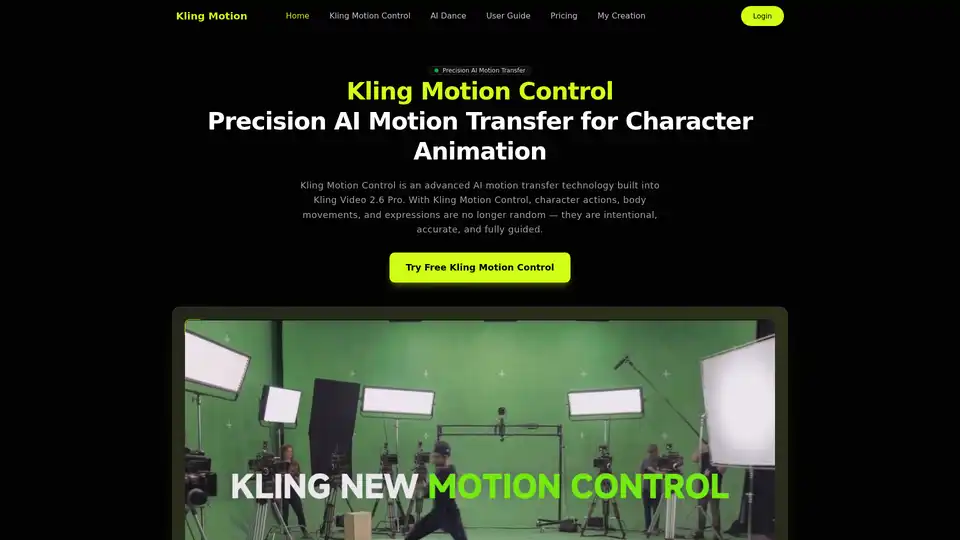
Overview of Kling Motion Control
What is Kling Motion Control?
Kling Motion Control is an advanced AI motion transfer technology integrated into the Kling Video 2.6 Pro platform. It revolutionizes character animation by extracting precise motion data from a real-world video reference (ranging from 3 to 30 seconds) and applying it to a static character image. Unlike probabilistic AI video generation that guesses movement, this system ensures predictable, identity-preserved, and realistic motion outcomes. It's designed for creators who need full control over character animation, from subtle gestures to complex dance choreography, making it a powerful tool for both artistic and commercial projects.
How Does Kling Motion Control Work?
The process is designed for simplicity and high fidelity:
- Motion Extraction: The system analyzes a reference video to extract a detailed frame-by-frame motion path. This captures everything from full-body posture shifts to intricate hand movements.
- Character Image Input: You provide a static image of your character. The AI preserves the visual identity of this character throughout the animation.
- Motion Application: The extracted motion path is applied to your character image. The AI ensures the character's physique and clothing respond realistically to the movement.
- Scene Refinement (Optional): You can add text prompts to control background elements, lighting, and visual style without altering the core motion transfer.
- Generation: The system outputs a video up to 30 seconds long, maintaining consistent character identity and motion accuracy.
Core Technical Workflow
| Step | Input | Action | Output |
|---|---|---|---|
| 1. Reference | 3-30 sec video (dancing, walking, etc.) | Extract motion paths | Motion data vector |
| 2. Character | Static image (illustration, photo) | Preserve visual identity | Identity frame |
| 3. Synthesis | Motion data + Character image + Prompt | Frame-by-frame rendering | 30s Animated Video |
Key Features of Kling Motion Control
This tool stands out due to its precision and control. Here are its standout capabilities:
1. True Motion Fidelity
Unlike generic animation tools, Kling Motion Control reconstructs motion frame-by-frame. It captures the nuance of real human movement, ensuring that complex actions like martial arts spins or dance routines look natural and physically coherent.
2. Precision Hand & Gesture Control
One of the most challenging aspects of animation is hand articulation. This tool excels at preserving fine finger movements and expressive hand gestures, making it suitable for close-up shots where detail is critical.
3. Identity Preservation
The character image's visual style, color palette, and facial features remain intact throughout the animation. The system does not morph the character into a generic figure; it animates your character.
4. Flexible Orientation Modes
- Character Orientation Matches Video: For exact replication of the reference framing.
- Character Orientation Matches Image: Preserves your original composition while allowing for camera motion effects (panning, zooming).
5. Optional Audio Preservation
You can choose to retain the original audio track from the reference video (e.g., music for a dance) or generate a silent video. This is crucial for sync-perfect marketing or music video projects.
6. Prompt-Guided Scene Refinement
Use text prompts to tweak visual elements. Want a different background color or lighting? Simply describe it. The AI adjusts these stylistic elements while keeping the motion transfer unchanged.
Use Cases: Who is Kling Motion Control For?
Kling Motion Control caters to a diverse range of creative professionals and industries:
1. Character Animators & Illustrators
- Application: Bring illustrated characters, mascots, or concept art to life. Apply real dance choreography to an anime character or a cartoon mascot.
- Value: Saves hundreds of hours of manual frame-by-frame animation. Enables indie animators to produce high-quality movement without a full team.
2. Marketing & Brand Managers
- Application: Create product demos and explainer videos using animated brand characters. Transfer professional actor gestures to a 2D logo or mascot for engaging social ads.
- Value: High consistency, predictable results, and commercial rights (in Pro plan) make it perfect for scalable marketing content creation.
3. Video Production & Pre-Visualization (Previs) Artists
- Application: Generate realistic character performances early in the production pipeline. Test different camera angles and choreography before physical shooting begins.
- Value: Rapid ideation, reduced trial-and-error, and clearer communication with directors and clients.
4. Social Media Creators & Content Producers
- Application: Apply trending motion clips from TikTok or Instagram to custom characters. Produce engaging short-form videos with consistent motion quality.
- Value: One-shot generation up to 30 seconds fits perfectly into content calendars. The ability to remix popular trends with unique characters drives engagement.
5. AI Researchers & Developers
- Application: Studying motion transfer algorithms, testing the limits of consistency in AI video generation, or exploring the separation of motion and style.
- Value: Access to a robust API (coming soon) and flexible controls for experimental workflows.
Why Choose Kling Motion Control Over Other AI Video Tools?
- Predictability vs. Randomness: Most AI video generators are "black boxes"—you input text and hope for the best. Kling Motion Control is deterministic. You control the what (via reference video) and the how (via prompts), ensuring the output matches your vision.
- Quality of Movement: The focus on full-body accuracy and hand precision addresses the specific shortcomings of current AI animation tools, which often produce blurry or distorted limbs.
- Workflow Integration: It doesn't just generate a video; it integrates into a creative pipeline. The ability to preserve audio and control orientation makes it a professional-grade production tool, not just a novelty app.
Pricing & Plans
Kling Motion Control uses a credit system. Credits never expire, offering flexibility.
Starter Plan ($9.9)
- Best for: Hobbyists, testing the tool.
- Includes: 99 Credits (up to 6 videos), HD export, standard queue.
Basic Plan ($29.9) - Most Popular
- Best for: Regular content creators and indie marketers.
- Includes: 330 Credits (up to 22 videos), Precision hand & gesture control, priority queue.
Plus Plan ($49.9)
- Best for: Professionals needing more control.
- Includes: 600 Credits (up to 40 videos), Prompt-guided scene refinement, faster priority queue, up to 5 concurrent jobs.
Professional Plan ($99.9)
- Best for: Agencies, studios, and high-volume commercial use.
- Includes: 1250 Credits (up to 83 videos), Camera movement support, Commercial license, fastest queue, up to 10 concurrent jobs, and 24/7 priority support. API access is listed as "coming soon."
Frequently Asked Questions (FAQ)
What is the maximum video length? Kling Motion Control supports one-shot video generation up to 30 seconds.
Does it work with non-human characters? Yes, though the best results occur when the subject in the image and the video are similar (e.g., human to human, dog to dog). Stylized characters are supported but may require tweaking.
Can I control facial expressions? Yes. Expressions are influenced by the transferred motion and can be refined via text prompts. For example, a reference video of a smiling person will result in a smiling animated character.
Is the motion transfer affected by prompts? No. Prompts refine the visual styling (background, lighting, texture) without altering the core motion path extracted from the reference video. This ensures motion accuracy remains high.
Does it support camera movement? Yes. When using the "Character Orientation Matches Image" mode, the system supports camera motion, allowing for dynamic shots where the character moves relative to the viewer.
Can I keep the original audio? Yes. The "Optional Audio Preservation" feature allows you to keep the original audio track from the reference video or generate a silent output.
Is it suitable for fast movements? Absolutely. The system is optimized for complex and fast full-body motion, ensuring smooth rendering even during dynamic actions like running or dancing.
Is it good for commercial content? Yes, especially with the Professional plan which includes a commercial license. It is ideal for marketing assets, branded content, and professional animation workflows.
Conclusion
Kling Motion Control represents a significant step forward in AI-powered animation. By decoupling motion control from visual generation, it offers creators the precision, predictability, and consistency required for professional work. Whether you are an animator looking to speed up your workflow, a marketer seeking unique brand assets, or a researcher exploring the frontiers of AI, this tool provides a robust, high-quality solution. With its user-friendly interface and credit-based pricing, it is accessible to beginners while scaling to meet the demands of enterprise users.
Tags Related to Kling Motion Control
