
llm-answer-engine
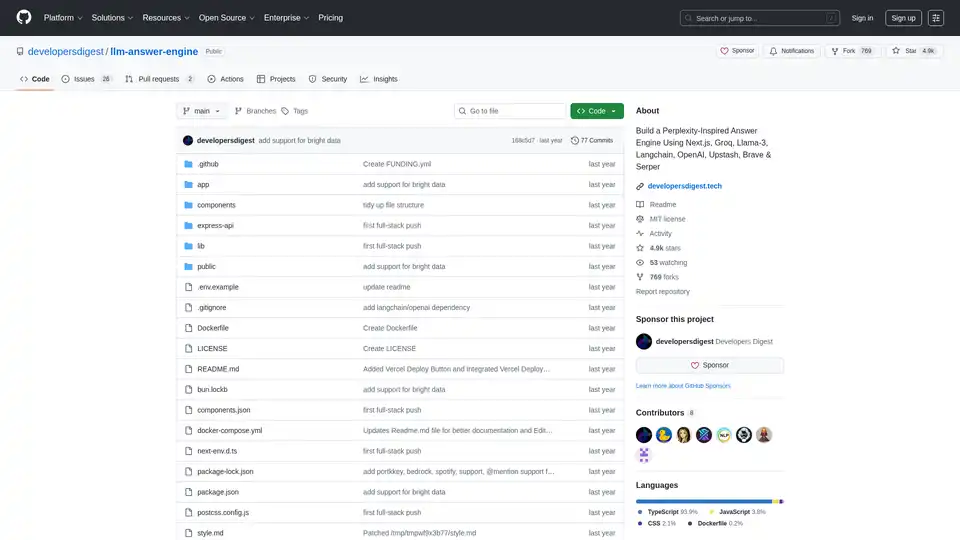
Overview of llm-answer-engine
LLM Answer Engine: Build Your Own AI-Powered Question Answering System
This open-source project, llm-answer-engine, provides the code and instructions to build a sophisticated AI answer engine inspired by Perplexity. It leverages cutting-edge technologies like Groq, Mistral AI's Mixtral, Langchain.JS, Brave Search, Serper API, and OpenAI to deliver comprehensive answers to user queries, complete with sources, images, videos, and follow-up questions.
What is llm-answer-engine?
llm-answer-engine is a starting point for developers interested in exploring natural language processing and search technologies. It allows you to create a system that efficiently answers questions by:
- Retrieving relevant information from various sources.
- Generating concise and informative answers.
- Providing supporting evidence and related media.
- Suggesting follow-up questions to guide further exploration.
How does llm-answer-engine work?
The engine utilizes a combination of technologies to process user queries and generate relevant responses:
- Query Understanding: Technologies like Groq and Mixtral are used to process and understand the user's question.
- Information Retrieval:
- Brave Search: A privacy-focused search engine is used to find relevant content and images.
- Serper API: Used for fetching relevant video and image results based on the user's query.
- Cheerio: Utilized for HTML parsing, allowing the extraction of content from web pages.
- Text Processing:
- Langchain.JS: A JavaScript library focused on text operations, such as text splitting and embeddings.
- OpenAI Embeddings: Used for creating vector representations of text chunks.
- Optional components:
- Ollama: Used for streaming inference and embeddings.
- Upstash Redis Rate Limiting: Used for setting up rate limiting for the application.
- Upstash Semantic Cache: Used for caching data for faster response times.
Key Features and Technologies:
- Next.js: A React framework for building server-side rendered and static web applications, providing a robust foundation for the user interface.
- Tailwind CSS: A utility-first CSS framework for rapidly building custom user interfaces, enabling efficient styling and customization.
- Vercel AI SDK: A library for building AI-powered streaming text and chat UIs, enhancing the user experience with real-time feedback.
- Function Calling Support (Beta): Extends functionality with integrations for Maps & Locations (Serper Locations API), Shopping (Serper Shopping API), TradingView Stock Data, and Spotify.
- Ollama Support (Partially supported): Offers compatibility with Ollama for streaming text responses and embeddings, allowing for local model execution.
How to use llm-answer-engine?
To get started with llm-answer-engine, follow these steps:
- Prerequisites:
- Obtain API keys from OpenAI, Groq, Brave Search, and Serper.
- Ensure Node.js and npm (or bun) are installed.
- (Optional) Install Docker and Docker Compose for containerized deployment.
- Installation:
git clone https://github.com/developersdigest/llm-answer-engine.git cd llm-answer-engine - Configuration:
- Docker: Edit the
docker-compose.ymlfile and add your API keys. - Non-Docker: Create a
.envfile in the root of your project and add your API keys.
- Docker: Edit the
- Run the server:
- Docker:
docker compose up -d - Non-Docker:
npm install  # or bun install
npm run dev  # or bun run dev
- Docker:
The server will be listening on the specified port.
Why choose llm-answer-engine?
- Inspired by Perplexity: Provides a similar user experience to a leading AI answer engine.
- Leverages powerful technologies: Combines the best of breed in NLP, search, and web development.
- Open-source and customizable: Allows you to adapt the engine to your specific needs.
- Function Calling Support: Extends functionality with integrations for Maps & Locations, Shopping, TradingView Stock Data, and Spotify.
Who is llm-answer-engine for?
This project is ideal for:
- Developers interested in natural language processing and search technologies.
- Researchers exploring question answering systems.
- Anyone who wants to build their own AI-powered knowledge base.
Roadmap:
The project roadmap includes exciting features such as:
- Document upload + RAG for document search/retrieval.
- A settings component to allow users to select the model, embeddings model, and other parameters from the UI.
- Add support for follow-up questions when using Ollama
Contributing:
Contributions are welcome! Fork the repository, make your changes, and submit a pull request.
This project is licensed under the MIT License.
Build your own AI-powered answer engine and explore the possibilities of natural language processing with llm-answer-engine!
Tags Related to llm-answer-engine
